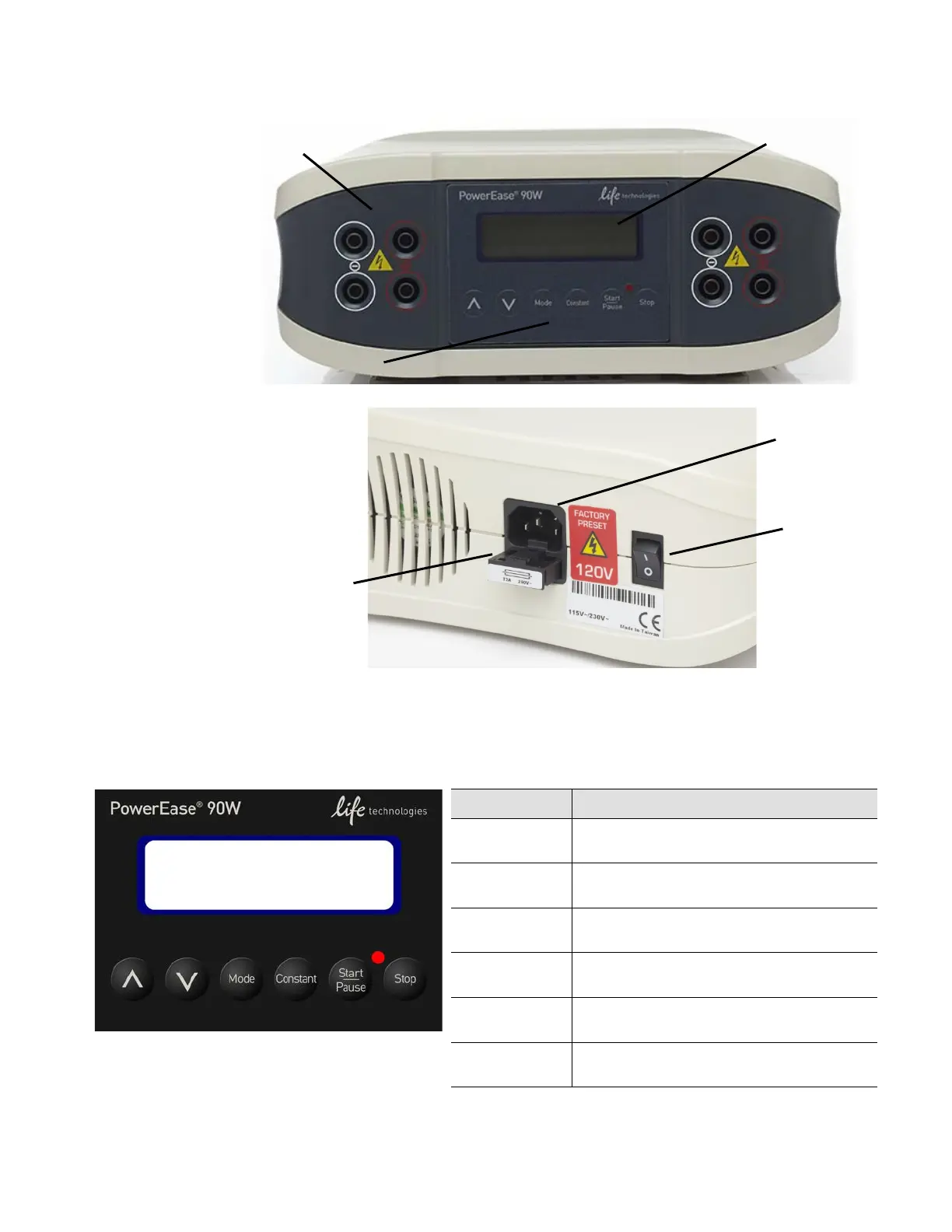
Description of buttons and switches
PowerEase
®
90W
Power Supply
PowerEase
®
90W
Power Supply
Operational keys
PowerEase
®
90W Power Supply key pad
Key Use the key to…
∧ (Up Arrow) Toggle the cursor position up and increase
values when settings are flashing.
∨ (Down Arrow) Toggle the cursor position down and
decrease values when settings are flashing.
Mode Cycle between voltage, current, and time
settings, allowing values to be changed.
Constant Toggle between constant voltage and
current operation.
Start/Pause Start, pause, and resume power supply
operation without resetting the timer.
Stop Stop power supply operation, reset the
timer, turn off the beeper.
6
PowerEase
®
90W Power Supply User Guide



 To Next Page