9.
BCone | Installation & Operation Guide
Rev B | Doc P/N: BC-00-70-002
HOME UNIT
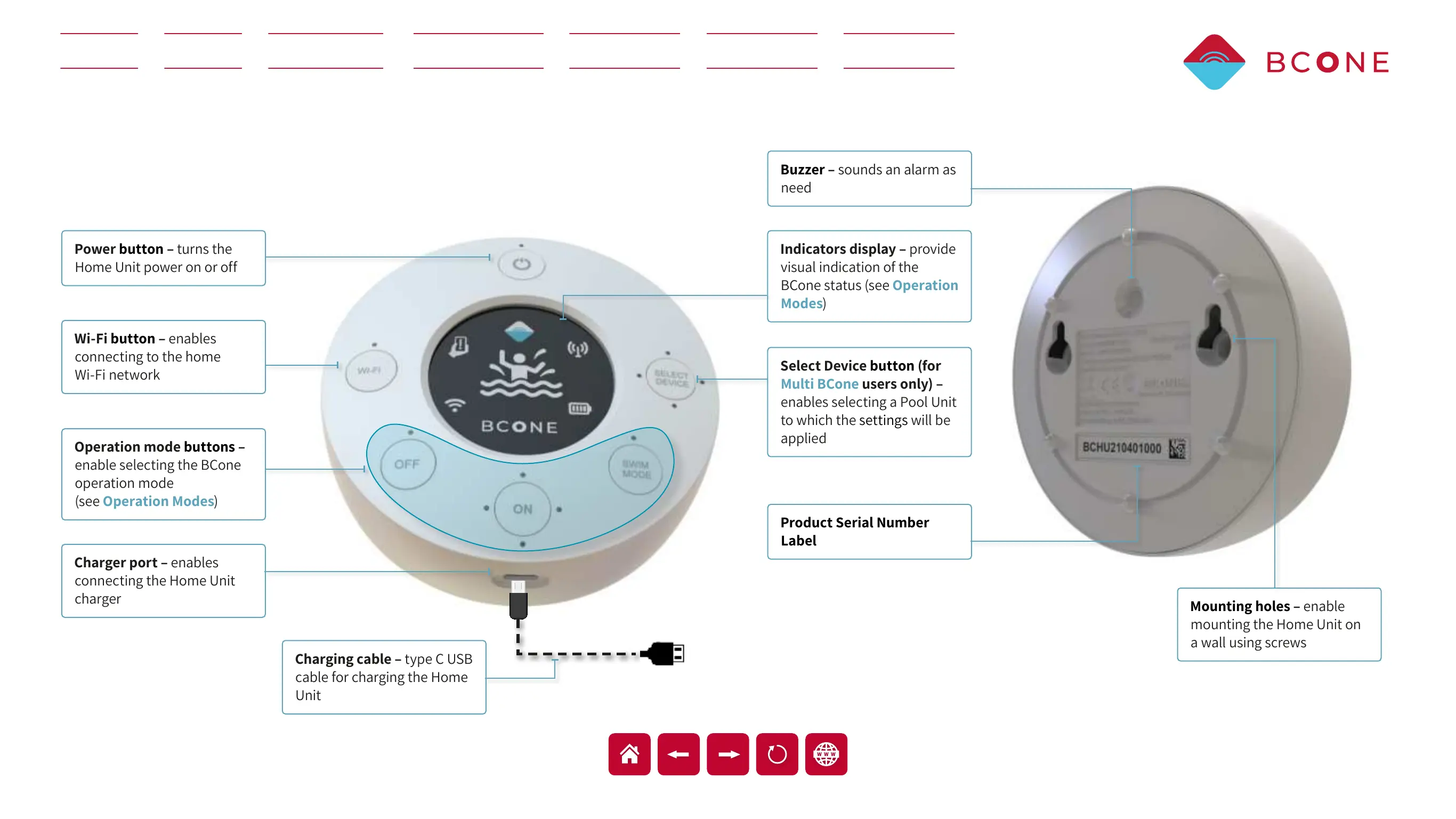
The Home Unit includes the following components:
Power button – turns the
Home Unit power on or off
Mounting holes – enable
mounting the Home Unit on
a wall using screws
Indicators display – provide
visual indication of the
BCone status (see
Operation
Modes
)
Buzzer – sounds an alarm as
need
Operation mode buttons –
enable selecting the BCone
operation mode
(see
Operation Modes)
Wi-Fi button – enables
connecting to the home
Wi-Fi network
Charger port – enables
connecting the Home Unit
charger
Select Device button (for
Multi BCone users only) –
enables selecting a Pool Unit
to which the
settings will be
applied
Product Serial Number
Label
Charging cable – type C USB
cable for charging the Home
Unit


 To Next Page