8 9
Compatibility and Trademarks
Requires iOS 8 or later. Apple, the Apple logo, and iPhone are
trademarks of Apple Inc., registered in the U.S. and other countries. In
Japan the trademark iPhone is used with a license from Aiphone K.K.
App Store is a service mark of Apple Inc. IOS is a trademark or
registered trademark of Cisco in the U.S. and other countries and is
used under license.
Requires Android 4.2 or later. Android and Google Play are
trademarks of Google, Inc.
ZINK® Technology and the ZINK® trademarks are owned by ZINK
Imaging. Used under license.
© Lifeprint 2016. All Rights Reserved.
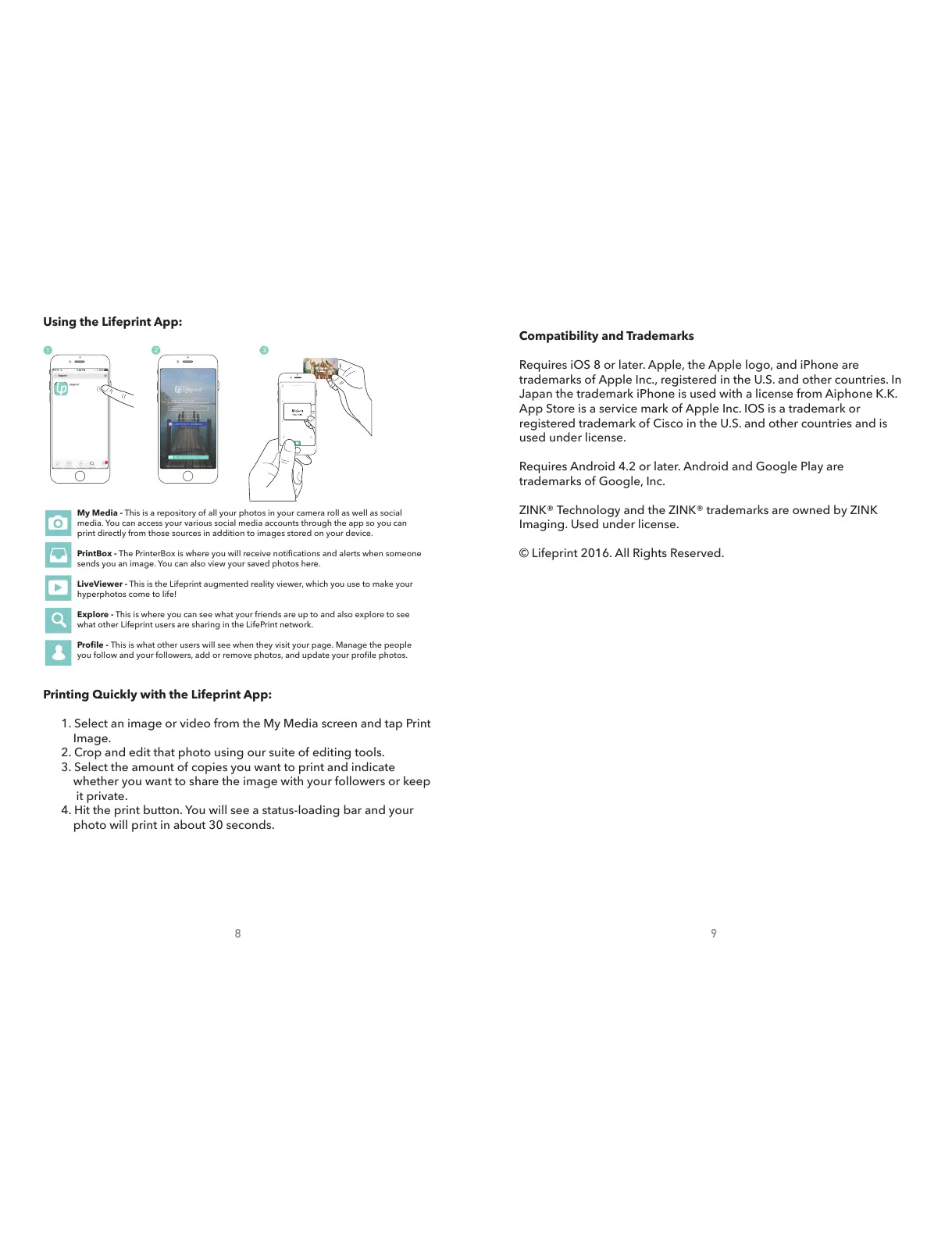
Printing Quickly with the Lifeprint App:
1. Select an image or video from the My Media screen and tap Print
Image.
2. Crop and edit that photo using our suite of editing tools.
3. Select the amount of copies you want to print and indicate
whether you want to share the image with your followers or keep
it private.
4. Hit the print button. You will see a status-loading bar and your
photo will print in about 30 seconds.
LifePrint
Lifeprintphotos.com/manua l
My Media - This is a repository of all your photos in your camera roll as well as social
media. You can access your various social media accounts through the app so you can
print directly from those sources in addition to images stored on your device.
PrintBox - The PrinterBox is where you will receive notications and alerts when someone
sends you an image. You can also view your saved photos here.
LiveViewer - This is the Lifeprint augmented reality viewer, which you use to make your
hyperphotos come to life!
Explore - This is where you can see what your friends are up to and also explore to see
what other Lifeprint users are sharing in the LifePrint network.
Prole - This is what other users will see when they visit your page. Manage the people
you follow and your followers, add or remove photos, and update your prole photos.
Using the Lifeprint App:


 To Previous Page
 Loading...