
 To Next Page
V
Vincent PhillipsJul 28, 2025
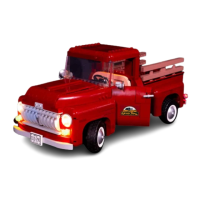
How to fix LIGHT MY BRICKS 10290 Toy when batteries have no power?
- CChristopher PinedaJul 28, 2025
If the batteries of your LIGHT MY BRICKS Toy have no power, replace them.

How to fix LIGHT MY BRICKS 10290 Toy when batteries have no power?
If the batteries of your LIGHT MY BRICKS Toy have no power, replace them.
What to do if I suspect a short circuit in LIGHT MY BRICKS 10290 Toy?
If you suspect a short circuit in your LIGHT MY BRICKS Toy, immediately disconnect the power.
How to insert AA batteries correctly in LIGHT MY BRICKS 10290 Toy?
If AA batteries are not inserted correctly in the AA battery pack of your LIGHT MY BRICKS Toy, ensure that the flat side of the battery should be paired with the spring side of the battery pack.
What happens if pinched wires touch each other in LIGHT MY BRICKS 10290 Toy?
Pinched wires touching each other in your LIGHT MY BRICKS Toy can cause a crosswire, and the lights may not function correctly.
How to insert batteries correctly in stacked battery pack of LIGHT MY BRICKS 10290 Toy?
If batteries are not inserted correctly in the stacked battery pack of your LIGHT MY BRICKS Toy, ensure that BOTH batteries have the “+” symbol facing upwards.
How to check for bent pins inside the ports of LIGHT MY BRICKS Toy?
Look carefully inside each of the ports of your LIGHT MY BRICKS Toy to identify a faulty port if it has any bent pins.
Properly lay cables between and under LEGO bricks without damage.
Correctly insert connectors into expansion board ports, minding orientation.
Insert connectors into strip lights and micro expansion boards safely.
Position bit lights correctly under LEGO bricks and plates for installation.
Install headlights, grille lights, and turn signals on the truck's front.
Connect interior lights, NC push board, and main power cable for operation.
Install taillights, license plate light, and manage all wiring for completion.
Advice on handling small, delicate components and preventing damage.
Ensure correct CR2032 and AA battery insertion in all battery packs.
Diagnose problems related to wires, pinching, and expansion board ports.
 General
| Brand | LIGHT MY BRICKS |
|---|---|
| Model | 10290 |
| Category | Toy |
| Language | English |