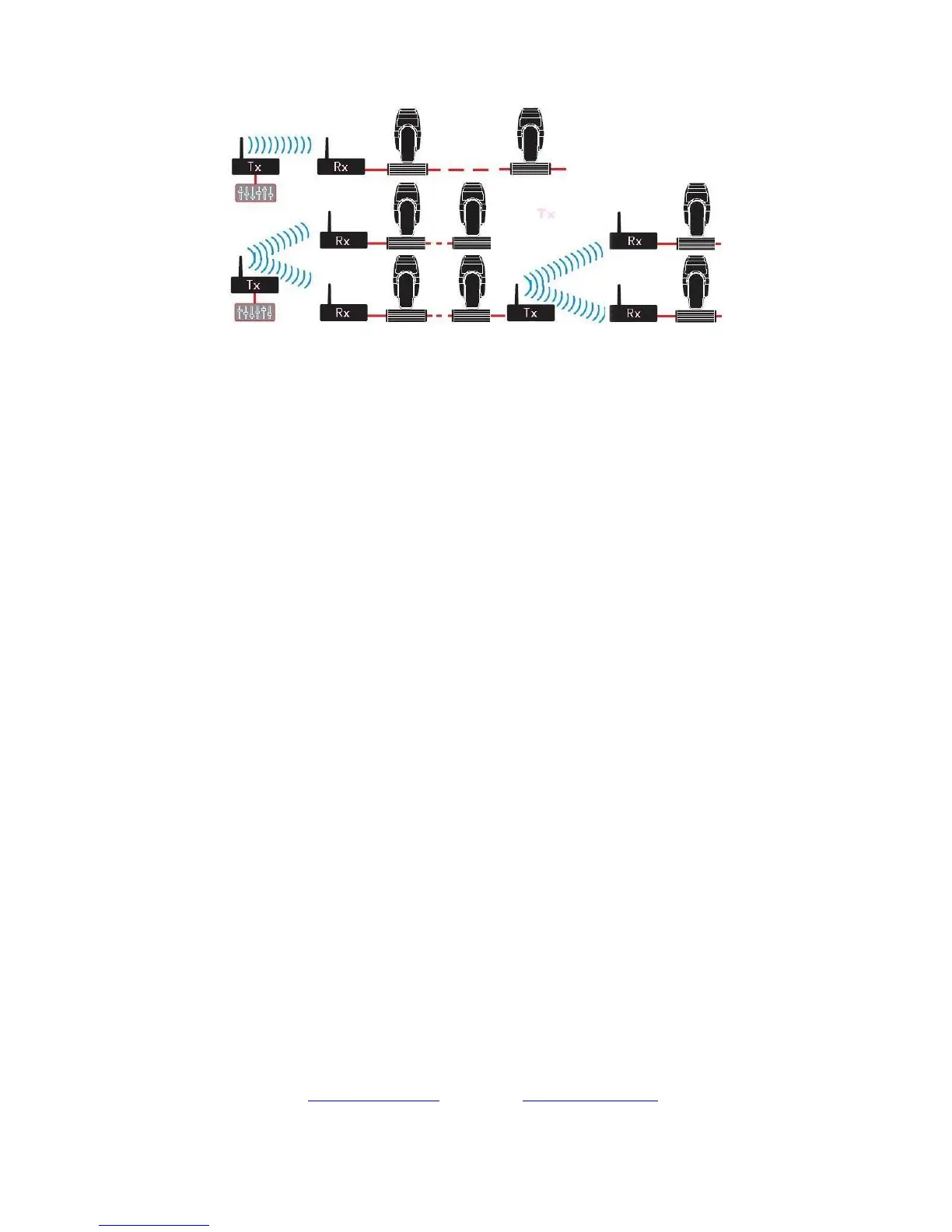
Connecting Scheme:
Establishing Communication:
1. Power on DMX512 wireless receiver/transmitter
2. Press ”PRF UP” to set transmitting power rate value, then press ”ID UP” to set receiver
and transmitter with same ID value。Pay attention, please use different ID value if you need
use more than 1 group wireless net at same time in same place.
3. This equipment start to option non-interfere frequency section for transmitting signal data
after received DMX signal data,receiver start to change communicate frequency section,
then Indicator lights of receiver and transmitter will flash at same time, till received correct
ID value.
4. Communication was established correctly
The information contained in this publication has been carefully prepared and checked.
However, no responsibility will be taken for any errors.
All rights are reserved and this document cannot be copied, photocopied or reproduced, in part or completely, without
prior written consent from Red Lighting.
Red Lighting reserves the right to make any modifications to any of its products without prior notice.
Red Lighting assumes no responsibility for the use or application of the products or circuits described here in.


 To Previous Page
 Loading...