NOTE: Learning Mode lasts for 6 seconds; if no signal
is received from a remote handset during this time
then the adaptor will automatically exit learning
mode without pairing the device.
If, when expecting a blue LED ash to conrm pairing,
an amber ash is received instead, then the adaptor
memory is FULL and no further remotes may be
paired with it unless one of the existing remotes is rst
unpaired (see below).
Un-pairing remotes and clearing the Switch
memory
Removing single device:
1. Ensure the adaptor is plugged in and ready with the
wall socket turned on.
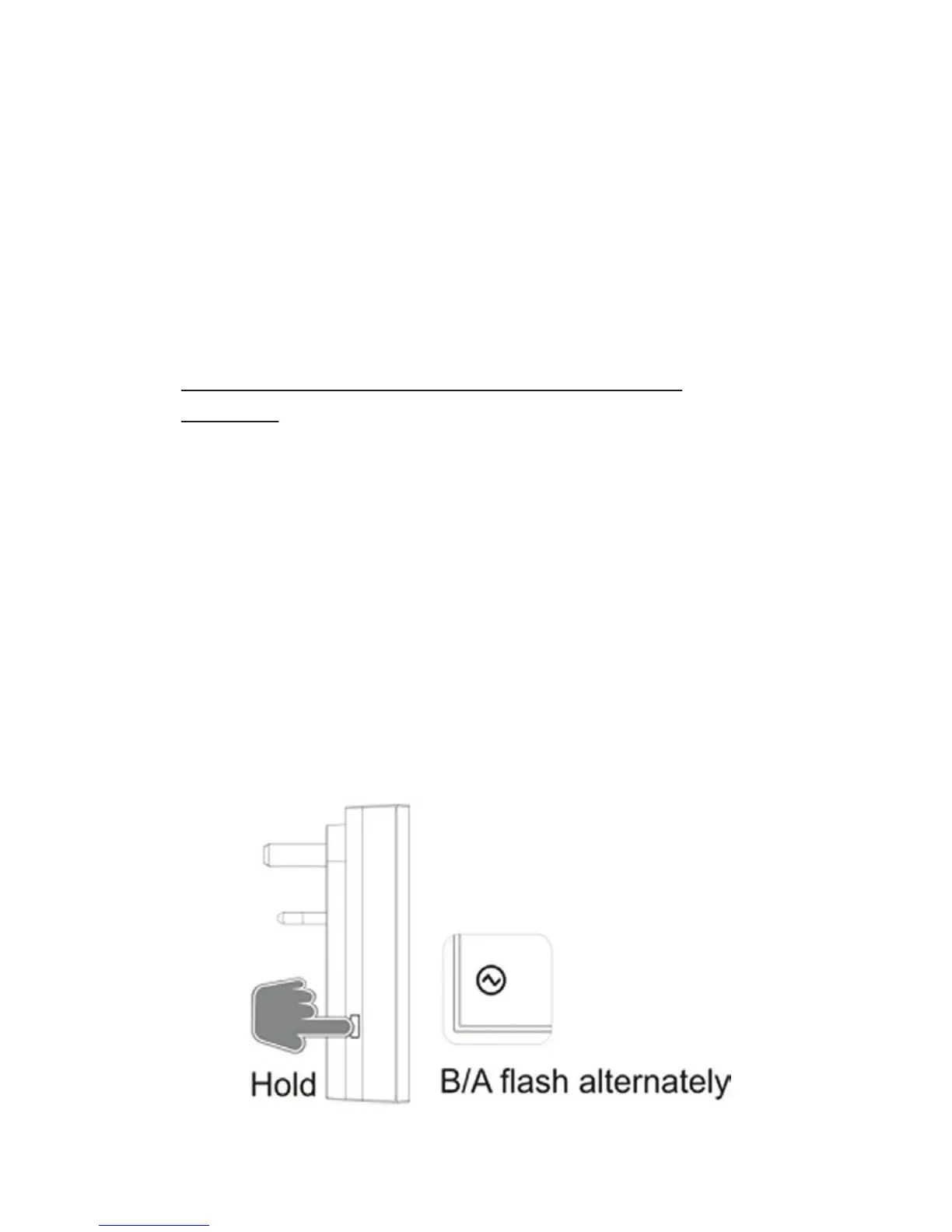
2. On the adapter, press and hold down the ‘MANUAL’
button; this will enter Learning Mode illustrated by
the LED ashing blue and amber alternately.


 To Next Page