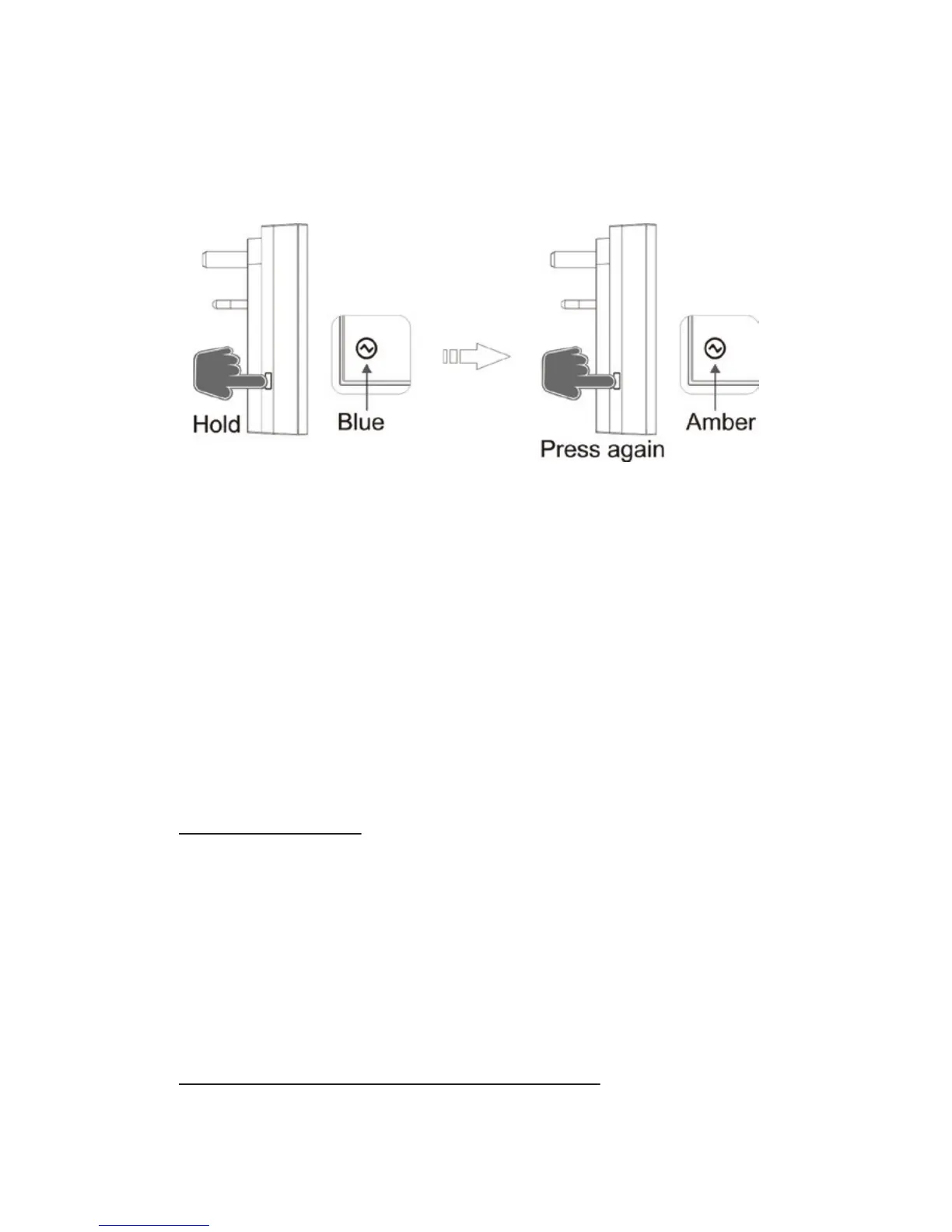
3. On the adaptor, press and hold down the
‘MANUAL’ button again until the LED ashes, then
press (don’t hold) the ‘MANUAL’ button a further
time; the LED will ash amber to conrm that the
memory has been cleared.
NOTE: Learning Mode lasts for 6 seconds; if no signal
is received from a remote handset during this time
then the adapter will automatically exit learning
mode without pairing the device.
OPERATION
Switch ‘ON/OFF’
‘MANUAL ON’ Button: Press once to switch ‘ON’.
(LED indicator will light up blue).
‘MANUAL OFF’ Button: Press once to switch ‘OFF’.
(LED indicator will light up amber).
On/O control with Remote Handset
Press ‘ON’ on the handset to turn on adaptor.
Press ‘OFF’ on the Handset to turn o adaptor.


 To Next Page