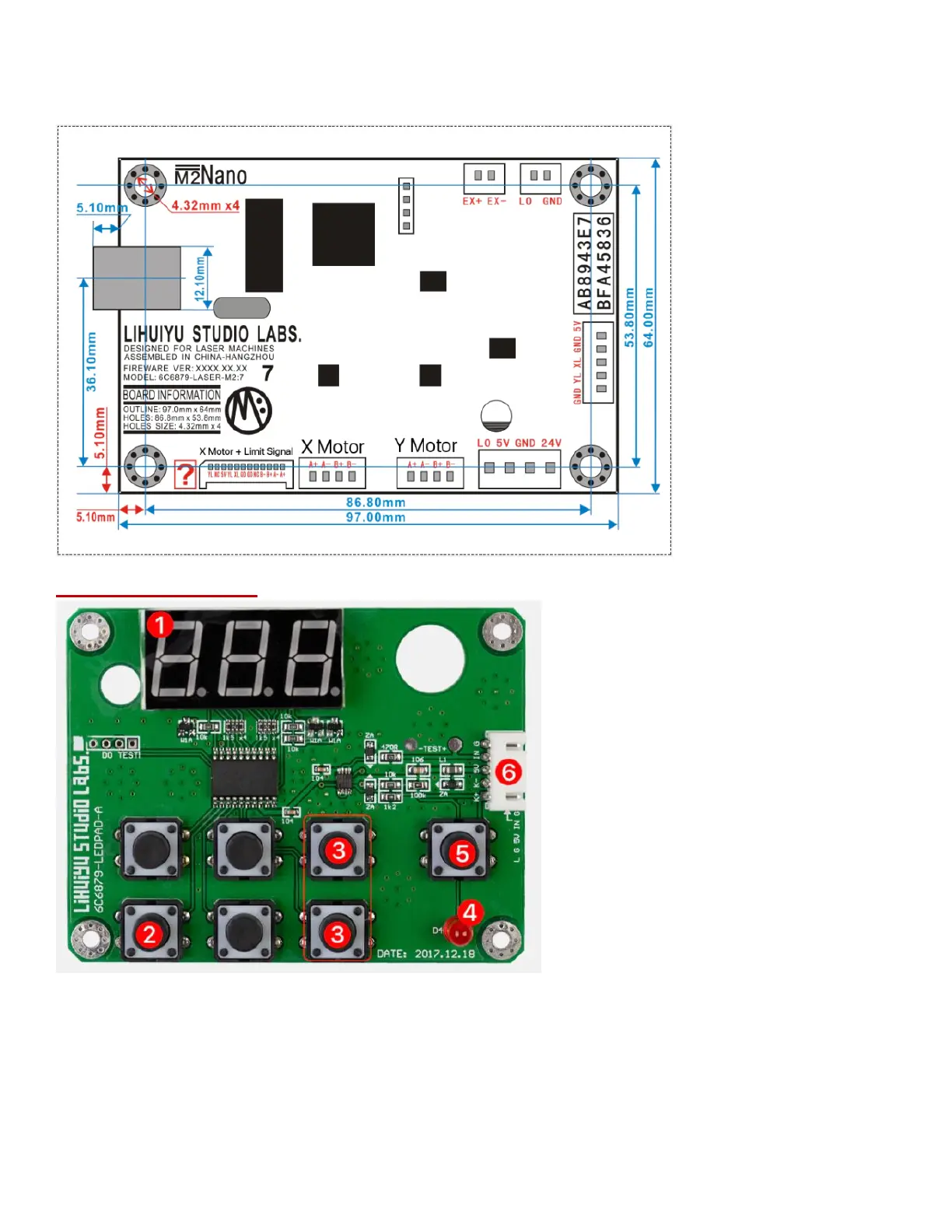
4. LO: Connect to Power Supply ‘TL’ Port
5. External Synchronous Control Signal Output
6. USB Port
M2 Controller Panel:
1. Digital Display for Laser Energy Percentage
2. Laser Energy Settings Button: used to set laser energy, with a range of 0% to 99.9%. The setting
accuracy is 0.1%.
3. Turn Off the Laser: Press the two buttons at the same time to force the laser off. Press any button
again to restore the original data.
4. Laser Status Indicator
5. Test Button
6. Connect to Laser Power Supply.


 To Next Page