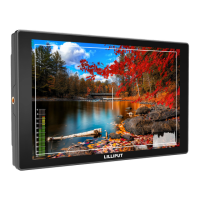
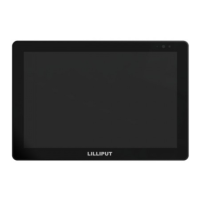
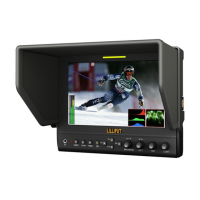
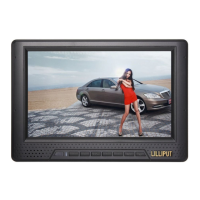
This document is a user guide for a 28-inch 4K Ultra-HD monitor, designed for professional display solutions, particularly suitable for live shooting and post-production.
Function Description
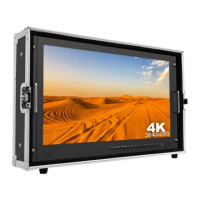
The device is a 28-inch 4K Ultra-HD monitor with a resolution of 3840x2160, which is four times that of Full HD. It is housed in an all-aluminum main body for robustness and improved heat dissipation, extending its lifespan. The monitor comes in a carry-on suitcase, enhancing its portability and stability. It features multiple input interfaces including 3G-SDI, HDMI (four ports), VGA, DVI, and Audio, catering to various professional display needs. The monitor also includes a TALLY port and an XLR power port.
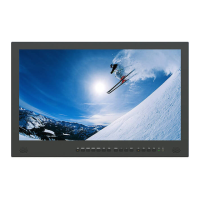
The front panel features several control buttons and indicators:
- Speaker: For audio output.
- SDI: Signal switch to SDI mode when lit.
- HDMI 1~4: Signal switch to HDMI mode when lit. HDMI 1 supports 4K 60Hz (HDMI2.0), while HDMI 2, 3, and 4 support 4K 30Hz (HDMI1.4).
- DVI: Signal switch to DVI mode when lit.
- VGA: Signal switch to VGA mode when lit.
- MENU/ENTER: Press to enter the main menu or select an option within the menu. Before entering the menu, a single press activates volume control, and subsequent presses switch among volume, brightness, contrast, color, hue, sharpness, and backlight adjustments.
- Left/Right Arrow Buttons (◁/▷): Used to select options in the menu, decrease/increase option values, or activate the volume bar and select desired options when not in the menu screen.
- EXIT: Back or exit from the current menu/screen.
- F1~F4 User Definable Buttons: These four buttons can be customized by long-pressing any one of them for 3-5 seconds to activate the shortcut menu setting. Default functions include F1: Display Mode, F2: Display Rotate, F3: Safety Marker, and F4: Aspect. Customizable functions include center marker, safety marker, aspect ratio, under scan, check field, image freeze, peaking, display mode, and image flip.
- Power Indicating Light: Red light indicates standby, green light indicates working.
- Earphone Jack: For audio output to earphones.
The back of the monitor includes:
- Handle: For carrying the monitor.
- VESA 75x75 & VESA 100x100 mounting port: For mounting the monitor.
- Connector protector: To prevent damage to connectors.
- TALLY port: For TALLY light connection.
- VGA input port: For VGA signal input.
- DVI input port: For DVI signal input.
- HDMI input port x4: As described above.
- Audio L/R: For left and right audio input.
- SDI input/output ports: For SDI signal input and output.
- XLR power port: For power input.
- Power switch: To turn the monitor on (I) or off (O).
Important Technical Specifications
- Panel: 28" LED backlight
- Resolution: 3840x2160 (4K Ultra-HD)
- Aspect Ratio: 16:9
- Brightness: 450cd/m²
- Contrast: 1000:1
- Viewing Angle: 170°/160° (H/V)
- Input Voltage: DC 12~24V (XLR)
- Input Signal: AV, HDMI, VGA, DVI, and 3G-SDI
- Power Consumption: ≤ 48W
- Operating Temperature: -0℃~60℃
- Storage Temperature: -20℃~60℃
- Dimension (LWD): 670x425x45mm (monitor only), 761x474x173mm (with case)
- Weight: 9.4kg/21kg (with case)
- HDMI Support: HDMI 1 (HDMI2.0) supports 4K 60Hz; HDMI 2, 3, 4 (HDMI1.4) support 4K 30Hz.
Usage Features
- Precise Color: With a 1000:1 high contrast and 450cd/m² brightness, the monitor delivers sharper, more detailed images and richer colors.
- Wide Viewing Angles: Features 170° wide viewing angles, ensuring consistent images from any perspective.
- Sun Shade Installation: A folding sun shade cover can be easily installed on the suitcase using magnets on both sides, providing better visibility in bright environments.
- Menu Settings: The monitor offers comprehensive menu settings for picture adjustments (brightness, contrast, saturation, hue, sharpness, temperature, backlight), function controls (center marker, safety marker, aspect, underscan, check field, freeze input, peaking), and display settings (display mode, display rotate).
- Display Modes: Supports various display modes including 1P (single display), 2P LR (two pictures left/right), 2P TB (two pictures top/bottom), 2P PIP (picture-in-picture), and 4P (four pictures).
- OSD Settings: Allows adjustment of OSD H Position, OSD V Position, Transparency, OSD Rotate (0°, 90°, 270°), Border Width, and Border Color (R, G, B, W).
- Audio Control: Volume adjustment and selection of audio source (Analog, Digital 1-4).
- VGA Auto Adjust: Automatically adjusts H Position, V Position, Clock, and Phase for VGA signals.
- Customizable Shortcut Buttons: F1-F4 buttons can be programmed for quick access to frequently used functions.
Maintenance Features
- Safety Instructions: Users are advised to read the user guide, keep it for future reference, and follow cautions to prevent danger and property loss.
- Cleaning: Do NOT use chemical solutions to clean the product. Wipe with a clean soft cloth to maintain surface brightness.
- Placement: Do not place the display screen towards the ground, and avoid heavy impact or dropping the device.
- Ventilation: Do not block any vent holes to ensure proper heat dissipation.
- Troubleshooting: The guide provides solutions for common issues such as black-and-white display, no picture, wrong/abnormal colors, picture size error, and no sound.
- For black-and-white display, check color saturation.
- For no picture, check cable connections (AV, HDMI, VGA, DVI, 3G-SDI) and ensure the standard power adapter is used.
- For wrong/abnormal colors, check cable connections for broken or loose pins.
- For picture size error, use the "Underscan" function in the menu to zoom in/out.
- For other problems, reset the system via "MENU→System→Reset".
- If the machine cannot function properly due to ISP, reboot the device. ISP for program upgrades should only be used by professionals.
- For no sound, press the HDMI button; if still unavailable, contact a technician.
- Long-term Storage: Unplug the power and remove the battery if the device will not be used for a long time or during thunder weather.
- Qualified Technician: Any improper adjustment may result in damage. Further adjustments must be performed or conducted by a qualified technician.

 Need help?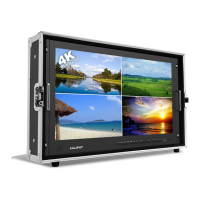

 To Next Page

 General