6
Operation Instructions
Using the PowerPro 5-Device Charger
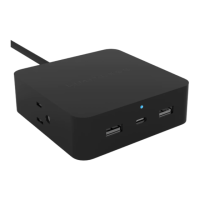
Plug the 6ft Power Cable into an AC outlet. The LED Power
Indicator Light will illuminate and the PowerPro 5-Device
Charger is ready to use.
Connecting a Device
A. Plug a corresponding charging cable into one of the
Type-C or USB-A Ports on the front of the PowerPro
5-Device Charger and into the mobile device.
B. Connect an AC plug into one of the outlets on the
side of the PowerPro 5-Device Charger. There are
1280 Joules of built-in surge protection.
NOTE:
Charging times may vary by device. The PowerPro 5-Device
Charger has a max total output of 40W. When multiple
devices are connected, the PowerPro 5-Device Charger may,
at times, reach its maximum charge capacity causing the
connected devices to charge at a slower rate. If this occurs,
remove a connected device to resume optimal charge.


 To Next Page