EasyManua.ls Logo

Lincoln Electric TORCHMATE 4510 - User Manual

Lincoln Electric TORCHMATE 4510
56 pages
Print Icon
To Next Page IconTo Next Page
Loading...
USER GUIDE
October 12, 2021
Copyright 2021
Lincoln Electric® Cutting Systems
TORCHMATE®
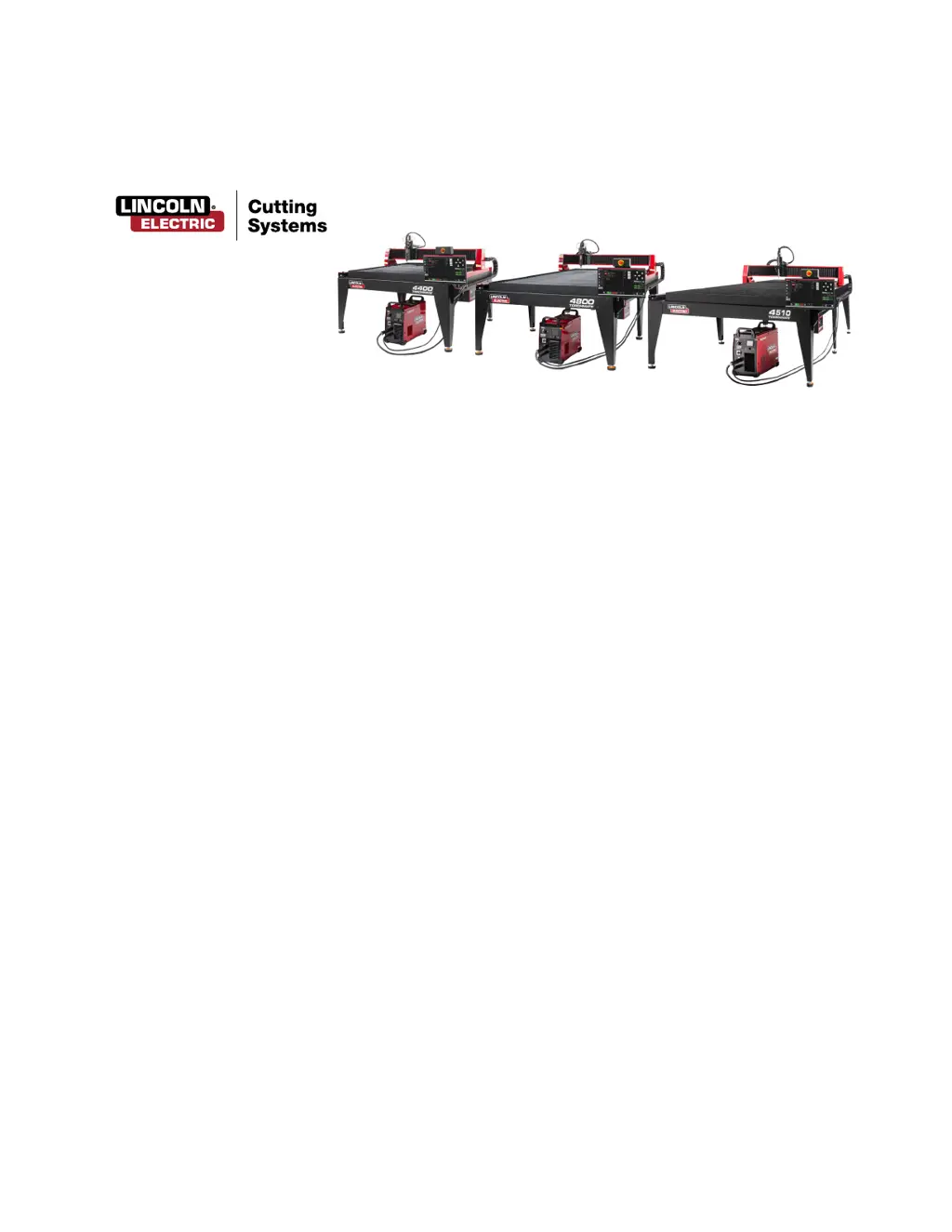
4400 | 4800 | 4510

Other manuals for Lincoln Electric TORCHMATE 4510

Questions and Answers

  • C
    claudiabensonSep 14, 2025
    What does it mean if the Lincoln Electric TORCHMATE 4510 controller has a Blinking Power light (Accumove 2)?
    • T
      Tiffany PadillaSep 14, 2025
      To fix this issue with Lincoln Electric Control Systems, ensure the firmware currently uploaded to the controller matches the software version. Log in as an Admin (password 1234) and load the firmware under Machine Settings - Advanced tab, follow the on-screen instructions After FIRMWARE is complete, go to BASIC tab and press FACTORY RESET.
  • C
    Christopher JonesAug 25, 2025
    How to troubleshoot a Lincoln Electric TORCHMATE 4510 controller that won’t turn on (Accumove 2)?
    • T
      tuckernancyAug 25, 2025
      If the Lincoln Electric Control Systems controller won’t turn on (Accumove 2), first, disengage the E-STOP. Then, check that the power brick is plugged in and shows a solid blue LED. Ensure it’s fully plugged into the back of the Accumove 2 controller. Finally, listen for the fans inside the Accumove 2 controller when you turn it ON.
  • R
    Rebecca HallAug 25, 2025
    What to do if the Lincoln Electric Control Systems VMD screen displays an “Accumove Controller Not Connected” screen for more than 30 seconds?
    • Y
      yrobinsonAug 26, 2025
      To fix this issue with Lincoln Electric Control Systems, close the VMD software completely, and shut off the Accumove controller for at least 30 seconds. Power the Accumove controller back on, wait another 30 seconds, and then reopen the VMD software. Also, check that the red Ethernet cable is plugged into both the computer and the Accumove controller, ensuring it’s in the correct outermost port on Accumove 2 controllers.
  • G
    garciahowardAug 26, 2025
    Why does the Lincoln Electric Control Systems torch collide with the material after 1” of cut?
    • V
      victoriacaseyAug 26, 2025
      To resolve the issue of a Lincoln Electric Control Systems torch colliding with the material after 1” of cut, ensure that the Pierce and Cut heights are set to the recommended values. Verify that the height control mode is set to Auto, and the Sample Voltage function is turned ON. Also, check for any part tip-ups near the piercing points that might interfere with the torch sensing the material's height.
  • C
    Christopher WoodsSep 15, 2025
    How to troubleshoot a Lincoln Electric Control Systems controller that won’t turn on (Accumove 3)?
    • Z
      Zachary CruzSep 15, 2025
      To fix this issue with Lincoln Electric Control Systems, disengage the E-STOP. Verify the power cable is plugged in. Check the fuse on the back power port is intact. Verify the Voltage Selector switch is set to the proper 110v or 220v incoming power.
  • A
    Ariel MillerSep 23, 2025
    What to do when a Trial Period screen appears when opening Lincoln Electric TORCHMATE 4510 Control Systems VMD?
    • J
      Jennifer VazquezSep 23, 2025
      To register the software for Lincoln Electric Control Systems, e-mail the support@torchmate.com e-mail address with the 8 digit alpha numeric code that appears on the registration screen.
  • C
    Carl WrightSep 7, 2025
    Why does my Lincoln Electric TORCHMATE 4510 job display rotated or angled on the Job Plan screen?
    • K
      Kurt MitchellSep 7, 2025
      To address this issue with Lincoln Electric Control Systems, verify that the plate is aligned properly by setting program zero at the lower-left corner, then choosing Align Corner. Jog the Y axis Positive a small amount and click Align Edge. The machine will return to the program zero position. Reopen the job. If the part displays incorrectly, the problem is in the g-code file and must be recreated.
  • M
    Miss Janet AustinSep 8, 2025
    What to do if I get an Error “IHS Failure: Clear slag from consumables” with the Lincoln Electric TORCHMATE 4510 Control Systems torch not contacting the material surface?
    • C
      Christina KimSep 8, 2025
      To resolve this issue with Lincoln Electric Control Systems, remove the retaining cap from the torch body and inspect/clean consumables for any debris, replacing them once cleaned. Replace the consumables with new items, including the retaining cap. Check the Orange Ohmic wire for a Short to Ground.
  • Z
    zmartinSep 2, 2025
    Why does the Lincoln Electric TORCHMATE 4510 torch shield come into contact with the material, stopping the machine?
    • F
      franklinjessicaSep 2, 2025
      To resolve this issue with Lincoln Electric Control Systems, check that the Cut height is set to the correct value. Also, verify that the AVHC Auto/Manual mode is set to Auto and that the Sample Voltage mode is set to ON. Check if the machine stopped because it crossed into another previous cut or collided with one.
  • J
    Julie SalazarAug 31, 2025
    How do I fix a “Limit Exceed in Z-axis” error when running a job on my Lincoln Electric TORCHMATE 4510 Control Systems?
    • D
      David CarterAug 31, 2025
      To address a “Limit Exceed in Z-axis” error during a job with Lincoln Electric Control Systems, jog the Z axis to the top of its travel, and click Reset Z, then click Run Job to continue. If the Ohmic detection indicator briefly comes on before the error, remove any debris from the consumables.

Summary

Unpacking Your New Machine

Technical Support and On-Site Service

Phone and Email Support

Contacting technical support via phone and email, including availability and response times.

Training and Resources

Information on training opportunities, video resources, and online stores.

Safety Information

Electrical and Shock Hazards

Precautions regarding electrical shock and safe practices for powered equipment.

Fumes, Gases, and Chemical Hazards

Information on hazardous fumes, gases, and chemical exposure during plasma cutting.

Fire, Explosion, and Cylinder Safety

Risks of fire/explosion and safety precautions for compressed gas cylinders and air lines.

Arc Rays, Plasma Arc, and EMF Hazards

Hazards related to arc rays, plasma arc, hot material, and electromagnetic fields (EMFs).

Operational and Mechanical Safety

Safety for automatic operation, noise, heavy parts, debris, pinch points, drives, and laser usage.

Publications and Standards

Machine Specifications

Site Preparation Guidelines

Machine Grounding Procedures

Power, Air, and Water Requirements

FlexCut 80 Plasma Controls and Settings

FlexCut 80 Specifications and Consumables

Technical specifications, cut capacity, and starter kit consumables for the FlexCut 80.

FlexCut 125 Plasma Controls and Settings

FlexCut 125 Specifications and Consumables

Technical specifications, cut capacity, and starter kit consumables for the FlexCut 125.

Powering Up and Down the Torchmate 4 x00

Visual Machine Designer (VMD) Overview

VMD Interface Sections

Explanation of VMD sections: Job Group, View Screen, Run Group, Jogging, AVHC/Dashboard, Accessory Toggle.

VMD Job Group Functions

Job Selection and Configuration

Process for selecting jobs, using the shape library, and configuring plate setup.

Nesting Program

Using the VMD Nesting program for efficient parts layout on material sheets.

Process Stations, Log On, and Shutdown

VMD View Screen: Process Setup and Cut Parameters

Process Setup Tab

Entering material and cut parameters to configure a job in the VMD.

Cut Parameters Explained

Detailed explanation of parameters like transfer height, pierce delay, and feedrate.

VMD Graphics, Program, and Height Control Views

VMD Run Group Operations

Datum and Job Execution

Establishing machine zero, running jobs, stopping, and resetting job progress.

Active Run vs. Dry Run

Toggling between actual cutting (Active Run) and simulated movement (Dry Run).

Jogging Controls in VMD

Manual Torch Movement

Using console keys for directional movement, feed rate override, and point-to-point moves.

AVHC and Dashboard Functions

AVHC Modes and Settings

Configuring AVHC for program-defined or user-defined cut parameters and sample voltage.

IHS Operation and Dashboard Indicators

Accessory Toggle: Laser Pointer Operation

Using the VMD Shape Library

Shape Library Access and Configuration

Navigating the library, selecting shapes, and customizing dimensions and parameters.

Loading Shapes into VMD

Running a Job in VMD

Job Setup and Execution

Establishing datum, opening jobs, and configuring process parameters.

Plate Setup and Dry;Run Job

Achieving Optimal Cut Quality

Line Speed Test Procedure

Performing tests to determine optimal feed rates for material thickness and amperage.

Building a Custom Cut Chart

Nesting Parts with VMD

Creating a New Nest Job

Defining nest job name, material, and machine settings in the Add Nested Job dialog.

Importing CAD Files and Applying Tool Paths

Making and Completing a Nest

Performing Your First Test Cut

Routine Maintenance Procedures

Daily Plasma Power Supply Maintenance

Daily checks and replacement guidelines for plasma consumables like nozzle and electrode.

Daily and Monthly Machine Maintenance

Cleaning the breakaway assembly and lubricating linear rail cassettes.

Monthly Lubrication Steps and Bellows Maintenance

Steps for lubricating gantry rails and replacing worn bellows.

As-Needed Maintenance: Slats and Water Pan

Cleaning, rotating, or replacing slats and maintaining the water pan.

Understanding Cut Quality Factors

Impact of Torch Position on Bevel

Visual guide showing how torch height and angle impact bevel and consumable life.

Troubleshooting Bad Cuts

Basic Troubleshooting Guide

Machine and Laser Fault Resolution

Troubleshooting steps for motor issues, gantry binding, and laser positioning errors.

Resolving Software Faults (Part 1)

Troubleshooting common software errors in VMD and controller communication.

Resolving Software Faults (Part 2)

Addressing issues like torch contact stopping the machine, arc extinction, and VMD connection errors.

Resolving Software Faults (Part 3)

Resolving errors related to trial periods, breakaway indicators, hard stops, and torch retraction.

Resolving Software Faults (Part 4)

Troubleshooting VMD language errors, controller power issues, and firmware updates.

Resolving Software Faults (Part 5)

Addressing motor movement issues, job display rotation, overtravel, and Z-axis limits.

Resolving Software Faults (Part 6)

Resolving torch retraction, collision, and consistent cut height issues.

Customer Assistance Policy

Lincoln Electric TORCHMATE 4510 Specifications

General IconGeneral
ModelTorchmate 4510
Control TypeCNC
Cutting Area4 ft x 10 ft
Cutting TechnologyPlasma
Frequency50/60 Hz
Max Material Thickness1 inch
SoftwareTorchmate CAD/CAM
Voltage Requirements120/240 V
PhaseSingle Phase
Amperage OutputVaries with plasma cutter
Duty CycleVaries with plasma cutter
DimensionsVaries with configuration
Input PowerVaries with plasma cutter
Input Current at Rated OutputVaries with plasma cutter
Rated OutputVaries with plasma cutter