• Display Whole Route: Will enter MAP mode and display your entire
chosen route.
Note: Route preference appears on the Nav menu when no destination
is entered.
While driving under route guidance, only follow an instruction
when it is safe to do so as the system cannot be aware of
changing conditions. Use voice guidance as much as possible, and only
view the display when driving conditions permit.
Ensure that you follow highway code restrictions and do not
take any risks. For example, if you are unable to make a U-turn,
continue on your journey. The navigation system will recalculate your
route to get you back to an appropriate road to your destination.
Navigation set up
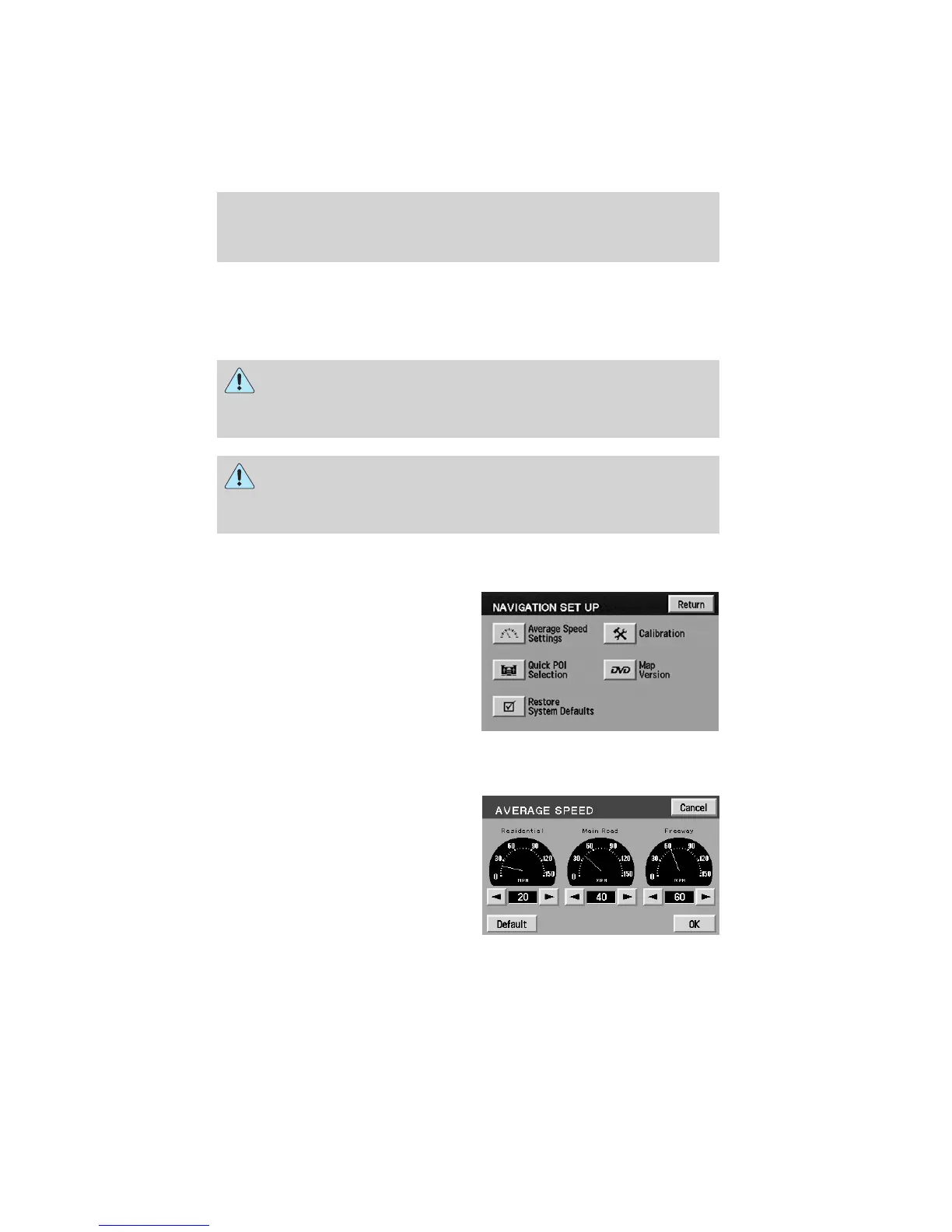
The Navigation Set up screen will
allow you to make adjustments to
the navigation displays.
Average speed settings
Allows you to set approximate
speeds you drive. These speeds
enable the navigation system to aid
in calculating timing for routes.
Entertainment Systems
46










 To Next Page