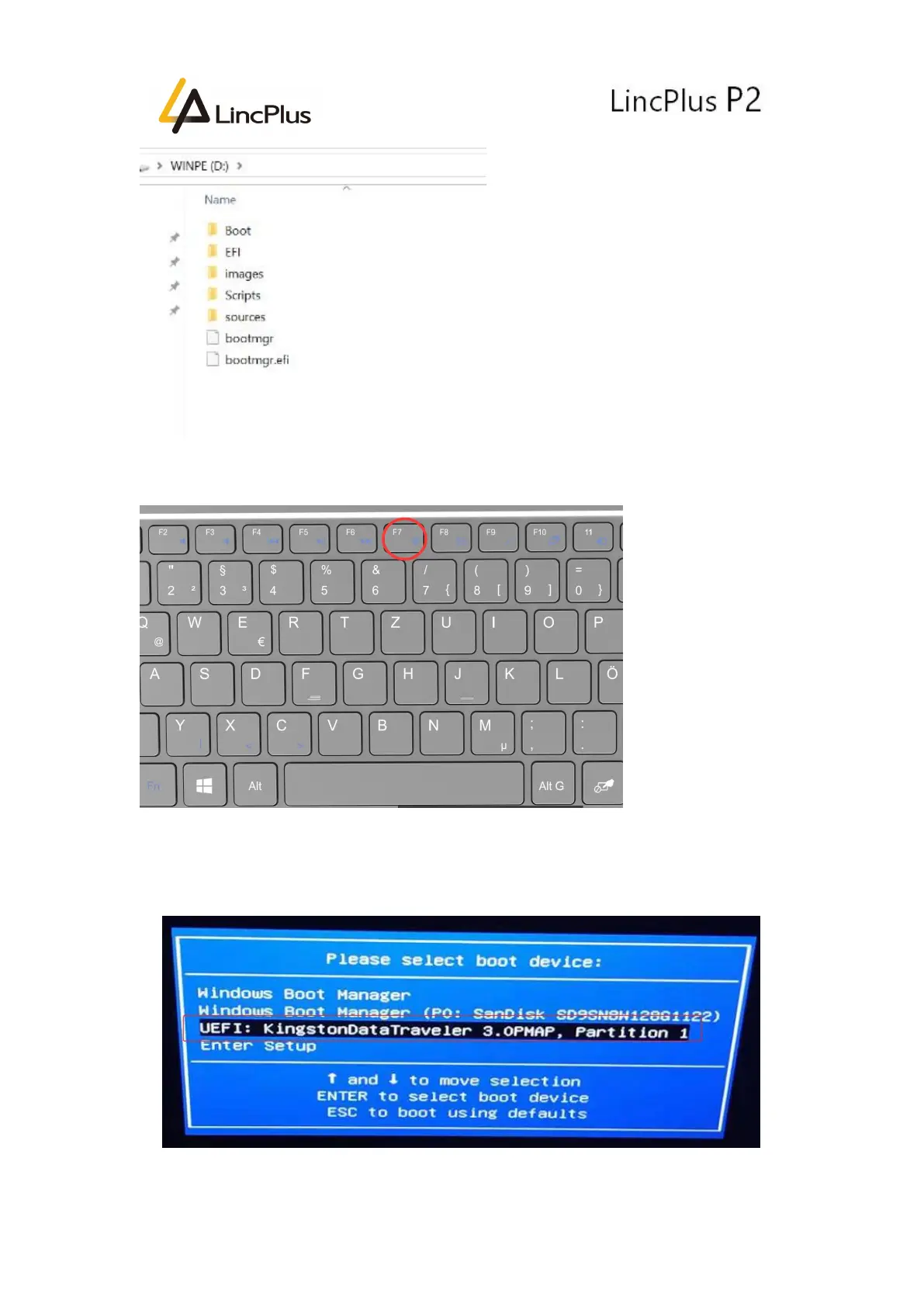
6. Insert the USB flash drive into the USB port of the laptop. Turn on the laptop and
press “F7” until boot option appears in the screen. (keep pressing “F7” )
7. Then you can see the picture appears in the screen. You should choose your USB
flash drive, and press “Enter”:
(My USB flash drive is Kingston Data Traveler )


 To Next Page