
 Need help?
Do you have a question about the Lindemann LIMETREE BRIDGE II and is the answer not in the manual?
Provides initial important guidance for reading the manual.
States compliance with EU directives and requirements.
Explains the correct procedure for disposing of electronic devices.
Guides on how to use Spotify Connect for audio streaming.
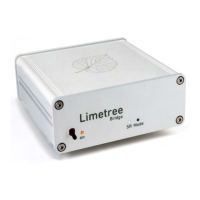
Explains toggle switch functions and LED indicators for sampling rate and SRC mode.
Details all ports and connectors on the rear of the device.
Details using the app for control, setup, and maintenance.
Lists necessary devices and network conditions for app operation.
Instructions for connecting the device using a LAN cable.
Instructions for connecting the device wirelessly via WLAN.
Details connecting USB storage media for music playback.
How to connect and use an external CD drive.
Configuration of output sample rate and re-sampling strategies.
 General
| Brand | Lindemann |
|---|---|
| Model | LIMETREE BRIDGE II |
| Category | Media Converter |
| Language | English |

 To Next Page