19
TOP h
EN
REAR
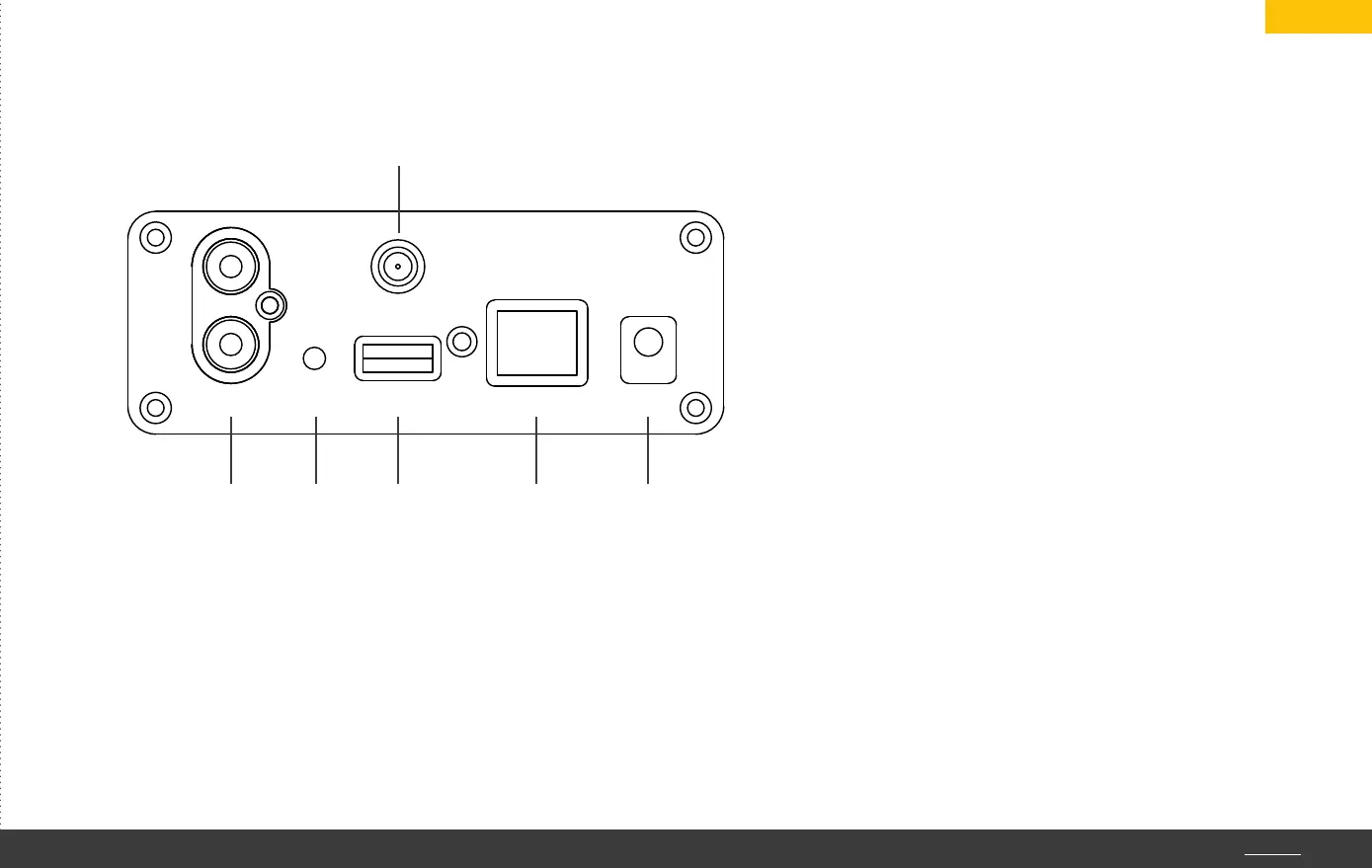
Output USB LAN 5V DC
WLAN
WPS
5 6 7 9 q
8
5. Analog line-level output for connecting power amplifiers or active
loudspeakers.
6. WPS button for easy router connection (WPS = Wireless Protected
Setup). Using a ballpoint pen or paper clip, press and hold this
miniature button for one second until both LEDs are alternately
flashing yellow: the device is now in WPS mode.
7. USB host connector for docking USB storage media.
Max. ampacity: 1.5 A.
8. WLAN antenna. Fix the supplied antenna here to
integrate the device into the WLAN network.
9. LAN socket for an Ethernet connection via LAN cable.
10. 5V DC low voltage socket.
Caution: only the included plug-in power supply may
be used.
TOP h


 To Next Page