18
TOP h
EN
FUNCTIONAL DESCRIPTION
FRONT
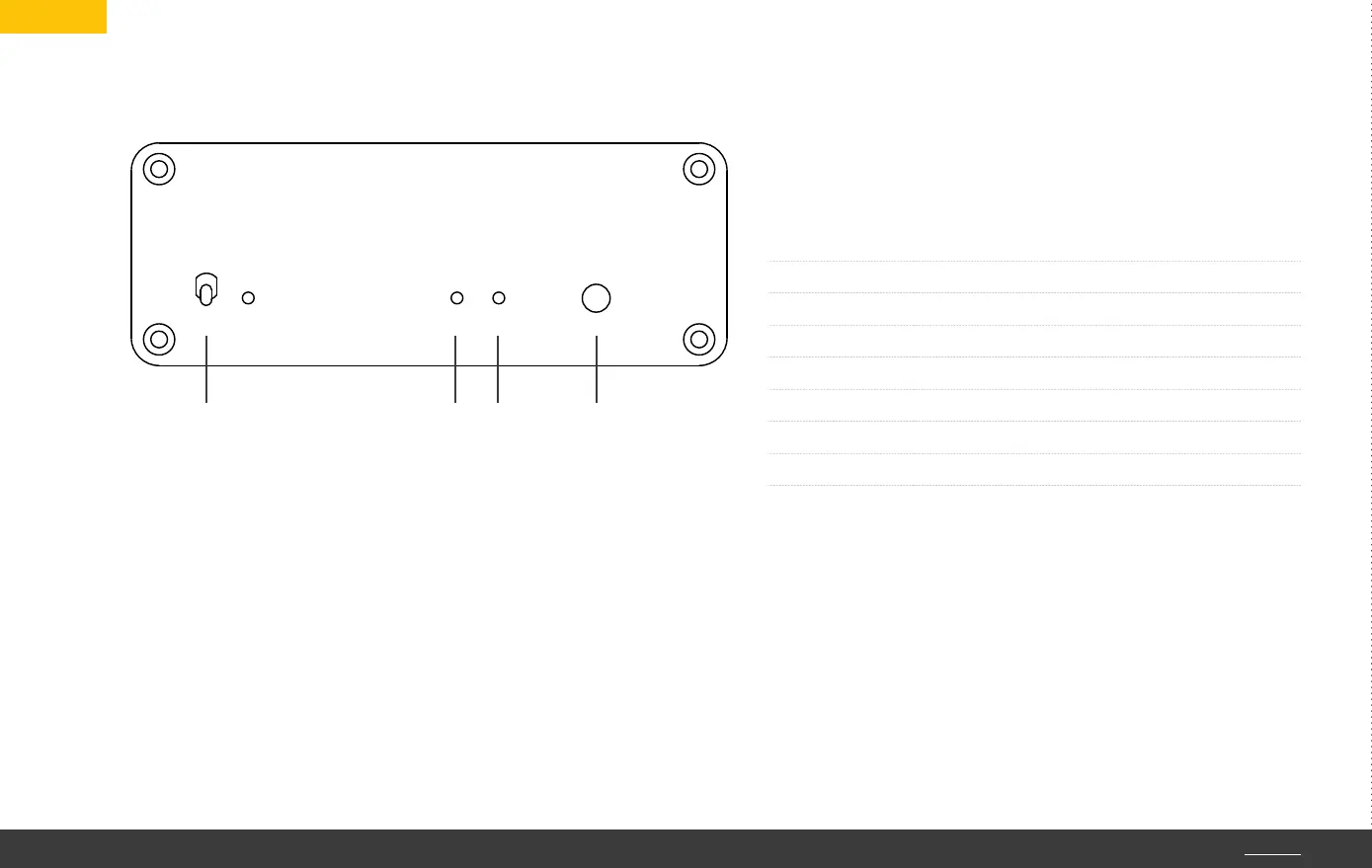
1. The toggle switch on the front of the network player has two func-
tions: push it up briefly to turn the unit on. A second short push will
turn the unit off again. To change into DSD mode, press and hold the
switch in the upper position for three seconds.
Note: after turn-on the device will need some time to boot. The unit
is ready for use when the Sample Rate LED is lit. After turn-off the
Power LED will flash until the unit has shut down.
on
Network
Limetree
SR
DSD
1 2 3
2. Function indicator of the input signal sampling rate.
The color of this LED will change along with input
signal sampling rate.
3. Function indicator for the DSD mode: when the LED is
lit yellow, the device is in the DSD mode. When the LED
is dark, the device is in the “bit-perfect“ mode.
4. Headphone socket 3.5 mm. Plugging in the headphone
will activate the headphone output and the line output
is muted.
Caution: the headphone impedance should not fall
below 32 ohms.
Green PCM 44.1/48 kHz
Cyan PCM 88.2/96 kHz
Blue PCM 176.4/192 kHz
White PCM 352.8/384 kHz
Yellow DSD 64
Orange DSD 128
Purple DSD 256
4
TOP h


 To Next Page