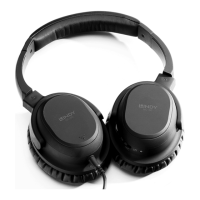
The NC-60 has been designed to be used for active noise cancelling and so audio performance has been optimised
for this mode. For your convenience, when the batteries become flat or are removed, the headphones will continue to
operate in passive mode.
Operation
1. Adjust the volume of the NC-60 using the Volume Control (3)
2. Switch on the Noise Cancelling feature by sliding the On/Off Switch (4) to On; the Noise Cancelling Indicator (5) will
illuminate Blue
3. After you turn the Noise Cancelling feature on you may hear a slight hissing noise, this is completely normal and will
reduce after a few seconds and become inaudible during audio playback
4. When using the Noise Cancelling feature, if the battery level becomes low the Noise Cancelling Indicator will become
dim. If you continue to use the Noise Cancelling feature the battery will eventually drain, but the headphones will
continue to operate passively
Noise Cancelling
Battery Installation
1. Push the battery cover cap inward and downward in a single motion to remove the cap
2. Install 2 x AAA batteries (alkaline are recommended) into the battery compartment taking care to match the indicated
battery polarity.
3. Replace the cap, ensuring it is in the correct orientation and that the small plastic lugs on the back are aligned with the
corresponding holes in the earpiece
4. Finally slide the cap upward until it clicks into position
Overview
Left
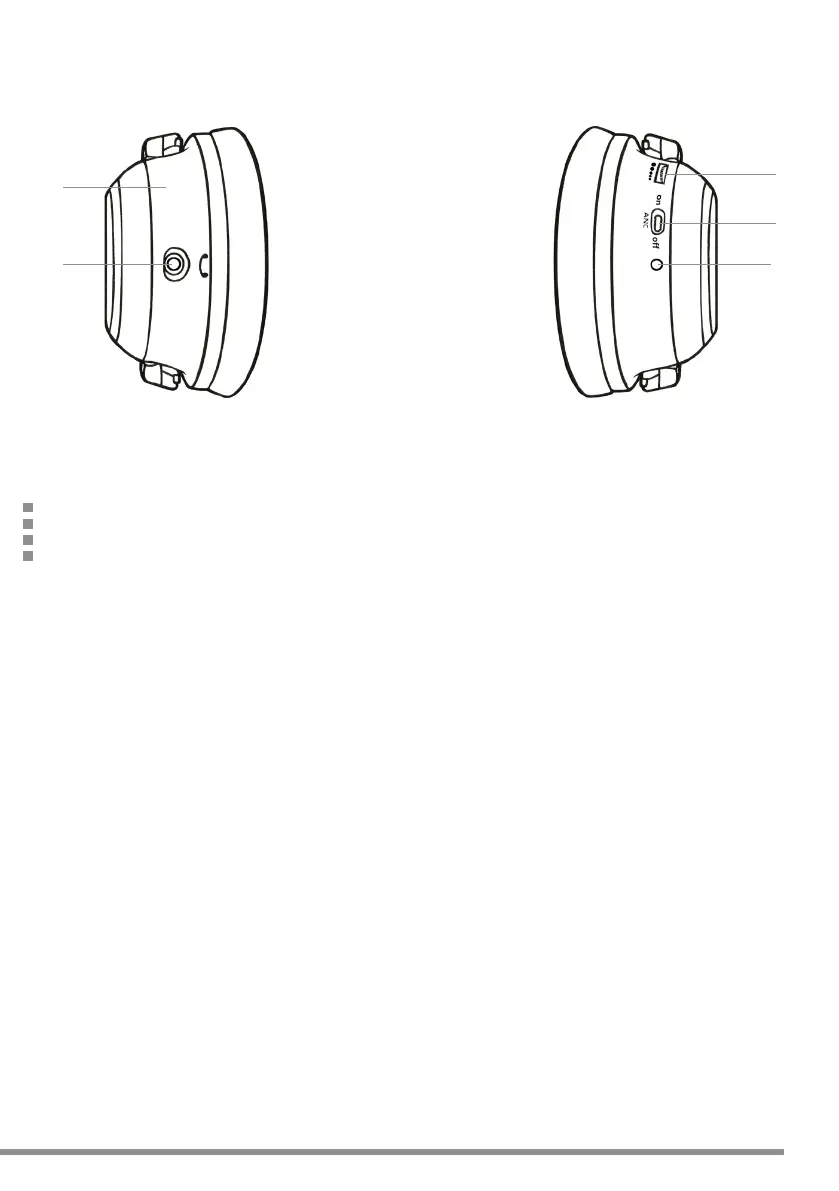
1. 3.5mm Audio Socket
2. Removable Battery Compartment
Right
3. Volume Control
4. Noise Cancelling On/Off Switch
5. Noise Cancelling Indicator
Left Right
5
4
3
Check the volume level before placing the headphones over your ears
Do not listen to the headphones at high volume for excessive periods as this may damage your hearing
Discontinue use if you experience any discomfort or irritation from using the headphones
These headphones must not be worn whilst driving a motor vehicle
Safety
1
2
2


 To Next Page