Deep Editing & MIDI Control: STEP-BY-STEP WITH SOUNDDIVER
7•13
A Few Other SoundDiver Tips
We’re done with the tutorial on how to save your sounds to the computer, but we
figured we should give you one or two other tips:
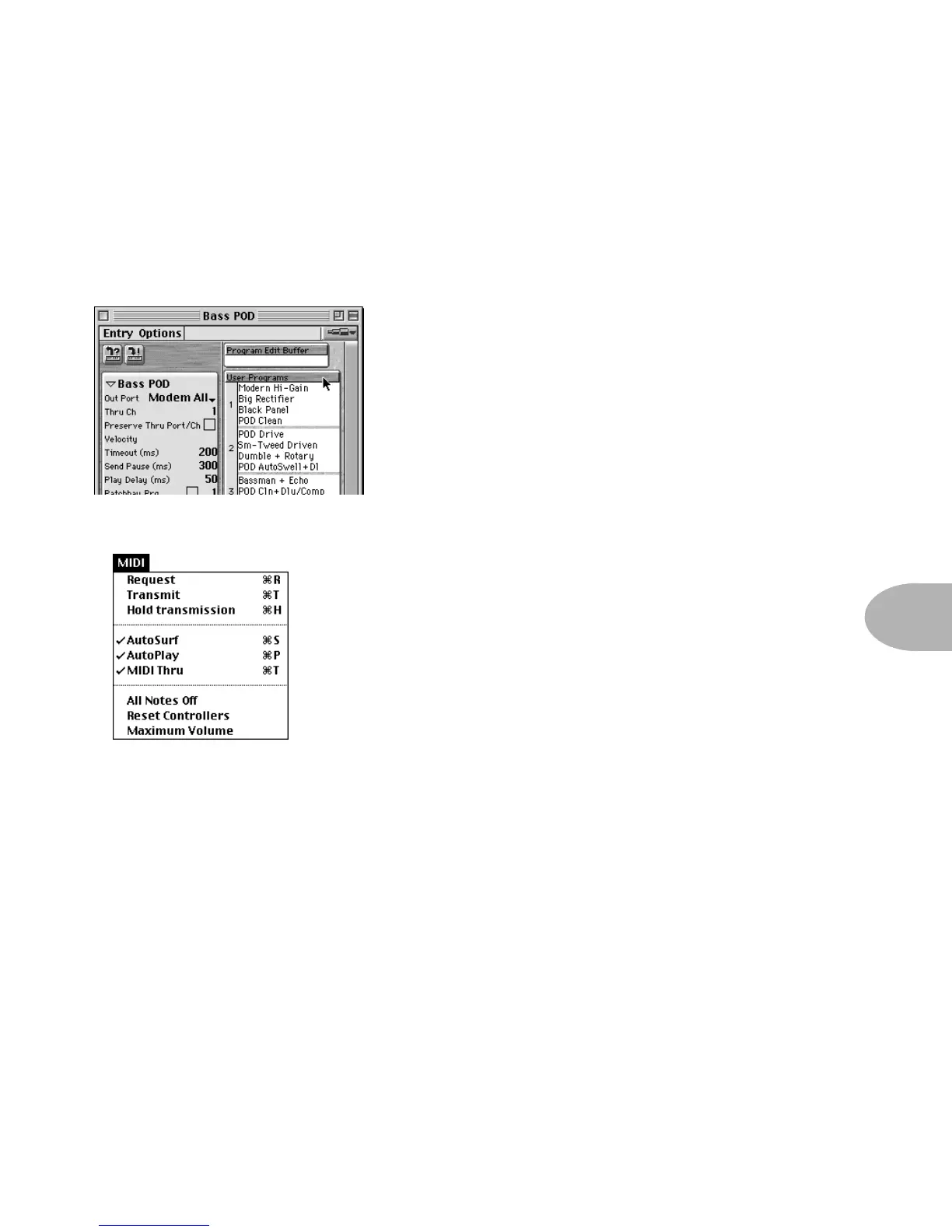
Editing a Channel Memory/Program -
The SoundDiver window shown on the left
shows you the contents of your Flextone’s
memory (OK, it’s a Bass POD’s memory, actually,
but your Flextone’s window will look the same).
To edit any one of your Flextone’s channel
memories (SoundDiver calls these “User
Programs”), just double-click its name in the list,
and you’ll get an editing window.
Transmit/Request -
The “Transmit” and “Receive” commands are available
in SoundDiver’s MIDI menu. These commands instruct
SoundDiver to Transmit or Receive information to your
Flextone, based on what youhave selected in
SoundDiver. So, for instance., if you click on one of the
channels/programs in the name list of the window
above, and then choose the Transmit command,
SoundDiver will understand you want to Transmit this
sound to your Flextone (in other words, the parameters
that define the sound are sent from the computer to Flextone, so now they both
have the same information – what was in the computer has been copied to the
Flextone as well). If you clicked on one of the names in the list, and then chose
Request, that would instruct SoundDiver to Request this sound from your Flextone
(in other words, the parameters that define the sound are sent from Flextone to
the computer, so now they both have the same information – what was in
Flextone has been copied to the computer as well).
Keep these commands in mind any time your Flextone and computer don’t seem
to be dealing with the same information; you can use Transmit and Request to get
your Flextone and computer back in sync.



 To Next Page