Appendix B: Using Your Feet
B•2
FBV Express
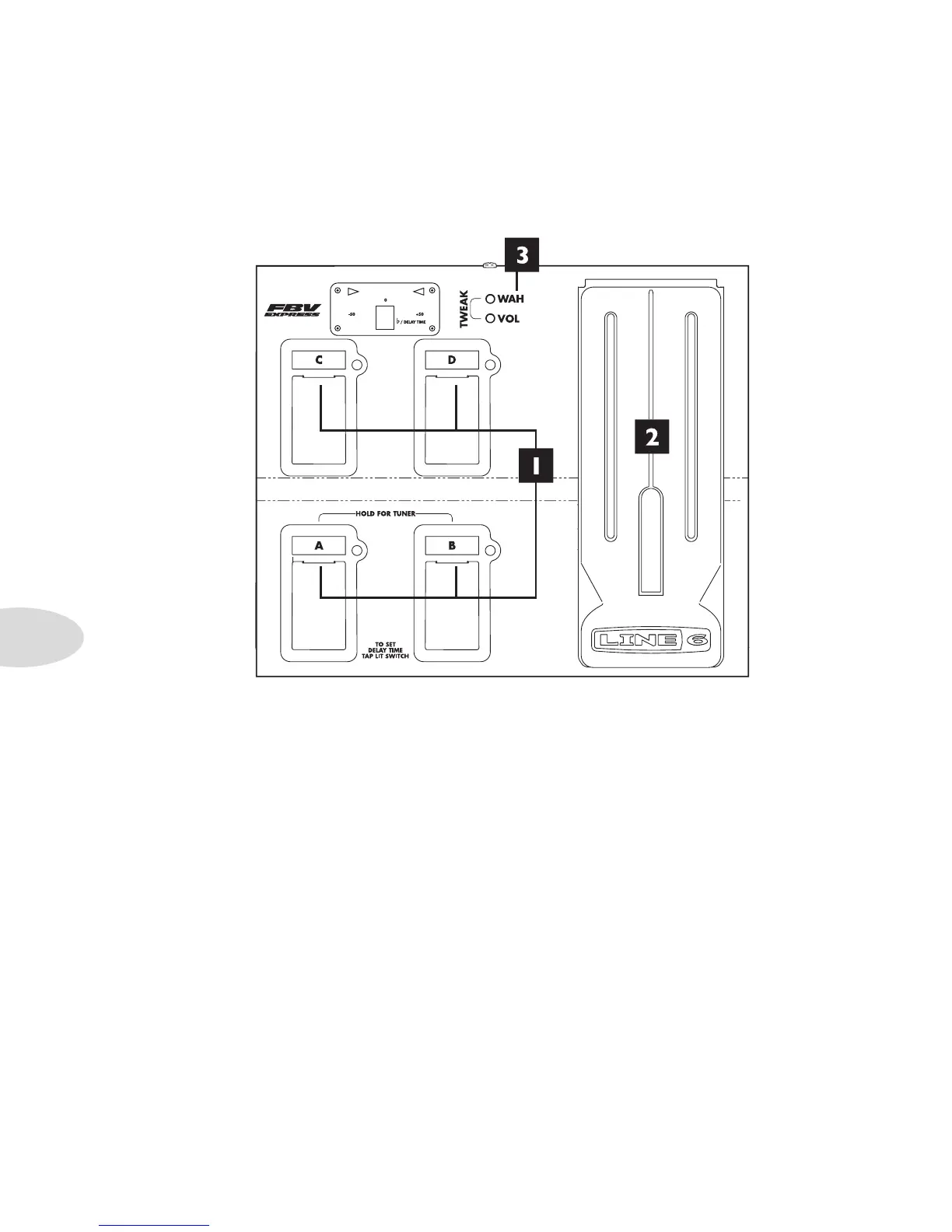
1. Channel A, B, C & D: See page 4•5. In Normal FBV Mode, these select presets and
you can tap on the lit switch to set Delay Time. In Jam Control Mode, these control
recorder/song/drum playback and recording.
2. FBV Pedal: Press the pedal forward to click the toe-switch, turning the pedal from
Volume to Wah.
3. Wah and Volume Lights: These light to show that a pedal is ready to control Wah
or Volume.
To switch the pedal to control Wah or Volume, press the pedal fully forward and •
shift your weight onto your toe enough to click the toe-switch.
The Tweak function does not apply to Spider Jam.•



 To Next Page