EasyManua.ls Logo

Linear M13-631 - User Manual

Linear M13-631
3 pages
Print Icon
To Next Page IconTo Next Page
Loading...
To prevent possible SERIOUS INJURY or DEATH from a moving gate or garage door:
Install Wireless Keyless Entry System within sight of the garage door, out of reach of
children at a minimum height of 5 feet (1.5m) and away from ALL moving parts of the door.
ALWAYS keep remote controls out of reach of children. NEVER permit children to
operate, or play with remote controls.
Activate gate or door ONLY when it can be seen clearly, is properly adjusted, and
there are no obstructions to door travel.
ALWAYS keep gate or garage door in sight until completely closed. NEVER permit
anyone to cross path of moving gate or door.
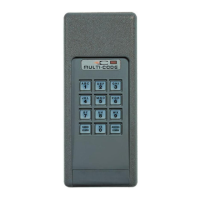
The Wireless Keyless Entry System offers you the convenience of opening and
closing your garage door by entering your own 4-digit Personal Identification Number
(PIN) via the keypad. The WKE can be programmed wireless to control up to 4 garage
door operators that each work on a different code, or to control one garage door
operator with up to 4 different PINs. You can also program it to allow a temporary PIN
of your choice to be stored, to provide temporary access to authorized visitors or service
persons. Check the box content to familiarize yourself with parts shown in Fig.1 and 2.
Other Features Include:
Wireless Installation, Wireless Programming, Low Battery Indication, One-Button-to-Close
Operation, Backlit Keypad, Code Security, Anti-Tampering, and Weather-Resistant Design.
NOTE: To program the
WKE to more than one
garage door operator
(maximum 4), repeat the
steps above using a new
PIN for each additional
garage door operator.
Press and hold button
for at least 3 seconds to
activate programming mode,
LED’s light up for 10
seconds.
LED’s and keypad buttons
will light up for 2 seconds
signaling programming
is completed.
Hold transmitter very close
to keypad buttons and
Press and hold transmitter
button you use to open and
close your garage door.
Release transmitter
button when LED’s on
keypad flash.
PROGRAM PIN AND TRANSFER TRANSMITTER CODE
WIRELESS KEYLESS ENTRY MODEL M13-631
1 2
Enter a 4-digit personal
identification number
(PIN) of your choice # # # #.
Enter the programmed PIN
that you want to change.
Press the ENTER button.
LED’s will flash rapidly.
Press button for at least
3 seconds, LED’s will flash
slowly. Release button.
Enter the new 4-digit PIN of
your choice # # # # then
press the ENTER button.
LED’s and keypad light up
for 2 seconds.
To test WKE, enter the new PIN
then press the ENTER button.
The garage door opener
will activate.
3
1 3 4
CHANGE AN EXISTING PIN
Press and release the ENTER button.
4
Test WKE by entering
the PIN, then press
ENTER button.
LW
Limited
Warranty
1 Year
2
5
Install batteries provided, see Fig. 2.
For more information, please visit www.devancocanada.com or call toll free at 855-931-3334

Question and Answer IconNeed help?

Do you have a question about the Linear M13-631 and is the answer not in the manual?

Overview

The Wireless Keyless Entry System, Model M13-631, offers convenient access to your garage door or gate. It allows you to open and close your garage door by entering a personalized 4-digit Personal Identification Number (PIN) via its backlit keypad. This system can be programmed wirelessly to control up to four garage door operators, each with a different code, or to control one garage door operator with up to four different PINs.

Function Description:

The primary function of the WKE is to provide secure, keyless access to a garage door or gate. Users can program a main PIN for regular use and also set up temporary PINs for visitors or service personnel. These temporary PINs can be configured to allow access for a specific number of openings (up to 99) before expiring. The system supports controlling multiple garage door operators or using multiple PINs for a single operator.

Important Technical Specifications:

  • Model: M13-631
  • PIN Length: 4 digits (Personal Identification Number)
  • Control Capacity: Up to 4 garage door operators (each with a different code) or 1 garage door operator (with up to 4 different PINs).
  • Temporary PIN Openings: Up to 99 openings.
  • Installation Height: Minimum 5 feet (1.5m) from the ground, out of reach of children and away from all moving parts of the door.
  • Power Source: 2 AAA batteries.
  • FCC and IC Certified: Complies with Part 15 of FCC rules and IC RSS-210.

Usage Features:

  • Wireless Installation and Programming: Simplifies setup without the need for complex wiring.
  • Backlit Keypad: Ensures visibility and ease of use in low-light conditions.
  • Code Security: Enhances safety by requiring a PIN for operation.
  • Anti-Tampering: Features designed to deter unauthorized access attempts.
  • Weather-Resistant Design: Ensures durability and reliable operation in various weather conditions.
  • One-Button-to-Close Operation: A convenient feature that allows the garage door to be closed using only the ENTER button without entering a PIN. This feature is active by default but can be deactivated and reactivated.
  • Programming Main PIN:
    1. Install the provided batteries.
    2. Press and hold the '3' button for at least 3 seconds to activate programming mode; LEDs will light up for 10 seconds.
    3. Enter your chosen 4-digit PIN (e.g., ####).
    4. Press and release the ENTER button; LEDs and keypad buttons will light up for 2 seconds, signaling programming completion.
    5. To transfer the transmitter code, hold your existing transmitter very close to keypad buttons '8' and '9'. Press and hold the transmitter button you use to open/close your garage door. Release the transmitter button when the keypad LEDs flash.
    6. Test the WKE by entering your PIN and pressing ENTER.
  • Changing an Existing PIN:
    1. Press the '3' button for at least 3 seconds; LEDs will flash slowly. Release the '3' button.
    2. Enter the currently programmed PIN, then press the ENTER button. LEDs will flash rapidly.
    3. Enter the new 4-digit PIN, then press the ENTER button. LEDs and keypad will light up for 2 seconds.
    4. Test the WKE by entering the new PIN and pressing ENTER.
  • Programming a Temporary PIN:
    1. Press the '1' button for at least 3 seconds; LEDs will flash slowly for 10 seconds.
    2. Enter any programmed PIN, then press the ENTER button. LEDs will flash rapidly.
    3. Enter the temporary 4-digit PIN, then press the ENTER button. LEDs will flash very rapidly.
    4. Press the number of openings (1-99) the temporary PIN will work for, then press the ENTER button. LEDs and keypad buttons will light up for 2 seconds, and the system will go into stand-by mode.
    5. To test, enter the temporary PIN, then press the ENTER button.
    6. To clear a temporary PIN, repeat steps 1-3, setting the number of openings to '0' in step 4.
  • Operation: The garage door operator activates when the PIN and ENTER button are pressed. The keypad blinks for 28 seconds, during which the ENTER button can be used to stop, start, or reverse the door. If an incorrect number is pressed, pressing the correct PIN followed by ENTER will transmit only the last four digits.

Maintenance Features:

  • Low Battery Indication: The keypad buttons will start to flash for 10 seconds when the protective cover is raised, indicating that the batteries need replacement.
  • Battery Replacement: The system uses 2 AAA batteries.
  • Clearing WKE Memory:
    1. Remove the Wireless Keyless from its wall mounting plate.
    2. Remove the batteries.
    3. Press and hold the ENTER button.
    4. Reinstall the batteries, ensuring correct polarity.
    5. Release the ENTER button; LEDs will flash rapidly for approximately 5 seconds.
  • Installation:
    1. Select a mounting location at least 5 feet (1.5m) high, out of reach of children.
    2. Use the mounting plate as a template to mark and drill two 1/8 inch (3.2mm) pilot holes.
    3. Secure the plate to the mounting surface with the provided screws, avoiding overtightening.
    4. Cover the batteries with the battery cover.
    5. Snap the WKE into the mounting plate and secure it with the provided screw.
    6. Install the slide-up protective cover by aligning its slides with the grooves on the WKE and sliding it down until it locks.

Safety Warnings:

  • To prevent serious injury or death, install the WKE within sight of the garage door, out of reach of children, at a minimum height of 5 feet (1.5m), and away from all moving parts of the door.
  • Always keep remote controls out of reach of children. Never permit children to operate or play with remote controls.
  • Activate the gate or door ONLY when it can be seen clearly, is properly adjusted, and there are no obstructions to door travel.
  • Always keep the gate or garage door in sight until completely closed. Never permit anyone to cross the path of a moving gate or door.
  • Never allow small children near batteries. If a battery is swallowed, immediately notify a doctor.

For more information or to order repair parts, visit www.devancocanada.com or call toll-free at 855-931-3334. When ordering parts, provide the part number, description, and model number.

Linear M13-631 Specifications

General IconGeneral
BrandLinear
ModelM13-631
CategoryRemote Starter
LanguageEnglish

Related product manuals