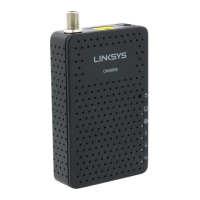
LINKSYS BEFCMU10 ver. 3 User Manual
C
C
h
h
a
a
p
p
t
t
e
e
r
r
3
3
:
:
S
S
o
o
f
f
t
t
w
w
a
a
r
r
e
e
I
I
n
n
s
s
t
t
a
a
l
l
l
l
a
a
t
t
i
i
o
o
n
n
a
a
n
n
d
d
C
C
o
o
n
n
f
f
i
i
g
g
u
u
r
r
a
a
t
t
i
i
o
o
n
n
3.1 USB Driver Installation
3
3
.
.
1
1
-
-
1
1
F
F
o
o
r
r
W
W
i
i
n
n
d
d
o
o
w
w
s
s
9
9
8
8
/
/
M
M
e
e
1. Wait for the cable modem is running in the operational state (registration O.K.). Plug the
USB cable into your PC USB port. You will see the next page. Click the “Next” button.
2. Select “Search for the best drivers for your device“ and click the “Next” button.
3. Check “Specify a location” and browse CD-ROM:\Win9x or WinME. Click the “Next”
button.



 To Next Page