Connecting
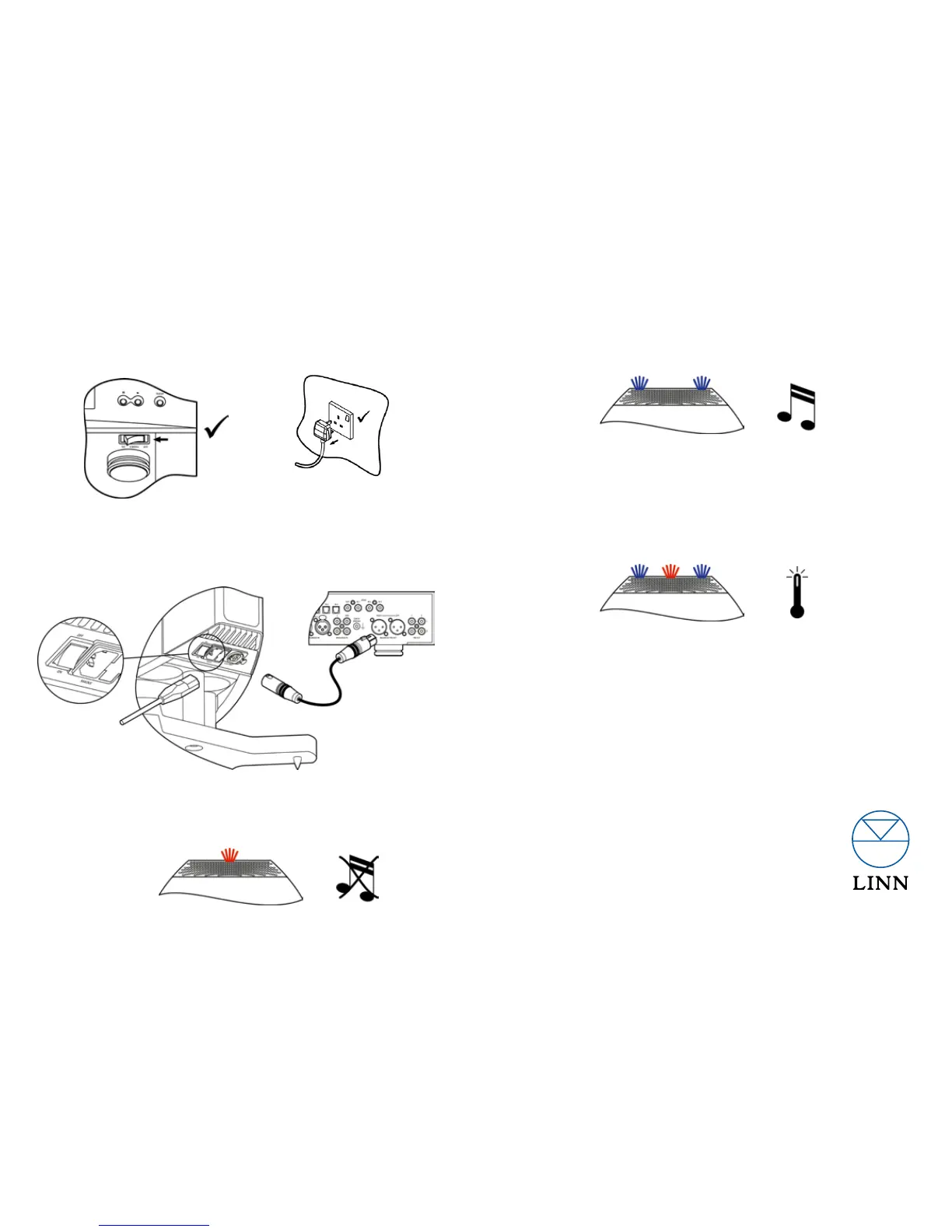
Before making any connections, switch off the rest of the system. 1.
Connect the audio input of your Akubarik to the balanced output of
your Linn DSM or pre-amplifier.
Connect your mains cable and switch on the system, always switch
on your loudspeakers last.
2.
3.
Warranty
Your Akubarik loudspeakers come with a 5 year parts and labour warranty as standard
- please visit www.linn.co.uk/warranty if you wish to register your product.
Linn Products Limited
Glasgow Road, Waterfoot, Eaglesham,
Glasgow G76 0EQ, Scotland, UK
• Phone: +44 (0)141 307 7777 • Fax: +44 (0)141 644 4262
• Helpline: 0500 888909 • Email: helpline@linn.co.uk
• Website: www.linn.co.uk
Pack 1671 Copyright © 2013 Linn Products Limited
Signal sensing:
When an audio input signal is detected, the amplifier is enabled and the blue
LED’s will illuminate.
If the amplifier does not recieve an audio signal for approximately 20 minutes
it will revert to sleep mode.
Protection:
Under fault conditions e.g. over temperature, both blue and red LED’s will illuminate
and the amplifier will shut down in order to protect itself and the drive units.
Once the condition has cleared the amplifier will automatically resume normal operation.
Online Support
Please visit http://docs.linn.co.uk to view the latest information, including advanced
setup instructions, for Linn Akubarik.
Operating
General:
When power is first applied the red LED will illuminate and will remain on
while the amplifier is in sleep mode.


 To Previous Page