EN
89
If the heat boost is required, it can be ac-
tivated by pressing
. If the heat setting
is set to level 9. In the heat display “A/9”
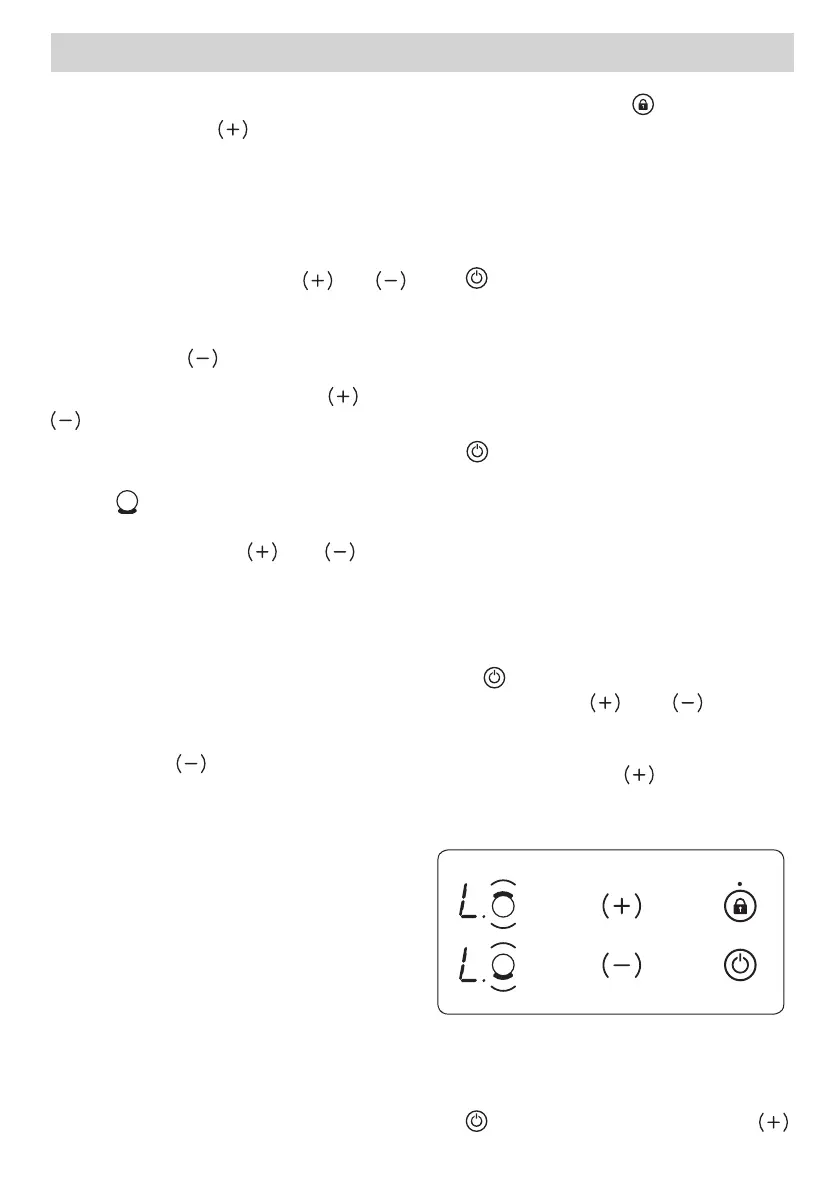
Switching Off Individual Heaters
A heater can be switched off in 2 diff er-
ent ways:
• Simultaneous pressing of
and
buttons
• Reduction of the heat setting to “0” by
pressing the
button
Simultaneous operation of
and
buttons
The corresponding heater must be cho-
sen with the Activate/Deactivate Heater
Button
, the Decimal Point of the re-
lated Heater Display will then fl ash. To
switch off the heater, and must
be pressed simultaneously. A buzzer will
sound and “0” will appear in the heat set-
ting display when this is successful.
If there is any residual heat for the heat-
er, this will be indicated by a “H” in the
heat setting display.
Reduction of the heat setting to “0”
by operating
button
The heater can also be switched off
by reducing the heat setting to “0”.This
causes the associated Decimal Point of
the heater, the related Cooking Zone In-
dicator to all switch off , also.
If there is any residual heat for the heat-
er, this will be indicated by a “H” in the
heat setting display.
Key Lock Function
The key lock function is used to set ‘safe
mode’ on the appliance and can only
be used in Operating Mode (B-Mode).
The lock function becomes active when
the key Lock button
is pressed for
at least 2 seconds. This operation is
acknowledged by a buzzer and the Key
Lock Indicator will fl ash to indicate the
heater is locked.
If the heater is locked, it will only be pos-
sible to switch the appliance off by press-
ing
, all other buttons are blocked and
it will not be possible to make any ad-
justments by pressing the buttons. If any
other button is pressed in the lock mode,
the buzzer will sound and the Key Lock
Indicator will fl ash.
Only the switch-off operation by press-
ing
is possible. However, if the appli-
ance is switched off , it can not be restart-
ed again without being unlocked.
Child Lock
The child lock function is used to lock
the appliance in a complicated multi-
step process. Child lock (and unlocking)
is only available in the S-Mode.
First,
must be pressed until the buzz-
er sounds, then and must be
pressed simultaneously for at least 0.5
seconds, but no longer than 1 second.
Following this, touch to activate the
child lock. All four heater displays will
show “L” as confi rmation.
None of the buttons can be used as
long as the appliance is locked.
Child lock can be deactivated by press-
ing
until the buzzer sounds. Then


 To Next Page
 Loading...