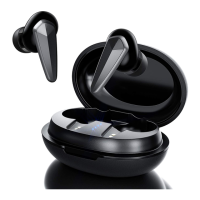
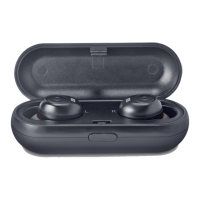
This document is a user manual for the Linpa World Bluetooth Wireless Earbuds T3.
The Linpa World Bluetooth Wireless Earbuds T3 are designed for wireless audio playback and communication. They offer a range of features for music control, call management, and voice assistant activation. The earbuds are designed for ease of use with automatic power-on and pairing, and they come with a charging case for extended battery life.
Important Technical Specifications:
- Model: T3
- Standby Time: One year
- Talk/Playing Time: 50 hours (at 50% volume)
- Bluetooth Standard: V5.0
- Frequency Range: 2.4GHz
- Operating Range: 33 feet / 10 meters (without obstacles)
- Earphone Battery Capacity: 100mAh
- Charging Case Battery Capacity: 450mAh
- Charging Time (Earphone): 2 hours
- Charging Time (Charging Case): 1.5 hours
Usage Features:
Connection and Pairing:
- Initial Pairing: Take the earbuds from the charging case. The left LED light will alternately flash blue and red, while the right LED light will be off. This indicates they are in pairing mode. Ensure to remove any transparent static stickers from the bottom of the earbuds before use.
- Device Recognition: The earbuds will appear as "T3" in your device's Bluetooth menu.
- Connection Confirmation: Once connected, the LED lights on the earbuds will turn off.
- Automatic Shutdown: If no connection is established after booting, the earbuds will automatically shut down within 120 seconds. If connected but no playback occurs for 20 minutes, they will auto-shutdown. If the phone's Bluetooth function is turned off, the earbuds will shut down automatically within 120 seconds.
Pairing Issues (Single Mode to Stereo Mode):
If only one earbud is working, follow these steps to re-pair them into stereo mode:
- Place both earbuds back into the charging case.
- Delete "T3" from your device's Bluetooth menu if it was previously connected.
- Take the earbuds out of the charging case. Both earbuds will turn on, and their LED lights will alternately flash blue and red.
- Double-click the "R" (right) earbud. This action forces the headphones to pair with each other.
- After successful pairing, the "R" side light will turn off, and the "L" (left) side light will continue flashing red and blue.
- If prompted by your device, enter the code "0000".
Controls:
Music Playback:
- Play/Pause: Short press either earbud.
- Previous Track: Double-click the left earbud.
- Next Track: Double-click the right earbud.
- Decrease Volume: Double-click and hold the left earbud.
- Increase Volume: Double-click and hold the right earbud.
- Tip: If the volume is too low on an Android device, increase the volume directly from the earbuds.
Call Management:
- Answer/End Call: Press either earbud.
- Reject Call: Long press either earbud for 2 seconds.
- Reject Third-Party Calls: Long press either earbud for 1 second.
- Connect New Call (while retaining current call): Double-click either earbud.
- Three-Party Call Switching: Double-click to switch between the second and third parties. A "didi" prompt will sound when switching calls.
Siri/Other Voice Control Software:
- Activate Voice Assistant: Long press either earbud for 2 seconds when connected to your phone/device.
Power On/Off:
- Power On: Take the earbuds from the charging case (they will automatically turn on). Alternatively, manually press either earbud for 1 second when in the off state. A blue light will flash for 3 seconds.
- Power Off: Long press either earbud for 5 seconds. A red light will flash for 3 seconds.
Charging:
- Power Adapter: Use a 5V 1A power adapter of good quality. Avoid using 6V, 9V, or 12V chargers, as they pose a risk of burning the chip.
- Cleaning Contacts: Clean the thimble and contacts with alcohol to ensure the headphone charging contact is conductive.
- Earbud Charging Status:
- Red light flashes slowly: Low battery.
- LED steady red: Charging.
- LED light off: Fully charged.
- Charging Case Status:
- LED steady red: Charging.
- LED light off: Fully charged.
- Charging Time: The charging case takes approximately 1.5 hours to fully charge.
Maintenance Features:
General Maintenance:
- Disassembly: Never disassemble or modify the earphones for any reason to avoid damage and danger.
- Temperature: Do not store the earphones in extreme temperatures (below 0°C or above 45°C).
- Thunderstorms: Do not use the earphones during a thunderstorm to avoid irregular function and increased risk of electric shock.
- Cleaning: Do not use harsh chemicals or strong detergents to clean the earbuds.
- Drying: Keep the earbuds dry.
Battery Maintenance:
- The products contain a battery with inherent power consumption. To prevent low battery power caused by the protection plate's self-protection, ensure the last charge is performed once a week.
FAQ:
Sound Quality:
- Headphone products often require a period of use to achieve better sound quality. Components like transistors, integrated circuits, and capacitors are initially unstable in electrical parameters and stabilize after a period of use.
Volume Synchronization:
- The earbuds are primarily compatible with mainstream mobile phones (iPhone, Samsung, etc.). Due to the variety of Android systems, they may not be able to adapt to all computers or Android devices. If volume cannot be synchronized, adjust it manually from your phone or computer.
Call Clarity:
- When making phone calls, turn the volume to the maximum to avoid issues in noisy environments (e.g., subways, buses), which can affect signal connection and stability.
Warranty and Support:
- Warranty: 18-month limited warranty.
- Technical Support: Lifetime technical support.
- Email Support: support@linpaworld.com
- Facebook: @LinpaOfficial

 Need help?
 General

 To Next Page