Linxcom UK Ltd, Unit 3 Stephenson Close, Daventry, Northamptonshire, NN11 8RF, United Kingdom
Reg. No. 07157746 Registered in England VAT No. GB 990 2417 16
Tel: +44 1327 705 425 Email: sales@linx-com.com Web: www.linx-com.com
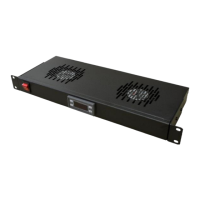
Indicators
Set temperature has been met and fans working
Set temperature not met and fans off
Switching On/Off
1. When off press the POWER button to switch the device on
2. When on, press and hold the POWER button for 5 second to switch device off
Setting the Temperature
1. Press SET button
2. Use the UP and DOWN buttons to desired temperature
3. Press SET button to save displayed temperature
Setting Functions
1. Press and hold the SET button for 3 seconds
2. Use UP and DOWN buttons to change the function’s setting (See table below)
3. Press the SET button to go to the next function
4. Once complete press and hold the SET button for 3 seconds to save settings
Cooling/Heating
In COOLING mode if the displayed temperature is more than the set temperature, the fans will operate. In HEATING mode if the
displayed temperature is less than the set temperature, the fans will operate.
Lower/Higher Temperature Limit
This function allows you to change the lower/higher temperature limits
Compressor Delay
This function sets the delay of the fan operation since their last operation, or after powering on the unit.
Temperature Calibration
This function allows the user to adjust the temperature displayed to the correct temperature
Errors
Alarm. Unit will operate fans for 15 minutes then off for 15 minutes
Lower Temperature Limit Reached
Alarm. Unit will turn fan operation off.
Higher Temperature Limit Reached
Alarm. Unit will turn fan operation off.


 To Previous Page
 Loading...