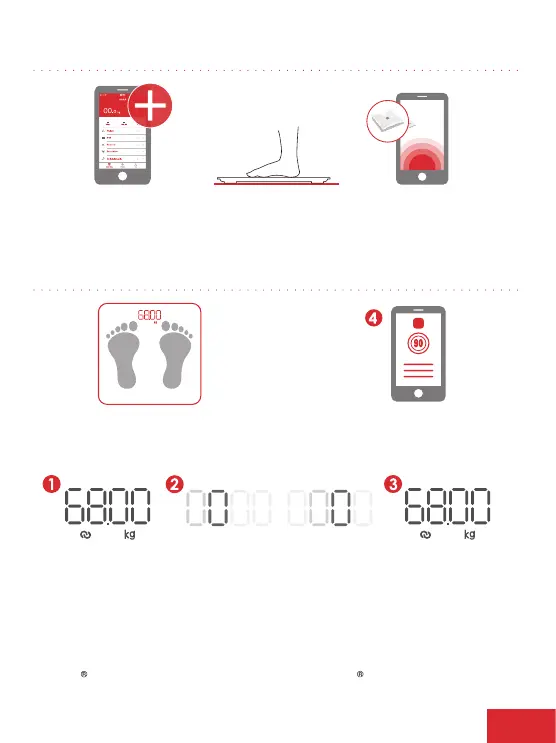
Step 2:Pairing scale with mobile device
Enter my device/
add new device/
pair device
Step on scale
Pairing scale
to app
Step 3:Pairing scale with mobile device
Step on scale and
stay still to keep display
number stable
Check body analysis
report on app
1. Display flashes twice as weight is measured.
2. Number 0 rollsfrom left to right as measurements
are calculated.
3. Measurements complete and weight is displayed.
4. Complete body report now available in app.
iTunes is a registered trademark of Apple Inc.
All other trademarks are property of their respective owners.
EN 7



 To Next Page