1702/
Function Operation
Pause Press button (1)
Play Press button (1)
Next Song Press button (5)
Previous Song Press button (6)
Volume Up Press and hold button (5)
When the volume is
adjusted to maximum you
will hear an indication tone
Volume Down Press and hold button (6)
Answer Call Press button (1)
End Call Press button (1)
Reject Call Press and hold button (1)
Call Last Number Double press button (1)
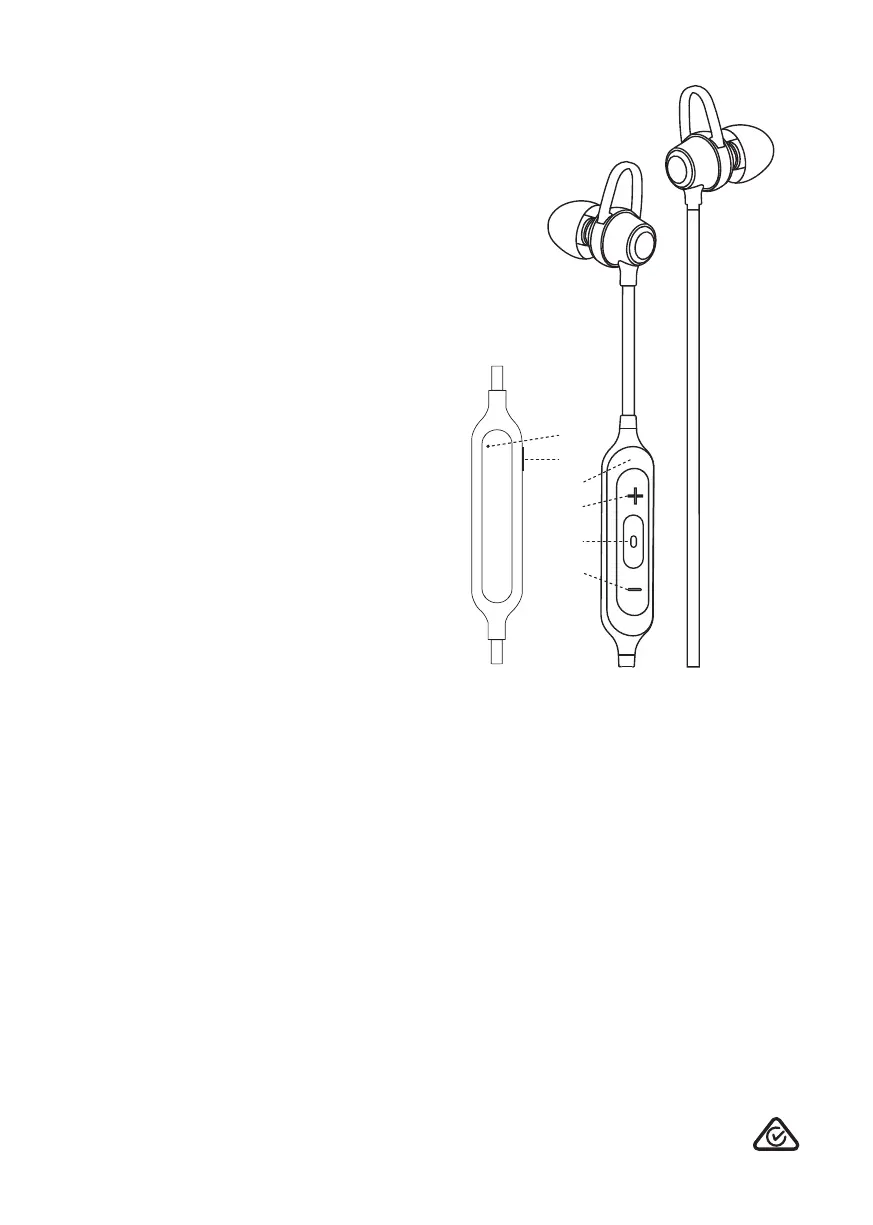
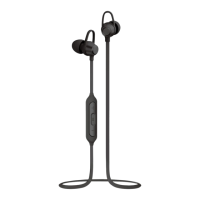
Overview:
1. Power/Play/Pause button
2. Micro USB charging port
3. LED indicator
4. Built-in microphone
5. Skip forward track/press and hold volume up
6. Skip backward track/press and hold volume down
Continuous use at full output may damage hearing.
Liquid Ears is a registered trademark.
Liquid Ears™
PO Box 5658 Brendale QLD Australia 4500
Customer Support 1800 812 261
www.liquidears.com
DESIGNED IN AUSTRALIA
1.
6.
2.
4.
3.
5.
NOTE: Not all devices support all the functions
listed above. Please refer to your device’s user
manual for further information.


 To Previous Page