EasyManua.ls Logo

Liquid Ears LEBSFBK - User Manual

Liquid Ears LEBSFBK
2 pages
Print Icon
To Next Page IconTo Next Page
Loading...
Battery Charge:
This Wireless Earphone is powered by a rechargeable Li-ion battery.
When the battery is low the earphones will emit a sound to remind you to recharge it.
1. Insert USB charging cable into a suitable USB port for charging.
2. Connect the USB charging cable with the Micro USB port to the earphone.
3. The LED indicator turns red to show battery is charging.
4. The LED indicator turns off when battery is fully charged.
5. It takes about 2 hours to fully charge the earphone.
How to use this Earphone:
A. Power ON/OFF
B. Pairing the Earphone
1. To enter pairing mode ensure earphone is OFF. To ensure the earphones are ready for pairing, press
and hold the power button (1) for 5 seconds until the LED indicator flashes blue and red, and
an audio tone can be heard.
2. On your device, search for the pairing name: LE Secure Fit.
Once connected a single tone can be heard for successful pairing.
LED indicator turns blue and the earphone
plays an audio tone for power on mode
Power ON Press and hold the power
button (1) for 3 seconds
Power OFF Press and hold the power
button (1) for 3 seconds
LED indicator flashes red, then goes out
and earphone plays an audio tone for power
off mode
Function Operation LED indicator
WIRELESS
EARPHONES
LEBSFBK, LEBSFLG, LEBSFRG
Specifications:
Driver Size: 10mm
Impedance: 32 Ohm ±15%
Sensitivity: 93dB ± 3dB at 1kHz
Frequency Response: 20Hz - 20kHz
Wireless Range: 10m
Play Time: 4 Hours
Battery Size: 55mAh
Charge Time: 2 Hours
Included:
1 x Wireless Earphone
1 x USB to Micro USB Charging Cable
2 x Small Ear Cushions
2 x Medium Ear Cushions
2 x Large Ear Cushions
Question and Answer IconNeed help?

Do you have a question about the Liquid Ears LEBSFBK and is the answer not in the manual?

Summary

Wireless Earphones Specifications

Included Accessories

Battery Charging Instructions

How to Use Your Earphone

Power On and Off

Press and hold the power button for 3 seconds for power on/off. LED indicator and audio tones confirm status.

Earphone Pairing Procedure

Ensure earphone is OFF. Hold power button for 5s until LED flashes blue/red. Search for 'LE Secure Fit' on your device.

Earphone Controls and Functions

Playback and Volume Control

Control play/pause, next/previous track, and volume by pressing or holding the power button (1) or buttons (5) and (6).

Call Management

Answer, end, reject calls, or redial the last number using specific button presses on the earphone.

Overview

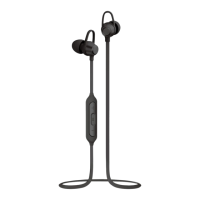
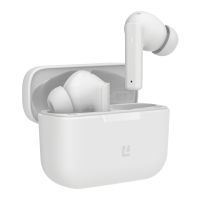
This document describes the Liquid Ears Wireless Earphones, model numbers LEBSFBK, LEBSFLG, and LEBSFRG. These are in-ear wireless earphones designed for audio playback and hands-free calling.

Function Description:

The Liquid Ears Wireless Earphones are designed for wireless audio streaming and phone call management. They feature a built-in microphone for calls and controls for playback, volume adjustment, and track navigation.

Important Technical Specifications:

  • Driver Size: 10mm
  • Impedance: 32 Ohm ±15%
  • Sensitivity: 93dB ± 3dB at 1kHz
  • Frequency Response: 20Hz - 20kHz
  • Wireless Range: 10m
  • Play Time: 4 Hours
  • Battery Size: 55mAh (Li-ion rechargeable)
  • Charge Time: 2 Hours

Included Accessories:

  • 1 x Wireless Earphone
  • 1 x USB to Micro USB Charging Cable
  • 2 x Small Ear Cushions
  • 2 x Medium Ear Cushions
  • 2 x Large Ear Cushions

Usage Features:

Overview of Controls:

The earphones feature several integrated controls:

  1. Power/Play/Pause button (1): Used for powering the device on/off, playing, pausing, answering, and ending calls, and rejecting calls (when held). Also used for double pressing to call the last number.
  2. Micro USB charging port (2): For connecting the charging cable.
  3. LED indicator (3): Provides visual feedback on power status, charging status, and pairing mode.
  4. Built-in microphone (4): For hands-free communication during calls.
  5. Skip forward track / Volume Up button (5): Press to skip to the next song, press and hold to increase volume.
  6. Skip backward track / Volume Down button (6): Press to skip to the previous song, press and hold to decrease volume.

Power ON/OFF:

  • Power ON: Press and hold the power button (1) for 3 seconds. The LED indicator will turn blue, and an audio tone will play.
  • Power OFF: Press and hold the power button (1) for 3 seconds. The LED indicator will flash red, then go out, and an audio tone will play.

Pairing the Earphone:

  1. Ensure the earphone is OFF before entering pairing mode.
  2. To initiate pairing, press and hold the power button (1) for 5 seconds. The LED indicator will flash blue and red alternately, and an audio tone will be heard, indicating it's ready for pairing.
  3. On your device (e.g., smartphone, tablet), search for Bluetooth devices. The pairing name for these earphones is "LE Secure Fit."
  4. Once connected, a single tone will be heard, confirming successful pairing.

Audio Playback and Call Management:

  • Pause: Press button (1).
  • Play: Press button (1).
  • Next Song: Press button (5).
  • Previous Song: Press button (6).
  • Volume Up: Press and hold button (5). An indication tone will sound when maximum volume is reached.
  • Volume Down: Press and hold button (6).
  • Answer Call: Press button (1).
  • End Call: Press button (1).
  • Reject Call: Press and hold button (1).
  • Call Last Number: Double press button (1).

Note: Not all devices support all the functions listed above. Users should refer to their device's user manual for further information regarding compatibility.

Maintenance Features:

Battery Charge:

The earphones are powered by a rechargeable Li-ion battery.

  • When the battery level is low, the earphones will emit a sound to remind you to recharge them.
  • Charging Procedure:
    1. Insert the USB charging cable into a suitable USB port (e.g., computer, wall adapter).
    2. Connect the Micro USB end of the charging cable to the Micro USB port (2) on the earphone.
    3. The LED indicator (3) will turn red to show that the battery is charging.
    4. The LED indicator will turn off once the battery is fully charged.
    5. A full charge takes approximately 2 hours.

Important Safety Information:

Continuous use at full output may damage hearing. Users are advised to use the earphones at moderate volume levels.

Manufacturer Information:

  • Brand: Liquid Ears™
  • Address: PO Box 5658 Brendale QLD Australia 4500
  • Customer Support: 1800 812 261
  • Website: www.liquidears.com
  • Design: Designed in Australia
  • Liquid Ears is a registered trademark.

Liquid Ears LEBSFBK Specifications

General IconGeneral
BrandLiquid Ears
ModelLEBSFBK
CategoryHeadphone
LanguageEnglish

Related product manuals