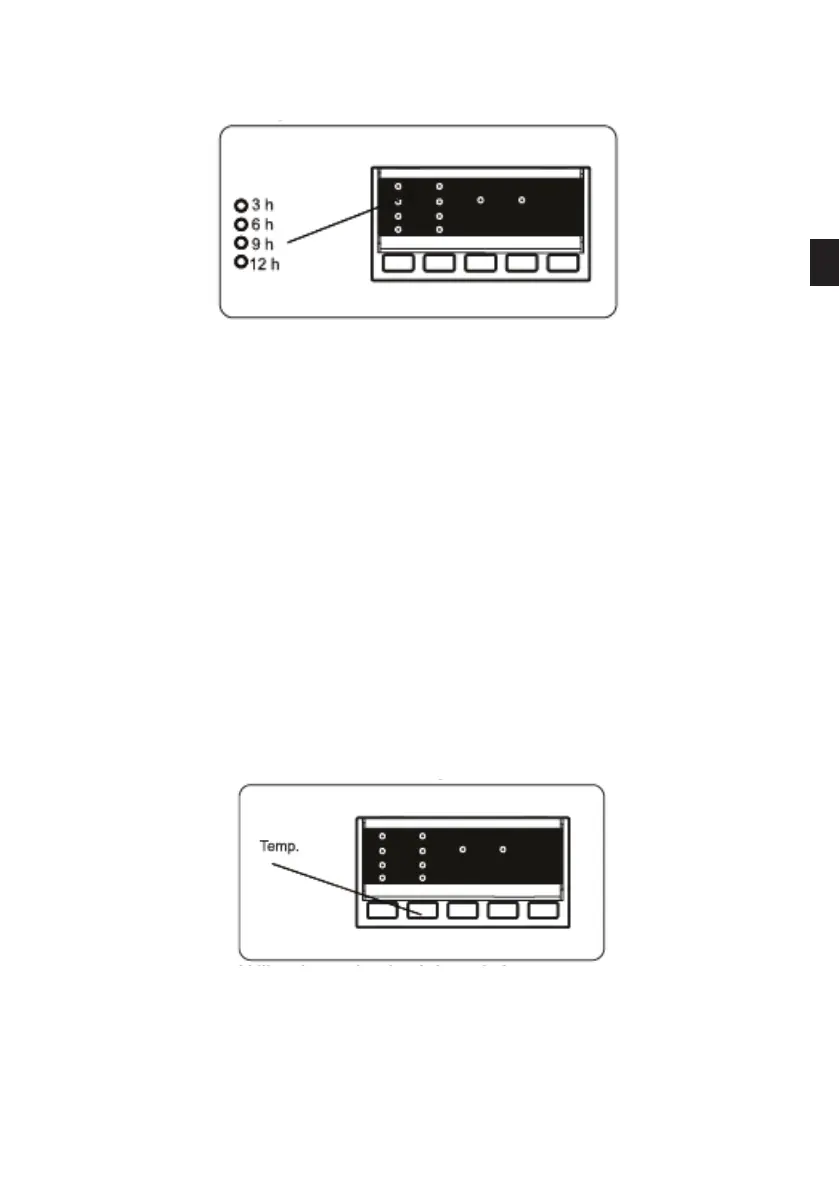
1. Delayed start button
• Press the Delayed start button once.
• The "3 h" indicator light comes on.
• Press the Delayed start button until the indicator light corresponding to the
required delay comes on.
• If you accidentally go beyond the required delay, continue pressing the Delayed
start button until the required value is displayed again.
• The Delayed Start function only works after the Start/Pause button has been
activated.
• To activate the Delayed Start function, press the Start/Pause button.
• To cancel the delay after having set it, press the Delayed start button once. The
indicator light on the electronic display will then stop ashing.
• To add/remove laundry while the Delayed Start function has been activated, press
the Start/Pause button. Once the laundry has been added/removed, press the
Start/Pause button again to activate the Delayed Start function.
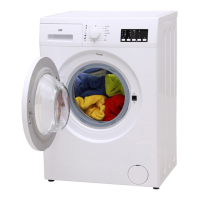
2. Selecting the temperature
Use the washing water temperature adjustment button to modify the preset
temperature of a program.
When a program is selected, the maximum temperature of the program is automatically
selected. To adjust this temperature, press the water temperature adjustment button
EN
51 V.1.0


 To Next Page