Lite-Check CERTIFIER 1200 Operations Manual
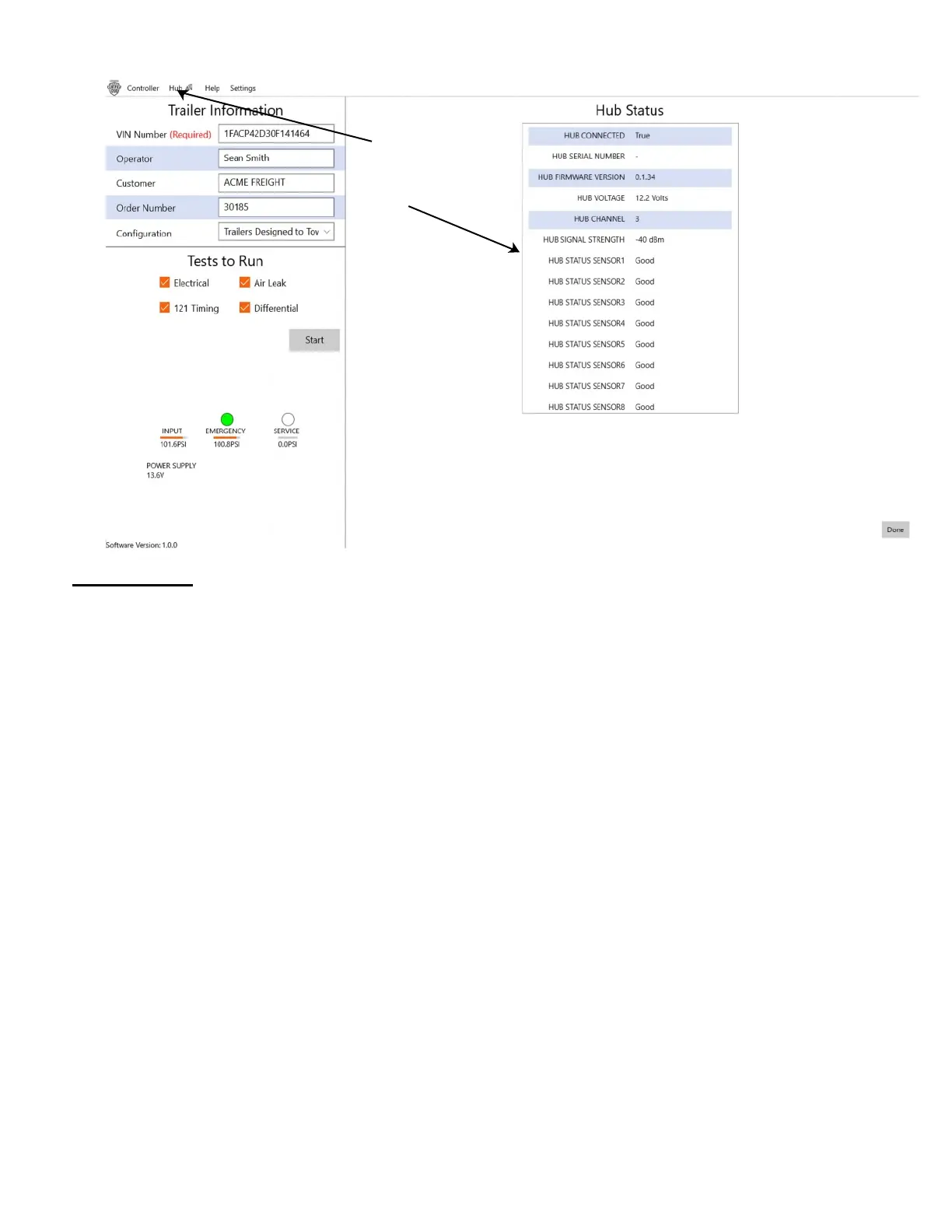
SETUP TESTING: “Hub” dropdown
Hub status:
NOTE: None of these are modifiable directly by the user. They are only status values reported by the Hub.
HUB Connected: Indicates if the Hub is communicating with the 1200 Certifier. True or False.
HUB Serial Number: Serial Number of the Hub.
HUB Firmware Version: Firmware version installed in the Hub.
HUB Voltage: Voltage of the battery in the Hub.
HUB Channel: The Channel the Hub is using at this time to communicate with the 1200 Certifier.
HUB Signal Strength: The strength of communication between the 1200 Certifier and the Hub.
HUB Status Sensor1 through Sensor8: Status of the 8 Sensor ports on the Hub.
Click on “Hub”
to see the “Hub
Status”.
26



 To Next Page