
 Need help?
Do you have a question about the LiteGear LITEDIMMER SPECTRUM AC/DC 200 and is the answer not in the manual?
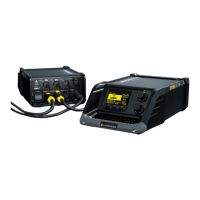
Lists the items provided with the LiteDimmer Spectrum AC/DC 200 and 400 units.
Details optional accessories available for the LiteDimmer Spectrum units.
Describes the handle for carrying and attachment on the dimmer unit.
Explains the plate for quick attachment of LiteGear K-Mount accessories.
Instructions for securely attaching the dimmer to a truss using the truss mount.
Instructions for securely attaching the dimmer to a light stand using the stand mount.
Configuration options for controlling the fixture via DMX, including RDM and streaming monitor.
Procedure for setting the desired DMX address for the dimmer unit.
Guide to selecting desired DMX personalities for Spectrum OS 3.0.
Configuration for dimmer behavior when DMX data is removed (Hold or Black Out).
Enables or disables RDM (Remote Device Management) functionality on the dimmer.
Allows setting the fixture number and universe assignment for DMX control.
Instructions for storing and loading up to 10 DMX setups.
Configuration for choosing and setting communication protocols like Art-Net and sACN.
Configuration for selecting the DMX transmit/receive state for CRMX wireless.
How to control the fixture using encoders and buttons on the OLED display.
Adjustments for dimmer color space, dimming curves, and pixel handling.
Controls for OLED display illumination time and screen rotation.
Steps for installing or updating the dimmer firmware via USB.
Procedures for installing or updating the pixel engine firmware via USB.
How to save or load ballast settings using a USB flash drive.
Procedure for saving the Ballast Service Log to a USB flash drive.
Steps to format a USB drive for use with the dimmers and copying FW files.
Options for selecting and verifying network status, IP address, and device name.
How to view system status, dimmer info, pixel info, help, and copyright.
Functions for assigning and testing pixels, setting real-time clock, clearing logs, and factory reset.
How to adjust the ±Magenta/Green color correction on the dimmer.
Allows fading output OFF and back ON for previewing lighting in local modes.
How to invoke and manage factory presets for CCT, Accent Color, and Saturation.
Operates like global-presets for storing and recalling lighting looks.
Lists and explains various fault conditions related to pixel communication and voltage.
Lists and explains dimmer fault conditions, including fuse, voltage, and temperature issues.
Detailed technical specifications for the LiteDimmer Spectrum AC/DC 200 model.
Detailed technical specifications for the LiteDimmer Spectrum AC/DC 400 model.
Provides the physical dimensions of the LiteDimmer Spectrum AC/DC 200 and 400 units.
 General
| Output Power | 200W |
|---|---|
| Output Voltage | 48V DC |
| Dimming Resolution | 16-bit |
| Cooling | Passive |
| Input Voltage | 100-240V AC |
| Control | DMX |
| Dimmer Type | PWM |
| Weight | 1.5 lbs |

 To Next Page