26
Fits a Sharpie
TM
-sized marker
Fits a pen
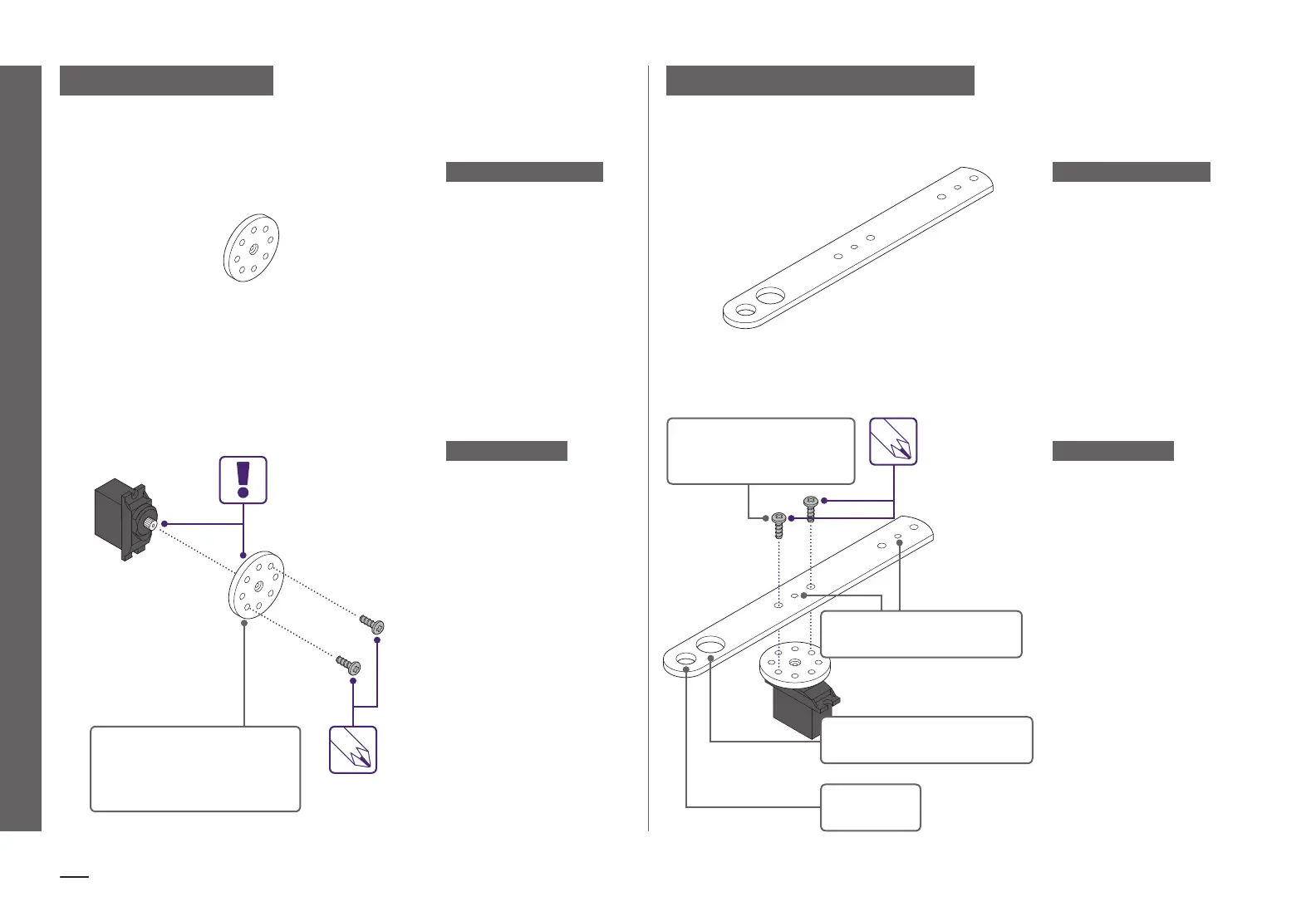
Connect to DC motor shaft
Connect to servo hub
with included #6 screws
MEET THE ACCESSORY
HOW IT WORKS
a23 MECHANICAL ARM
The mechanical arm
attaches to both the servo
hub and the DC motor shaft,
and oers lots of leverage
for pushing, pulling, and
throwing.
To attach the mechanical
arm to the servo hub,
use two of the #6 screws
(included) and a Phillips
head screwdriver (not the
purple screwdriver). Be sure
to screw through the holes
on the servo hub.
To attach the mechanical
arm to the DC motor, line up
the flat edge of the DC motor
shaft with the flat edge of
either of the flat-edged holes
on the mechanical arm.
The two large holes on the
end are perfect for holding
pens and markers in place.
USE A PHILLIPS HEAD
SCREWDRIVER
MEET THE ACCESSORY
HOW IT WORKS
a19 SERVO HUB
The servo hub lets you eas-
ily attach materials to your
servo motor and add more
complex movements to your
littleBits inventions.
The servo hub can be
attached and removed by
gently pushing or pulling it
on or o the servo motor.
This is helpful if you need to
reorient how the holes are
positioned for a project.
Use the included #6 screws
with any of these eight
outer holes.
USE A PHILLIPS HEAD
SCREWDRIVER
BE SURE TO ALIGN THE
TEETH ON THE SHAFT
WITH THE TEETH IN THE
HUB HOLE.


 To Next Page
 Loading...