EasyManua.ls Logo

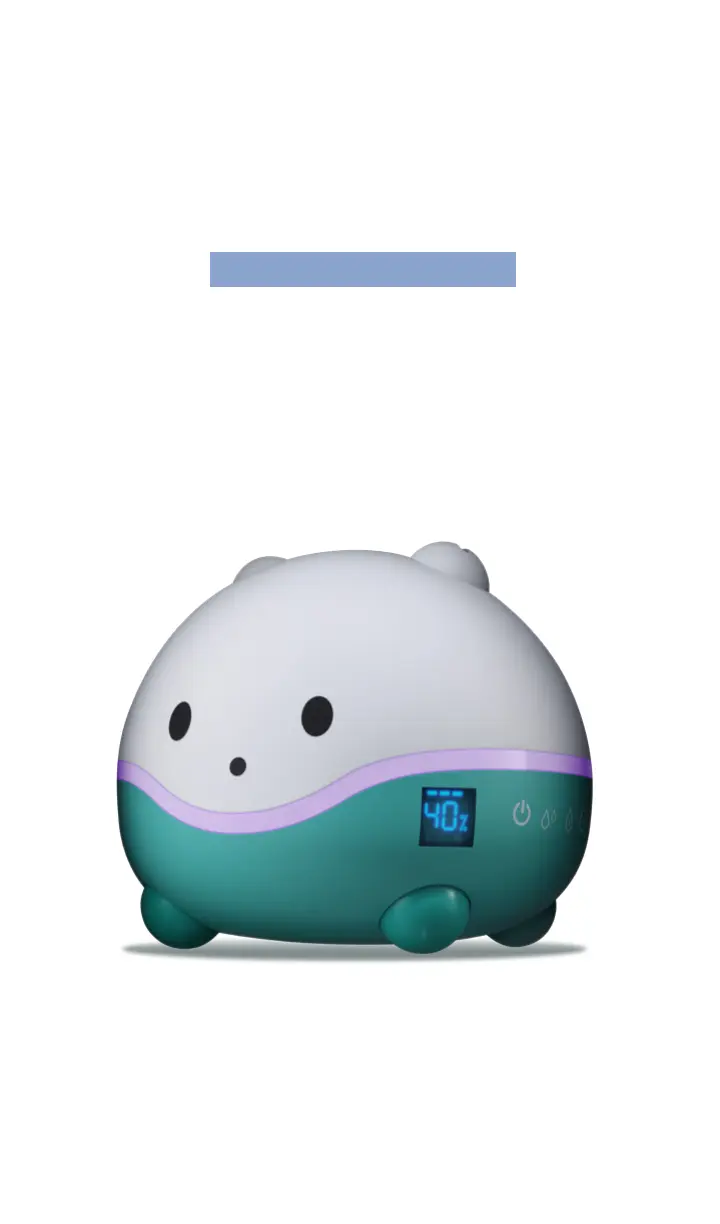
littlehippo WISPI - User Manual

littlehippo WISPI
10 pages
Print Icon
To Next Page IconTo Next Page
Loading...
WISPI
1 Year Limited Warranty 650-395-7884 support@littlehippo.com littlehippo.com
Setup Guide
Ultrasonic Cool Mist Humidifier,
Diffuser and Night Light

Questions and Answers

  • E
    Erica KimAug 15, 2025
    Why is my littlehippo Humidifier not misting?
    • D
      Devin RussellAug 15, 2025
      Your littlehippo Humidifier might not be misting due to several reasons. Ensure the humidifier is properly plugged in at both ends and try a different outlet. Also, check that the water tank is correctly attached. If you're using the auto-humidity function, the room's humidity might already be at or above the set level. In that case, the humidifier will only start misting when the humidity drops 3% or more below the setting. Finally, check the water level; if it's low or empty, unplug the unit and refill the tank.
  • D
    dale02Aug 18, 2025
    What to do if my littlehippo WISPI is leaking?
    • M
      martinezjulieAug 18, 2025
      If your littlehippo Humidifier is leaking from the lid or tank, try setting the mist to a lower level and inspect the tank and lid for any cracks. If the leak is coming from the base, unscrew the cap and re-screw it clockwise.
  • B
    brent46Aug 21, 2025
    Why does my littlehippo WISPI Humidifier low water level indicator keep flashing red?
    • E
      emontoyaAug 21, 2025
      The low water level indicator light on your littlehippo Humidifier might be flashing red because the cap isn't secured properly, preventing water from flowing from the tank to the base. Try securing the cap and gently shaking the tank to ensure it fits well with the base. Also, the tank may be low or empty. If so, unplug the humidifier and refill the tank.
  • A
    Andrew RodriguezAug 25, 2025
    How to get rid of white dust from my littlehippo WISPI?
    • A
      Adam GrayAug 26, 2025
      The white dust forming around your littlehippo Humidifier is likely due to hard water. Tap water may contain too many minerals. Try using distilled or filtered water instead. Also, if you're using a demineralization filter, consider replacing the demineralization cartridge after 250-300 hours of use.
  • L
    Leslie RossAug 28, 2025
    Why does my littlehippo Humidifier smell bad?
    • K
      Kelly CookAug 28, 2025
      To address the bad smell from your littlehippo Humidifier, clean the tank and base and use clean, fresh water.
  • G
    Gordon SmithAug 31, 2025
    Why is my littlehippo Humidifier humidity remaining low?
    • R
      robert05Aug 31, 2025
      If the humidity remains low when using your littlehippo Humidifier, clean the transducer with a soft cloth. Also, the water in the tank may be too cold. Replace it with cool water.
  • N
    Nicole AndrewsSep 4, 2025
    Why is my littlehippo WISPI Humidifier making a loud noise?
    • S
      Sarah CamachoSep 4, 2025
      If your littlehippo Humidifier is making a loud noise, ensure it is placed on a flat, hard surface.
  • J
    Julie ShawSep 7, 2025
    Why is water not draining into the reservoir of my littlehippo WISPI Humidifier?
    • A
      Andrew AdamsSep 7, 2025
      If water is not draining into the reservoir of your littlehippo Humidifier, check the spring valve located on the water tank cap to ensure it is properly in place and not stuck.
  • D
    dsanchezSep 12, 2025
    Why does my littlehippo Humidifier tank and base feel slimy?
    • J
      jamesandersonSep 12, 2025
      If the tank and base of your littlehippo Humidifier feel slimy or dirty, clean the tank and base and use fresh water.

Summary

Safety Instructions

Technical Specifications

Meet Wispi

Display Overview

Details the digital display for mist strength, humidity levels, and operational status indicators.

Control Panel Functions

Explains the functions of the control panel buttons: Power, Auto-Humidity, Night Light, Mist, and Timer.

Setting Up Wispi

Operating Wispi

Power Controls

Covers turning the Wispi on/off and interpreting the low water level indicator for operation.

Mist Level Adjustment

Instructions for selecting and adjusting the misting output between high, medium, and low levels.

Auto-Humidity Function

Guides on calibrating, setting, and managing the auto-humidity feature for desired room conditions.

Timer Settings

Details the available timer options, including 1-12 hour settings and continuous run mode.

Night Light Operation

Instructions on activating, selecting colors, and using the night light feature separately from humidification.

Low Water Level Indicator

Explains visual cues and automatic shut-off when the water tank level becomes critically low.

Using Essential Oils with Wispi

General Aromatic Use Tips

Offers advice on testing new oils, supervising children, ensuring ventilation, and storing oils safely.

Best Practices for Oil Pads

Guidance on timely replacement of essential oil pads for sustained performance and scent quality.

Caring for Wispi

Daily Cleaning Procedure

Outlines daily cleaning steps, including unplugging, emptying, and air drying the humidifier unit.

Weekly & End of Season Care

Details weekly cleaning with vinegar and procedures for end-of-season filter replacement.

Troubleshooting

Need Help?

Warranty and Satisfaction Guarantee

Provides details on the product's one-year warranty and 100% satisfaction guarantee policy.

Contact and Support Information

Lists contact information for customer support, including email, phone number, and website address.

Purchasing Replacement Parts

Details on purchasing replacement essential oil pads and demineralization cartridges online.

littlehippo WISPI Specifications

General IconGeneral
Power SourceAC Adapter
TypeUltrasonic Humidifier
FeaturesAuto Shut-Off
Noise Level<30 dB
Color OptionsWhite