
 Need help?
Do you have a question about the littoak SE04 and is the answer not in the manual?
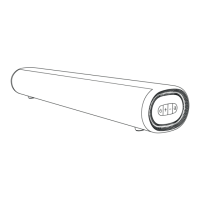
Details the buttons and indicators on the front of the Sound Bar.
Identifies the various input and output connectors on the back of the Sound Bar.
Explains the buttons and their functions on the remote control.
Connects the Sound Bar to a TV using a 3.5mm audio cable.
Connects the Sound Bar to a TV using an Optical or Coaxial cable.
Connects the Sound Bar to a TV using an ARC cable for audio return.
Guide to pairing a Bluetooth device with the Sound Bar for audio playback.
Steps for securely mounting the Sound Bar to a wall using the provided hardware.
Solutions for audio playback issues like no sound or distorted audio.
Troubleshooting steps for a non-functional remote control.
Diagnosing and resolving buzzing or humming sounds from the Sound Bar.
Steps to resolve issues with connecting Bluetooth devices.
Guidance for fixing audio echo issues when connected to a TV.
 General
| Brand | littoak |
|---|---|
| Model | SE04 |
| Category | Speaker System |
| Language | English |

 To Next Page