9
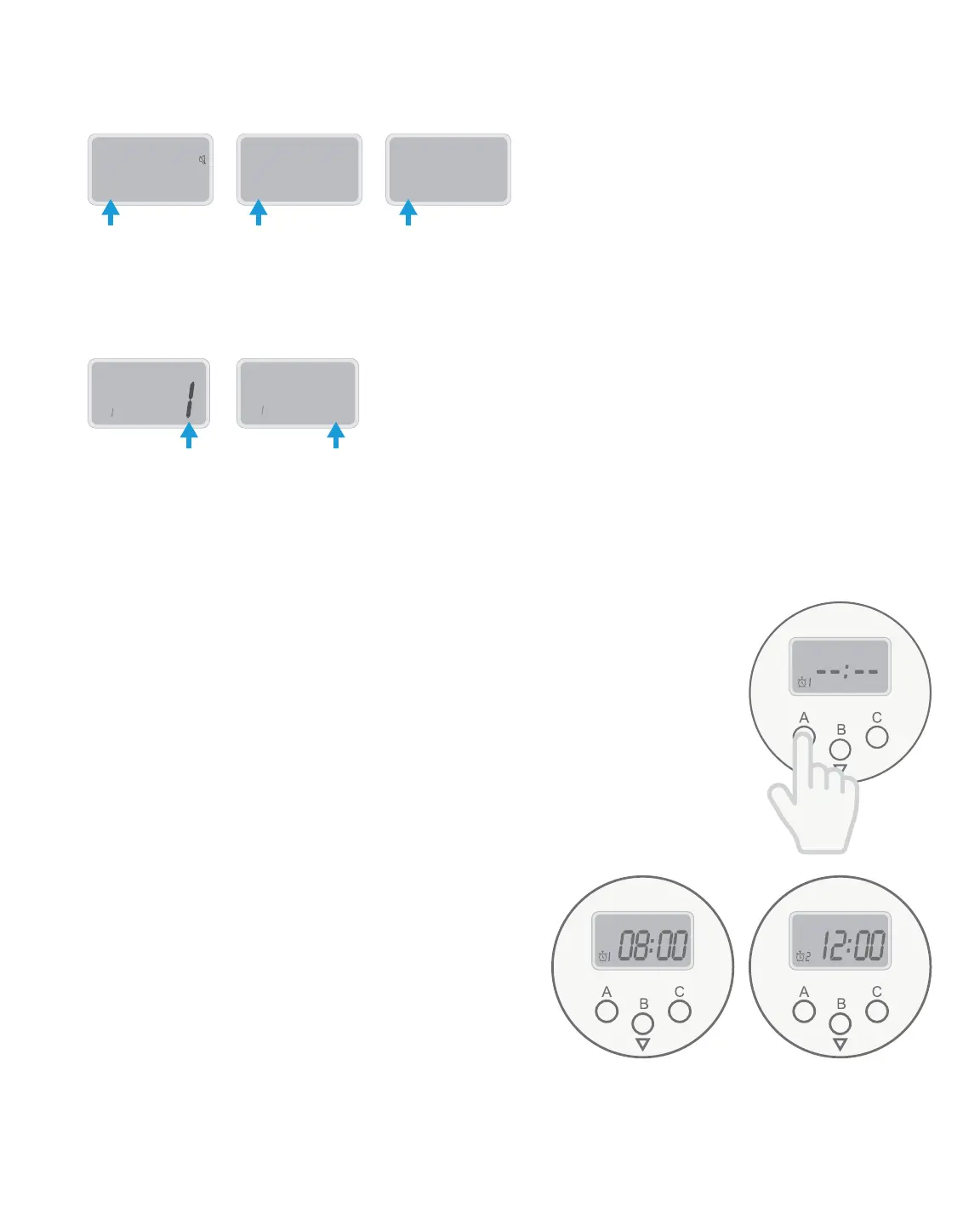
4. Set the volume level by pressing B to switch between 0 (mute), 1 (low volume), and 2 (high
volume). The small number on the left side will change accordingly.
5. Switch between the two alarm types from this menu by pressing the C button and holding it
for three (3) seconds. The number on the right side of the menu will switch between 1 (slow
beeps) and 2 (rapid beeps).
4
0
2 2 4
1
22 4
2
22
42
2
42
6. When you are finished in this menu, press A at any time to return to Clock Mode, or wait for
15 seconds and it will return to Clock Mode on its own.
Setting Medication Times
1. Press the A button to enter the Alarm Menu. A clock icon will appear
in the bottom left corner, with a number next to it. This number
indicates which alarm you are setting. You do not have to set all six
alarms if you do not need medication dispensed six times a day.
2. Press the B button to adjust the hour of the alarm. To move through
the hours faster, you can press and hold the B button.
3. Press the C button to adjust the minutes of the alarm. To move
through the minutes faster, you can press and
hold the C button.
4. Make sure the AM/PM setting is correct, if you
are not using 24-hour time.
5. To confirm and finalize the alarm, press the
A button to move to the next alarm.
6. Repeat steps 2-5 for each alarm you wish to set.
You can set a maximum of six alarms.


 To Next Page