10
Brightness settings
If the light projected onto the ceiling doesn't suit you,
you can always adjust the brightness setings. Please
first make sure Dodow is of.
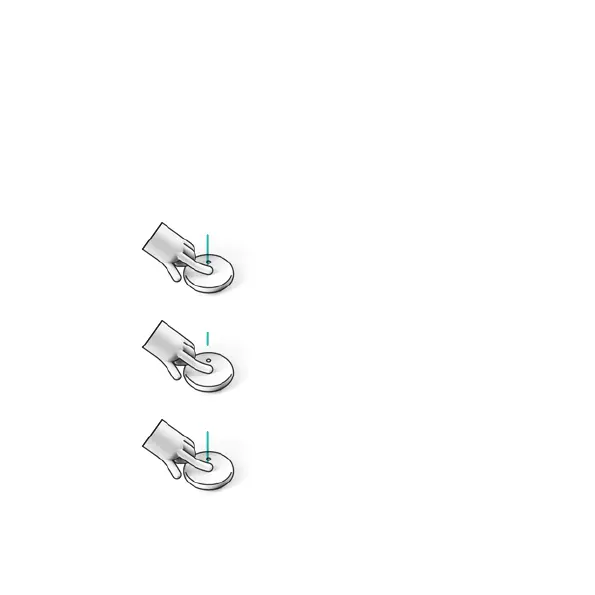
ACTIVATE THE SETTINGS MODE. Press
down lightly on the touchpad with
your finger for 3 seconds so that the
LEDs light up. Please note that they
shouldn't be flashing.
CHOOSE BETWEEN THE 3 BRIGHTNESS
SETTINGS. Touch the touchpad to ro-
tate through the setings.
CONFIRM YOUR CHOICE. Press down
on the touchpad with your finger for 3
seconds until the LEDs turn of.
3 sec
3 sec


 To Next Page