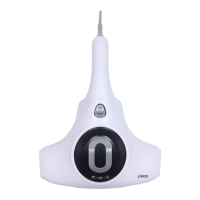
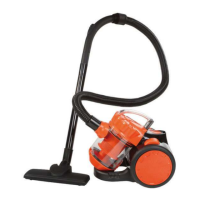
This document is an instruction manual for a Livoo hand vacuum cleaner, model DOH128.
Function Description
The Livoo hand vacuum cleaner is designed for general household cleaning tasks, specifically for sucking up dry dust and small debris. It is a portable and cordless device, making it convenient for cleaning corners, narrow gaps, and soft surfaces. The device is intended for use in dry areas only and should not be used to suck up water, other liquids, flammable substances, or uncooled ash. It is also not suitable for use with plastic bags or packaging materials.
Important Technical Specifications
- Battery Capacity: 2000mAh / 7.4V
- Motor Power: 80W
- Input: 5V 1.5A
- Charging Time: 2.5 hours
- Working Time: 13-15 minutes
- Dust Bin Capacity: 120ml
- Charging Interface: USB Type-C input
Usage Features
The hand vacuum cleaner is designed for ease of use with a simple on/off button operation.
- Charging: Before first use, the device must be fully charged. It can be charged using the supplied USB charging cable connected to a USB car charger, a USB home charger, or a car cigarette lighter with a USB adapter (not included). The light charge indicator provides feedback on the charging status.
- Operation: To use the vacuum cleaner, press the on/off button for a few seconds. Pressing it again for a few seconds will stop the vacuum cleaner.
- Attachments: The device comes with two main attachments:
- Crevice Nozzle: This attachment is specifically designed for cleaning corners or narrow gaps, allowing the user to collect dust from hard-to-reach areas.
- Crevice Nozzle with Brush: This attachment combines the crevice nozzle with a brush, making it suitable for cleaning soft surfaces without causing damage.
- Portability: Being a hand vacuum cleaner, it offers high portability and cordless operation, enhancing its convenience for quick clean-ups around the house or in a car.
- Safety Guidelines: The manual emphasizes several safety precautions:
- Keep the product away from water, wetlands, naked flames, and extreme temperatures (above 40°C).
- Do not place liquid-filled objects on the device.
- Use only the specified power source for charging.
- Do not press buttons too hard.
- Do not use chemicals on the product.
- Adult monitoring is recommended if children use the product.
- Avoid dropping or mounting on the product to prevent damage.
- Never attempt to repair the device yourself; consult an authorized technician.
- Ensure the device is properly turned off and stored in a cool, dry place when not in use.
- Do not insert foreign objects into the product.
- Ensure infants and children do not play with plastic bags or packaging materials.
Maintenance Features
Regular cleaning and proper storage are crucial for maintaining the device's performance and longevity.
- Dust Bin Emptying and Cleaning:
- The dust bin should be emptied and cleaned regularly.
- To access the dust bin, turn it to open.
- Remove the filter from the dust bin. The filter should be cleaned under rinsing water and then air-dried.
- Clean the dust bin itself with a wet cloth.
- To reinstall, place the filter into the nozzle dust bin, then turn the nozzle dust bin anticlockwise into the cleaner until secured.
- Filter Care: It is important not to use detergent to clean the filter; only cool water should be used.
- Battery Disposal: At the end of the product's life, the batteries must be removed and disposed of correctly.
- Ensure the appliance is disconnected and fully discharged to reduce electrical shock risk.
- Remove the protection cover where the mains voltage adapter connects to access the battery compartment.
- Use a screwdriver to remove any screws.
- Remove the batteries from the equipment by cutting the cables and tabs connecting them to the printed circuit.
- These Ni-MH cells must be recycled or eliminated in accordance with equipment scrapping regulations. Do not burn, dismantle, crush, or break the batteries as they can release toxic substances. Do not expose them to extreme temperatures.
- Drop them in designated battery recycling bins or return them to your retailer.
- Storage: When not in use, the device should be properly turned off and stored in a cool, dry place.

 Need help?
 General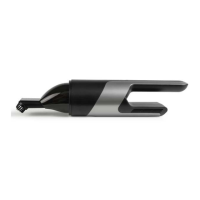

 To Next Page