Page | 8
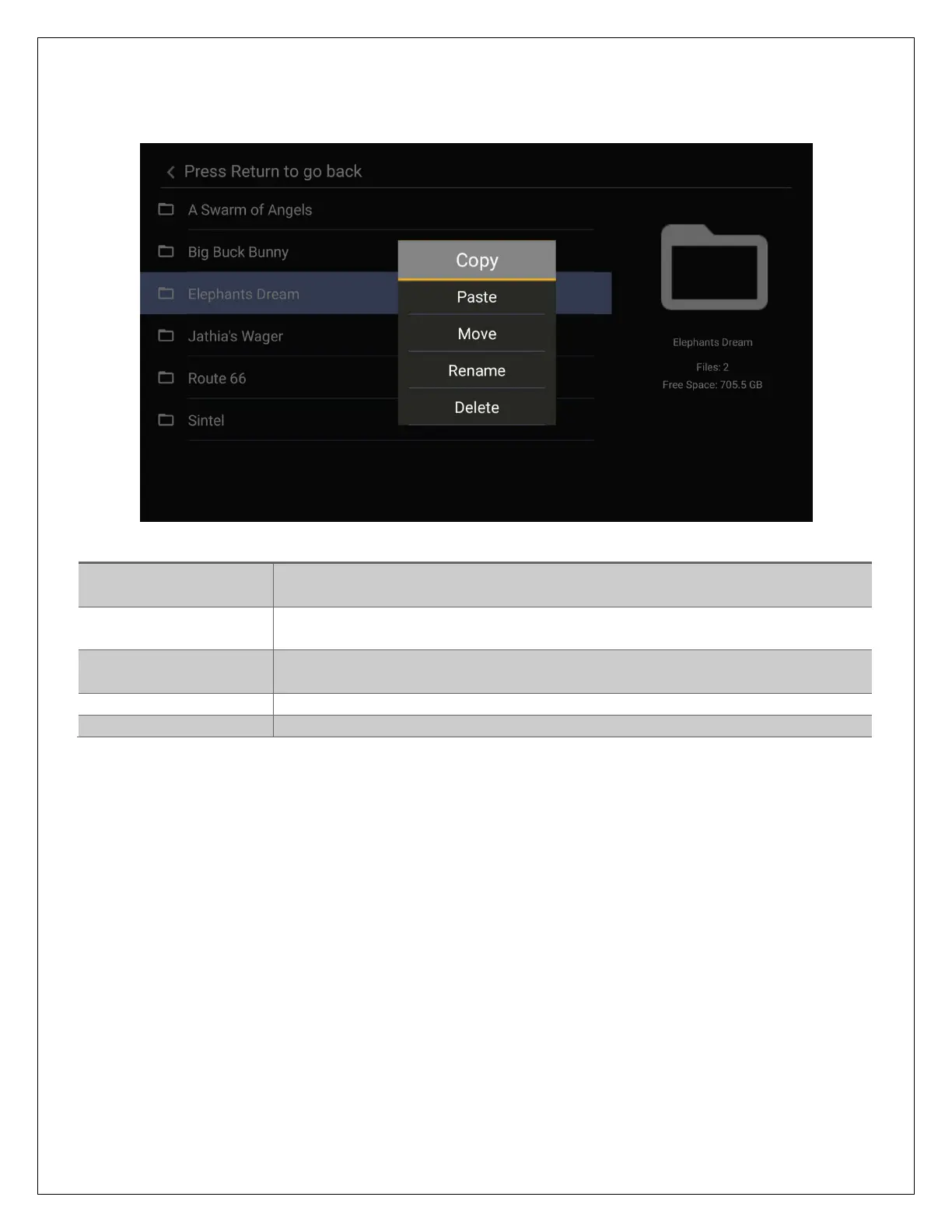
While highlighting a file or folder, pressing the MENU button will bring up to file operation menu,
providing the ability to copy, move, rename, or delete files and folders.
Menu Item
Description
Copy
Select a folder or file for copying. Navigate to the target folder and
select Paste to complete the copy operation.
Paste
Paste the selected folder/file in the current folder. Must first select a
folder/file for copy or move.
Move
Select a folder or file for moving. Navigate to the target folder and
select Paste to complete the move operation.
Rename
Rename a folder or file
Delete
Delete a folder or file


 To Next Page