EasyManua.ls Logo

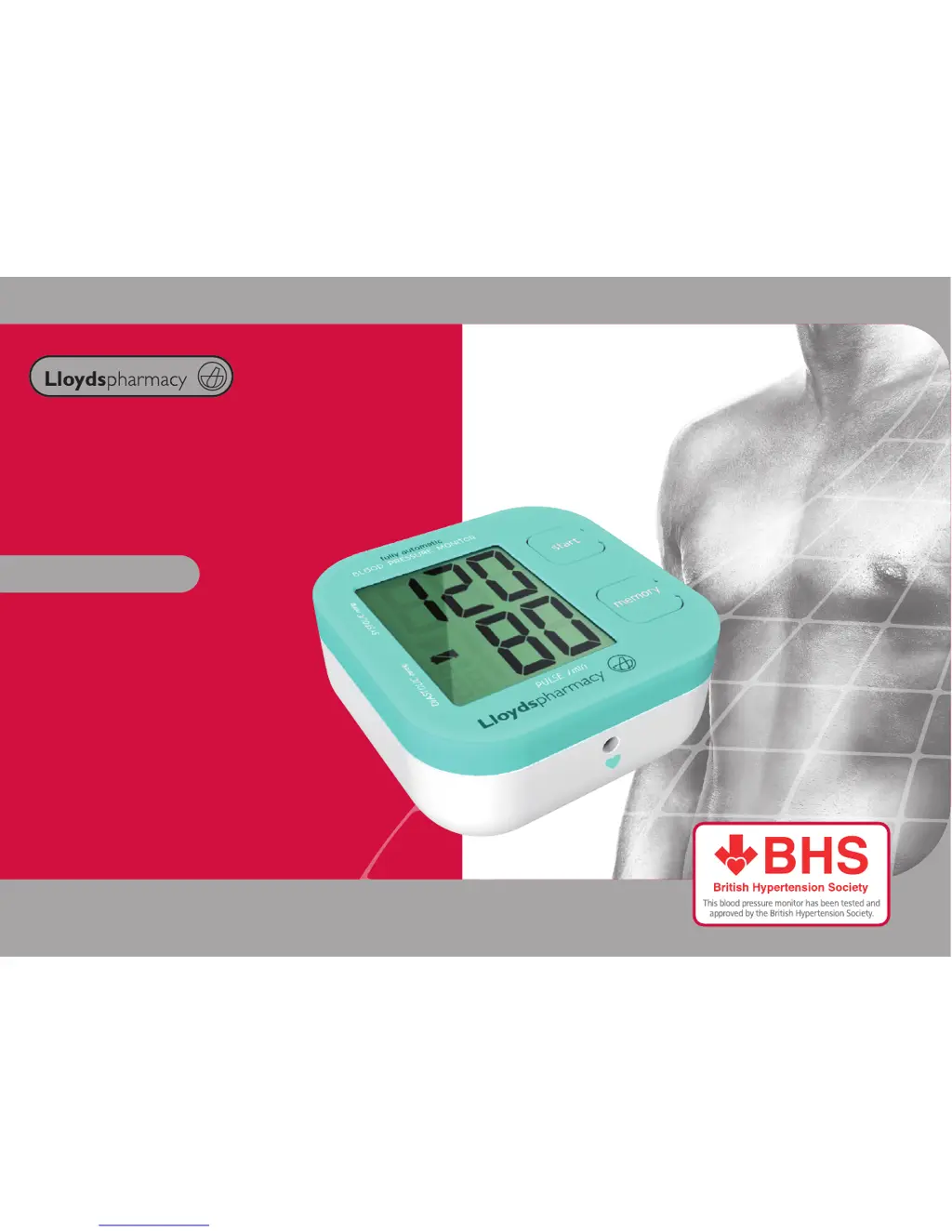
Lloydspharmacy LBPK1 - User Manual

Default Icon
21 pages
Print Icon
To Next Page IconTo Next Page
Loading...
Blood Pressure
Monitor
User Manual
Model LBPK1

Questions and Answers

  • J
    jgarciaJul 30, 2025
    What to do if Lloydspharmacy Blood Pressure Monitor LCD screen shows abnormal result?
    • R
      Rachel CallahanJul 31, 2025
      If your Lloydspharmacy Blood Pressure Monitor's LCD screen displays an abnormal result, several factors could be at play. Ensure the cuff is snug and correctly positioned. If you were excited, nervous, speaking, or moving during the measurement, re-test after taking 2-3 deep breaths to relax, staying calm and steady. Also, double-check your position and make sure it is correct. If there was some interference during inflation or incorrect operation during measurement, refer to the section ‘Using your Blood Pressure Monitor’.
  • J
    Joseph JacksonAug 4, 2025
    Why does my Lloydspharmacy LBPK1 cuff not inflate or show low pressure?
    • R
      Robert TaylorAug 5, 2025
      If the cuff on your Lloydspharmacy Blood Pressure Monitor isn't inflating or the display indicates low pressure, it could be due to a pressure loss from an air leak in the socket or cuff. Check the connection between the socket and the monitor. Alternatively, the socket might not be properly connected; try reconnecting it securely.
  • M
    Michael GrahamAug 9, 2025
    What does “Er 3” mean on Lloydspharmacy Blood Pressure Monitor and how to fix it?
    • A
      Angela LaneAug 9, 2025
      If your Lloydspharmacy Blood Pressure Monitor displays “Er 3”, it indicates that the pneumatic system is blocked or the cuff is too tight during inflation. To resolve this, reposition the cuff correctly and try taking the measurement again.
  • P
    Priscilla SchneiderAug 14, 2025
    How to fix low battery symbol on Lloydspharmacy LBPK1 Blood Pressure Monitor?
    • F
      Fred ChungAug 14, 2025
      If the LCD screen of your Lloydspharmacy Blood Pressure Monitor shows a battery symbol, it means the batteries are low. You should change the batteries, referring to the ‘Loading the Batteries’ section for instructions.
  • E
    Emma SnowAug 19, 2025
    What does “Er 6” mean on my Lloydspharmacy Blood Pressure Monitor?
    • S
      Samuel PorterAug 19, 2025
      The “Er 6” error on your Lloydspharmacy Blood Pressure Monitor means the pressure was above 15 mmHg for over 3 minutes. Wait 5 minutes before measuring again.
  • T
    Taylor MorrisAug 25, 2025
    Why won't my Lloydspharmacy LBPK1 respond when I press the buttons?
    • A
      amy41Aug 26, 2025
      If your Lloydspharmacy Blood Pressure Monitor isn't responding to button presses, it might be due to an incorrect operation. Remove the batteries for a few minutes, then re-insert them, following the directions in the ‘Loading the Batteries’ section.

Summary

Introduction

Parts Overview

Device Components and Indicators

Identifies key parts like LCD, buttons, cuff, tubule, and indicator symbols.

Setting up your Blood Pressure Monitor

Loading Batteries

Instructions for inserting AA batteries into the monitor, including polarity and precautions.

Connecting the Cuff

How to properly attach the cuff's rubber tubing to the monitor for measurement.

Putting on the Cuff

Detailed steps on how to correctly place the cuff on the arm for accurate measurement.

Performing Your First Test

BHS recommendation for initial measurement on both arms to determine the preferred arm.

Using your Blood Pressure Monitor

Starting a Measurement

Guidance on positioning, cuff placement, and initiating automatic inflation.

Measuring Process

Explains the automatic inflation, pressure reduction, and measurement completion sequence.

Memory Functionality

How to store, retrieve, and delete recorded measurements.

Understanding Results and Best Practices

Explains how to interpret readings and provides tips for accurate measurements.

Re-measuring and Shut Down

Instructions for taking subsequent measurements and properly powering off the device.

Interpretation of Blood Pressure Results

BP Categories and Recommended Actions

Classifies blood pressure levels and provides advice for each category.

Additional Information on Blood Pressure

Understanding BP Concepts

Explains systolic/diastolic pressure and daily BP fluctuations.

Specifications

Technical and Environmental Specifications

Lists model, accuracy, ranges, power, environmental conditions, and compliance.

Abnormality & Troubleshooting

Common Issues and Solutions

Details common abnormalities, their reasons, and corrective actions.

Error Code Explanations

Explains specific error codes (Er 3 to Er A) and their solutions.

Maintenance

Care and Handling Instructions

Guidelines on handling, cleaning, temperature, and battery removal for the monitor.

Warranty

Product Guarantee Details

Details the one-year guarantee period, exclusions, and statutory rights.

Blood Pressure Record Table

Record Keeping Template

A template to log date, time, systolic, diastolic, pulse rate, and comments for tracking BP.

Lloydspharmacy LBPK1 Specifications

General IconGeneral
Accuracy (Pressure)±3 mmHg
Memory60 readings
Cuff Size22-42 cm
DisplayLCD
Measurement MethodOscillometric
Accuracy (Pulse)±5%
Power Source4 AA batteries
Measurement Range (Pressure)0 to 300 mmHg
Measurement Range (Pulse)40-180 beats per minute

Related product manuals