8
Installing the Projector Driver
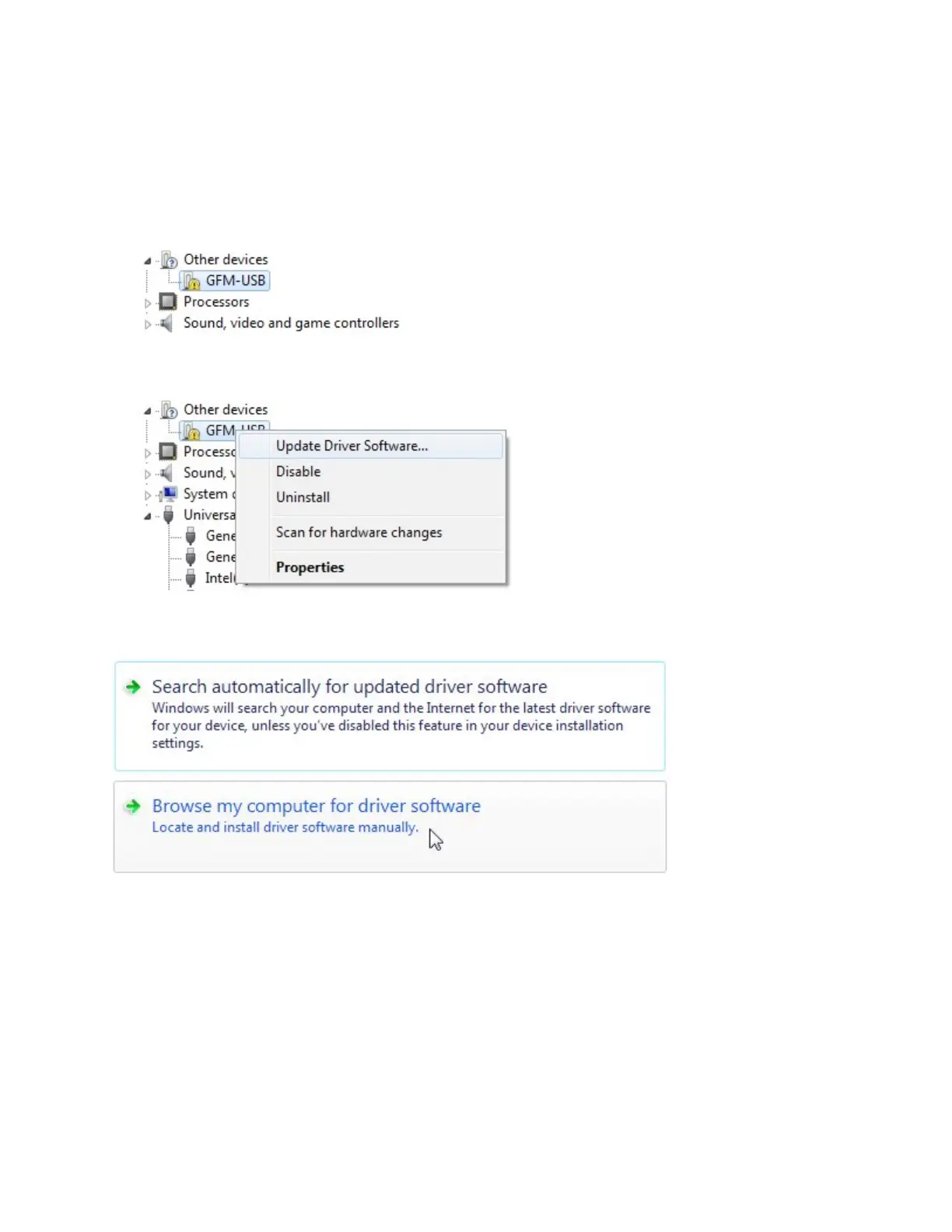
1. Click the Start button, and in the Search programs and files field, type devmgmt.msc .
Then press Enter.
The Device Manager opens.
2. In the Device Manager, find the GFM-USB device under Other Devices.
3. Right-click the device and choose Update Driver Software...
4. In the dialog that opens, choose Browse my computer for driver software.


 To Next Page