
 Need help?
Do you have a question about the LNI NitroGen Series and is the answer not in the manual?
Explains symbols and technical terms used in the manual for clarity and safety.
Provides crucial warnings about appliance use, manual reproduction, and manufacturer liability.
Covers risks like asphyxia, safe operation practices, and personnel competency for use.
Defines the generator's purpose for laboratory use and specific operational warnings.
Details what constitutes improper use and the manufacturer's disclaimer for risks and damages.
Lists the EU directives and technical standards applied during appliance design.
Outlines European regulations for WEEE disposal and handling of potentially dangerous substances.
Explains the internal mechanism of the nitrogen generators and their output.
Lists and describes the various models of the appliance covered by this manual.
Details the operational parameters, electrical data, and connections for all appliance models.
Provides physical specifications including net/gross weight and overall dimensions of the appliance.
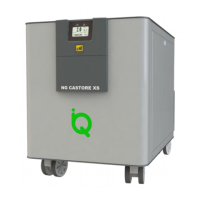
Illustrates and identifies the main components and external features of the generator.
Details the items included with the nitrogen generator shipment and their descriptions.
Describes the purge tank kit for containing waste water from the generator.
Introduces regulator boxes for controlling outlet pressures, with model details.
Provides diagrams and details of the regulator boxes for managing gas outlet pressures.
Suggests optimal layouts for installing the nitrogen generator.
Provides guidelines on where and how to position the generator for safe and efficient operation.
Details the required pneumatic fittings and connections for various appliance models.
Explains the procedure for connecting the generator to the power supply, including fuse specifications.
Step-by-step instructions for the initial setup and startup of the nitrogen generator.
Specific procedure for starting the Ultra High Purity module, including a cleaning cycle.
Outlines the correct procedure for powering off the generator safely.
Instructions for preparing the appliance for return for service or repair.
Describes how to interact with the generator's touch-screen display and navigate menus.
Explains the main display screen for monitoring system status, pressures, and time.
Details the process for starting and stopping the nitrogen production cycle via the control screen.
Covers serial ports, digital I/Os, and auxiliary connections for remote management.
Describes how to connect multiple generators for increased flow capacity, including kit and configuration.
Procedure for modifying the desired nitrogen or air output pressure via the touch-screen.
Guides through setting various system parameters like Identifier, Auto Run, Units, and Beeper.
Instructions for setting the internal date and time of the generator.
Explains how to adjust the display's backlight timeout duration.
Describes how to access and view the system event log and historical data.
Details how to access diagnostic pages to check internal parameters and module status.
Explains how to view generator counters such as life time, work time, and service intervals.
Outlines routine checks, cleaning, and maintenance schedules for optimal performance.
Lists specific replacement and cleaning operations for routine maintenance at various intervals.
Shows how to remove the generator's side panels to access internal components for maintenance.
Notes that the Service Menu is reserved for authorized personnel and is password-protected.
Procedure to reset pre-alarm messages and maintenance counters after service completion.
Lists potential pre-alarm messages, their causes, and recommended solutions before stopping production.
Details critical alarm messages that cause nitrogen production to stop and require immediate attention.
 General
| Brand | LNI |
|---|---|
| Model | NitroGen Series |
| Category | Portable Generator |
| Language | English |

 To Next Page