www.mytabcat.com
7
LOST
• Press and hold down the ON button until the Tabcat beeps and lights flash.
• Press the button that your cat / Tag is allocated to.
• Tabcat will beep and status light will flash rapidly as it’s searching for the Tag.
• When a Tag is detected the locating lights will light up and the audio will start.
• With the Tabcat in your hand and pointing forward turn around slowly completing
a full circle.
• As you point in the right direction and then move nearer to the item, the audio
pitch and frequency of beeps will increase, and lights on the Tabcat change
from red to amber to green.
• Once a circle has been completed, face in the direction of the strongest audio
and visual signal and walk in that direction.
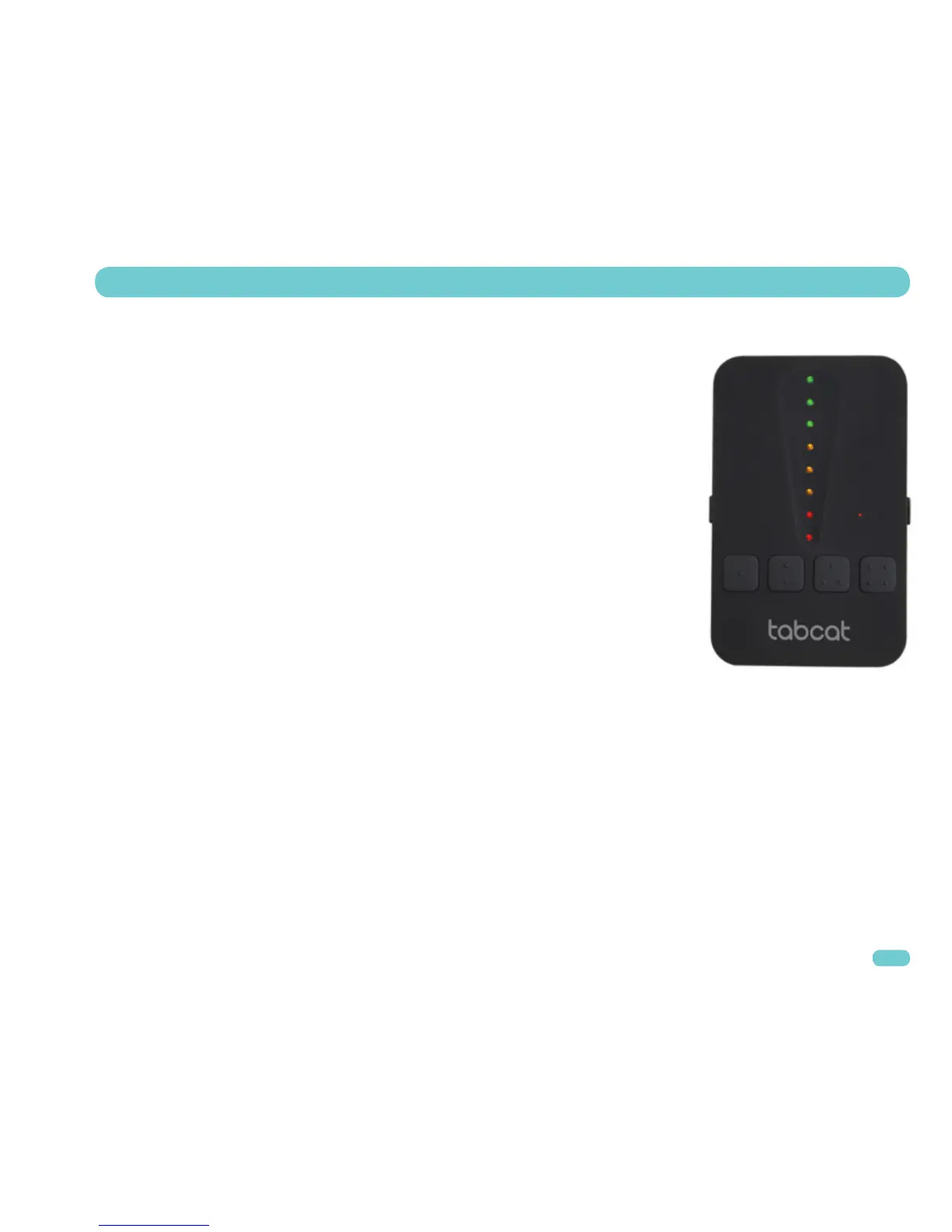
• When you see three green lights the Tag is very close by.
• To guide you right in, the Tabcat now changes to ‘zooming in’ mode (pictured).
• As you get closer in (zooming in) mode, amber then red lights also illuminate
and the audio pitch increases.
FOUND
To stop a search press the ON/OFF button, or the locate button your Tag is allocated to.
LOCATING – SEARCHING FOR A PET


 To Next Page