6
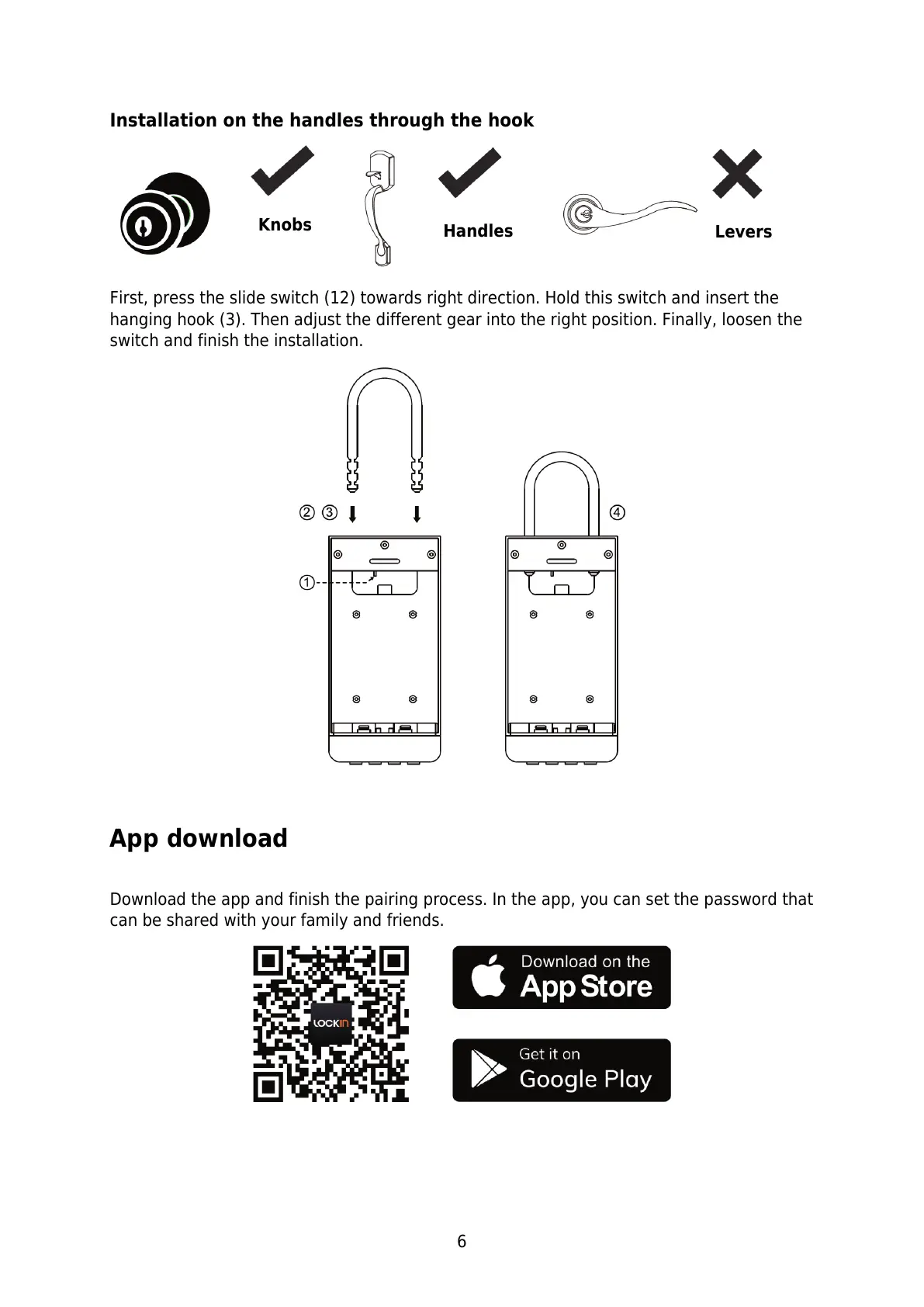
Installation on the handles through the hook
First, press the slide switch (12) towards right direction. Hold this switch and insert the
hanging hook (3). Then adjust the different gear into the right position. Finally, loosen the
switch and finish the installation.
App download
Download the app and finish the pairing process. In the app, you can set the password that
can be shared with your family and friends.


 To Next Page