PROGRAM
RESET
120.0mm
[4 23/32"]
IMPORTANT: if lock is not properly installed it will open and
close repeatedly (refer to #3 below)
3: Once self-check completes ensure the lock operates smoothly by manually locking and
unlocking the door using the thumb turn on the interior assembly. The hook should operate
smoothly without any interference or binding. If necessary, repeat step 2 and ensure that (a) the
hook was extended and (b) the torque blade was inserted vertically while the hook was
extended.
4: Swipe your hand across the touch screen keypad,
the lock should close (lock). If hook bounces
back or unlocks automatically it means something is
not installed correctly. Go back and repeat step 2,
same as above.
5. Once self-check is complete, install the battery
cover (H), secure with screw on top (do not over
tighten).
+
-
+
-
+
-
+
-
RESET
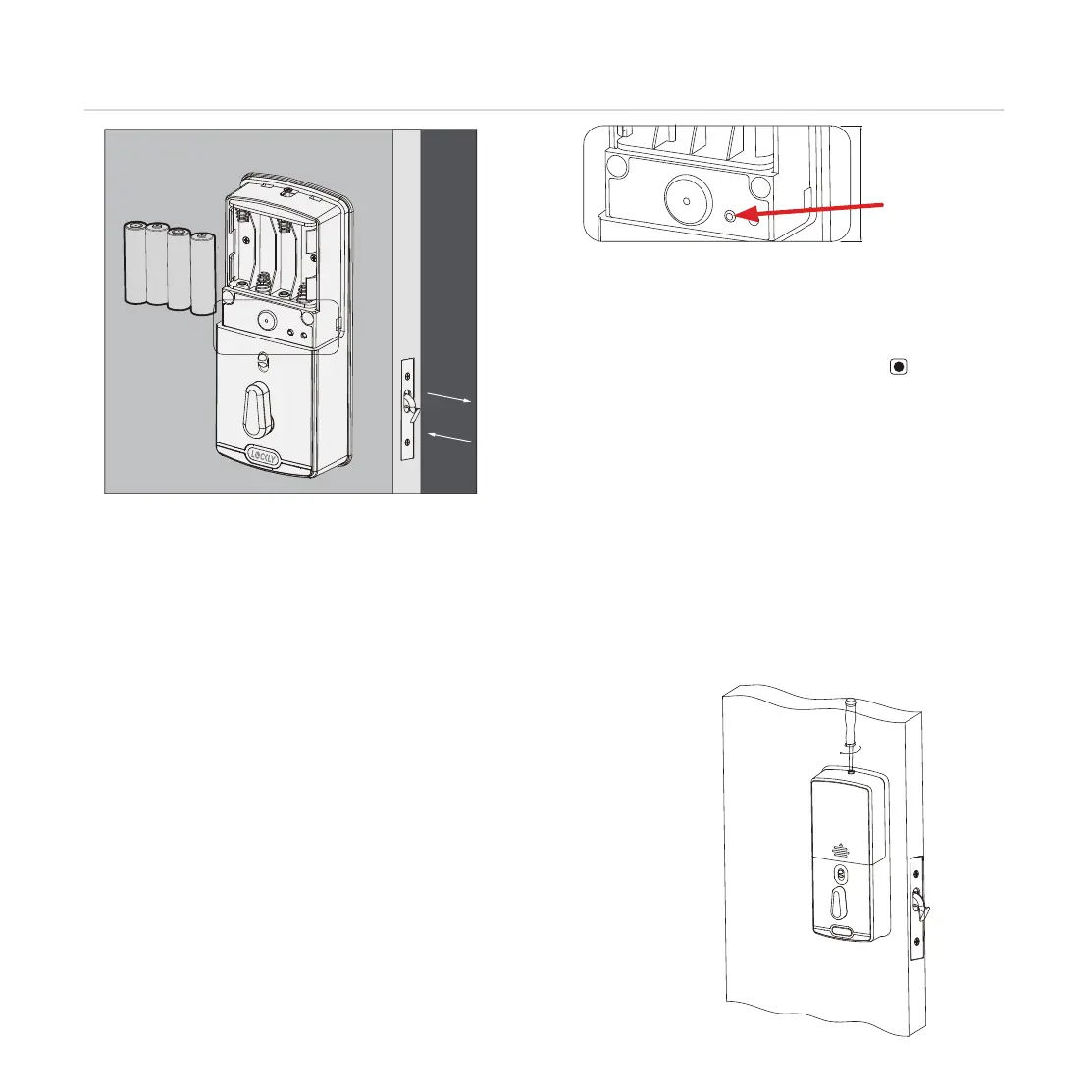
1: With door open and hook fully extended, insert 3
batteries only (hold on inserting the 4th). Note correct
-/+ polarity.
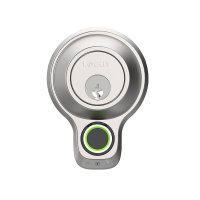
2: Press and HOLD the program button , continue to
hold and install the 4th battery. The lock will
automatically start self-check (release program button
once check starts). The self-check process determines
right or left open door and is very important to ensure
correct installation.
PROGRAM
9
INSTALLING BATTERIES
Step 4
PRESS &
HOLD


 To Next Page