29SECTION 5.6
5.6 Safe Mode - Overview
Lockly will enter Safe Mode when three (3) consecutive wrong Access Codes are entered within 5
minutes. When in Safe Mode, the safe status icon will start to flash.
To disable Safe Mode, you must unlock the Safe using the correct fingerprint or enter the correct
Access Code twice in a row. Activate the keypad by pressing and holding for 3 seconds.
Once the screen is activated, enter the correct Access Code carefully twice, pressing after
every time.
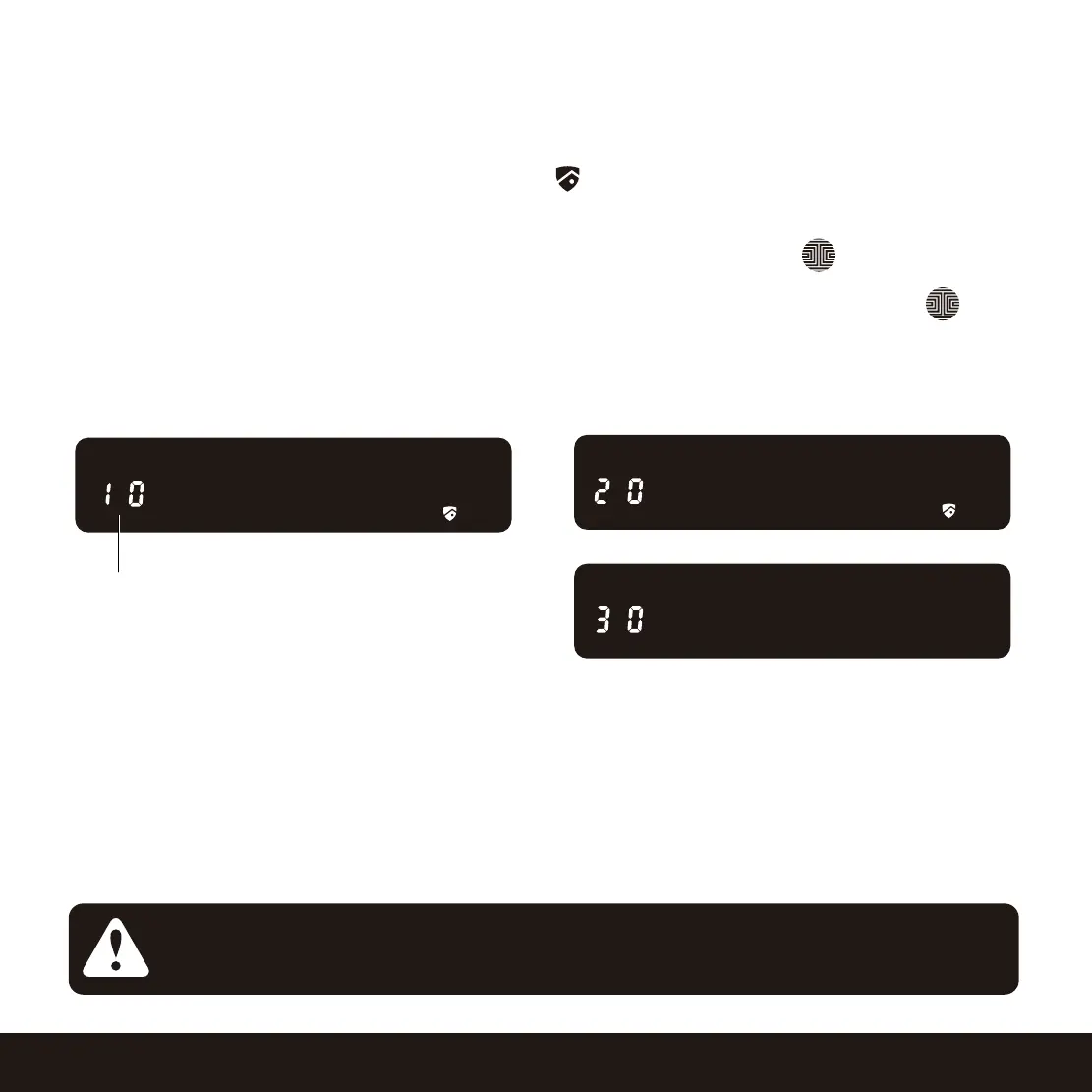
If you enter the wrong code, the keypad will then be disabled for 10 minutes.
You will see a “10” on the screen, notifying the number of minutes that the keypad is disabled for.
After 10 minutes, you may attempt to enter the correct Access Code to unlock the Safe. After the
second incorrect attempt to unlock the Safe with the wrong Access Code, Lockly will disable the
keypad for 20 minutes, displaying a “20” on the screen. After the third wrong attempt to unlock
the Safe with the correct Access Code, the screen will be disabled for 30 minutes. (Example A and
Example B above).
Countdown Prompt
(Displayed in Minutes)
Will start with 10 and
countdown until 0.
Example A
Example B
NOTICE
In order to conserve power, the countdown prompt will only be displayed for 3
seconds. You can reactivate the screen by sliding your hand across the screen.


 To Next Page
 Loading...