34
SECTION 8.1~9.1
9.1 Cleaning
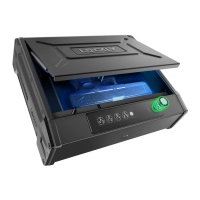
Making sure your Lockly is clean is best practice to ensure optimal product use. Follow the DO and
DON’Ts below.
DON’TDO
•
Rinse the touchscreen with warm water
prior to cleaning.
•
Use the application of soap with a
damp, lukewarm cloth.
•
Air dry or wipe dry with a soft microfiber
cloth to avoid scratches.
• Don’t use abrasives, high alkaline cleaners,
or gasoline to clean your
safe
.
• Don’t apply cleaning detergent directly
in sunlight or at high temperatures.
• Don’t leave cleaning detergent on the
display keypad for long periods of time -
wash immediately.
• Don’t use scrapers, squeegees, or razors.
• Please make sure that no water flows into
the product.
8.1 Important Notes
Physical Keys
Even though you have your fingerprints registered and Access Codes stored, it’s always best practice
to carry your physical keys with you at all times in case for any reason your Safe falls into Safe Mode.
Activation Code
You may find an Activation Code Card with an Activation Code included in your package. It is very
crucial that you do not lose this card. Please store this card safely as you will need the default
Activation Code on that card to master reset your Safe in case, for any reason, you have lost the
phone paired to Lockly and also forgot your Access Code.
Troubleshooting
Please visit http://Lockly.com/help for troubleshooting and the most frequently asked questions and
answers.


 To Next Page
 Loading...