Need help?
Do you have a question about the Locosys BGT-31 and is the answer not in the manual?
Provides a greeting and an overview of the product and manual.
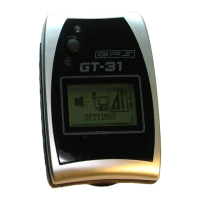
Details the GT-31's features, design, and overall capabilities.
Outlines essential safety guidelines and operational warnings for device usage.
Explains the device's buttons, their locations, and primary functions.
Provides initial setup steps and guidance for first-time users of the device.
Details the meaning of various icons and indicators displayed on the device screen.
Describes the primary navigation menu and its available options for device control.
Presents a hierarchical overview of the device's menu structure and accessible pages.
Provides information on GPS signal strength and satellite acquisition status.
Details metrics for tracking distance, time elapsed, and speed during trips.
Covers information and display modes for current, maximum, and average speeds.
Offers guidance on using the device for directional navigation, including routes and waypoints.
Explains features for logging, saving, and reviewing movement paths or tracks.
Details the management of saved locations (waypoints) for navigation purposes.
Covers creating and managing sequences of waypoints (routes) for navigation.
Explains how to manage storage and data on external memory cards.
Details the functionality for recording trip and position data.
Covers setting up audible and visual alerts for various conditions like speed or altitude.
Describes connecting the device to a PC for data transfer and firmware updates.
Details various configuration options for device parameters and user preferences.
Highlights miscellaneous features, including a 120-year calendar.
Provides guidance on navigating back to a previously visited location.
Offers instructions for measuring areas using recorded track or route data.
Explains how to set up the Speed Genie feature for automatic speed display adjustments.
Details procedures for transferring data, including downloads and uploads, between the device and a PC.
Outlines the steps for updating the device's internal software (firmware).
Lists available geodetic datums used for map referencing and positioning.
Provides information on the device's water resistance capabilities and immersion limits.
Details product warranty coverage, terms, and information on repair services.


 To Next Page
 General