Loewe bild 7
Operating manual
english
9
Installation of the device
1
2
3
4
Installing the TV set
Mounting options / Installation notes
Your Loewe dealer can also assist you in finding other mounting
options. Look for the corresponding directions in the installation
instruction.
The four round self-adhesive covers that are supplied with the TV set,
are used as a cover of the four rear panel openings when installing the
TV with Floor Stand Reference 75 / 85 MU.
Choose a place for installing your TV set where no bright light or
sunlight shines directly onto the screen. This could cause reflections
which impair the picture.
3 times the screen diagonal can be taken as a guide value for the
viewing distance (e.g., for a 55-inch set approx. 4.2 m for SD signal).
The viewing distance can be reduced with an HD/UHD signal.
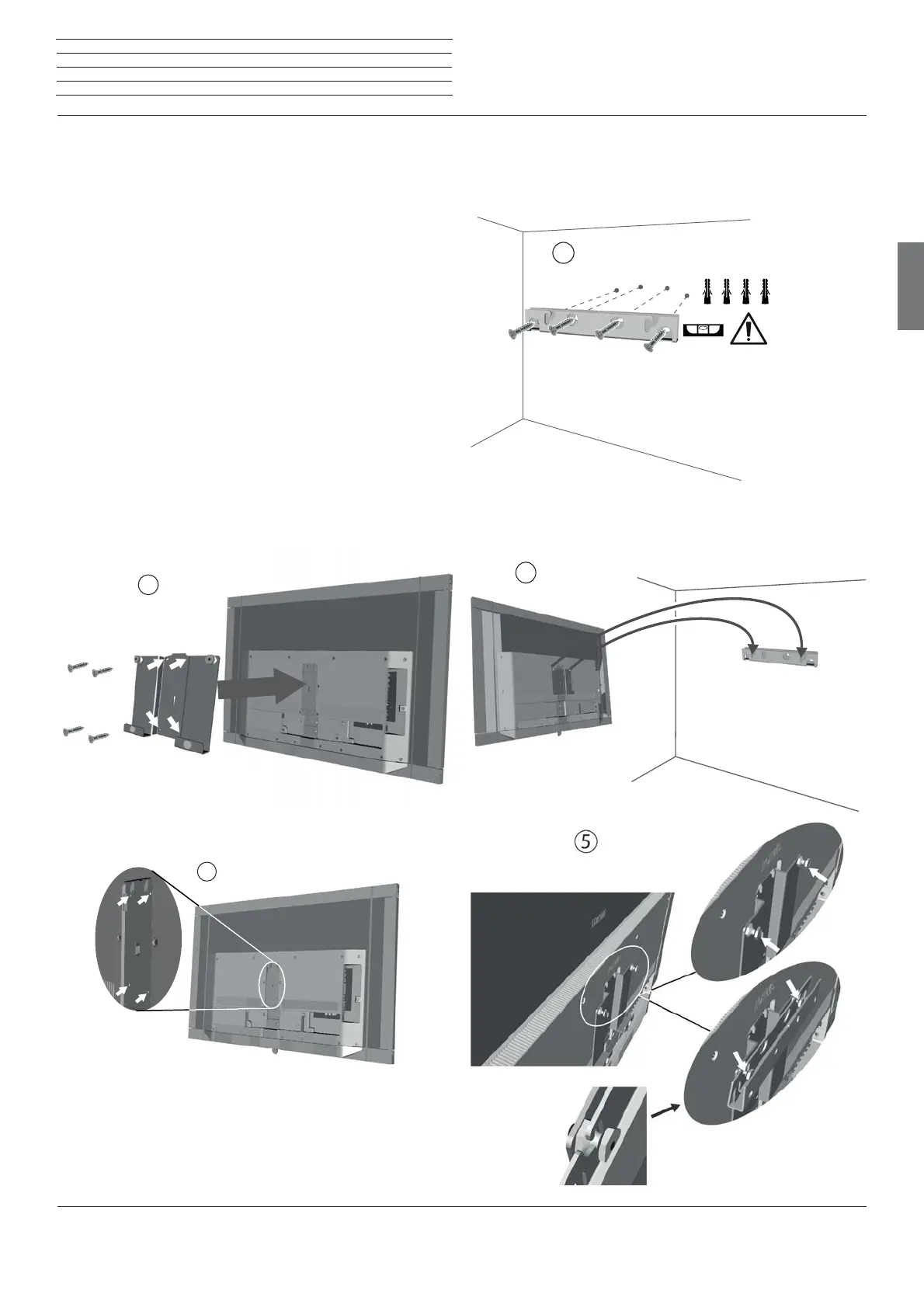
Preparing the Loewe Wall Mount 7
With the enclosed Loewe Wall Mount 7 installation option, you can
easily attach your TV set to the wall.
First attach the support plate on the rear panel of the TV set. Pay
attention to the correct alignment of the openings (arrows on picture
1 and 2) and use the enclosed screws.
Loewe Wall Mount 7 for wall mounting
Now attach the bracket to the wall. Use appropriate dowels and screws
and the enclosed drilling template. Ensure a horizontal orientation.
Finally, hang your bild7 with the two retaining bolts in the openings of
the bracket (cf.. detailed figure).



 To Next Page