
 Need help?
Do you have a question about the Loewe TV 23332507.020 and is the answer not in the manual?
Operating instructions specific to the Individual 32 Selection model.
Operating instructions specific to the Individual 32 model.
Operating instructions specific to the Individual 26 Selection model.
Operating instructions specific to the Individual 26 model.
Identifies all buttons on the remote and their primary functions.
Explains the specific actions of each remote button when operating the TV.
Details the function of controls located directly on the TV set, including indicators.
Describes all AV inputs/outputs, digital audio, and antenna/satellite ports.
Details power, service, and rotating stand control connections.
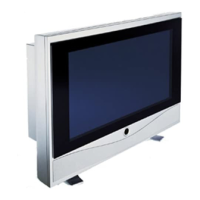
Highlights Loewe's quality, design, and HDTV features.
Lists included items and integrated features of the TV set.
Guidance on safe handling during transport and various mounting methods.
Information on pixel behavior and warranty considerations for the LCD screen.
Instructions for cleaning the TV and proper disposal of electronic waste.
Outlines crucial safety rules for TV operation, placement, and electrical handling.
Steps for inserting batteries and setting up the remote control.
Instructions for connecting the TV to power and an antenna source.
Guidance on handling cables and installing the Common Interface module.
Procedure for switching the TV on for the first time.
Steps for automatic programming and station search.
Explains station sorting and how to manually adjust settings.
Instructions for directing the DVB-T antenna for optimal signal reception.
How to switch the TV on/off and manage standby modes.
Guide to turning the radio on/off and selecting stations.
How to change stations using remote buttons and the station list.
How to navigate menus and adjust basic settings like sound.
Detailed guide to adjusting volume, bass, treble, and sound effects.
How to utilize info texts for setting assistance and menu navigation.
Using the index for quick access to functions and technical terms.
How to schedule the TV to turn off automatically at a set time.
Detailed steps for modifying sound and picture parameters.
Using the TV's control ring for direct access to settings.
Explains the specific functions of colored buttons during TV operation.
How to access status displays and detailed program information.
Adjusting picture format and managing subtitle display.
Guidance for connecting video recorders, DVD players, and camcorders.
Setting up parental controls and programming timer functions for various events.
Setting the menu language and configuring DVB subtitle display preferences.
Instructions for installing, removing, and using the Common Interface module.
Process for searching and downloading new software versions for DVB functionality.
How to access and configure the Image+ feature, including its demo mode.
Basic steps for activating PIP and selecting stations for main and PIP views.
Details on setting the PIP type (small or split screen) and its position.
How to use the EPG to find and select programs, including data capture.
Guides on selecting program dates, times, channels, and topics.
How to prepare recordings using EPG data and manage data capture.
How to choose EPG providers and manage station lists.
How to use analogue teletext, including page selection with colored keys.
Methods for displaying teletext pages and direct page number entry.
Instructions for programming timer recordings using teletext.
Specifics for digital teletext operation in the UK market.
How to tune into radio stations using the DVB tuner.
Accessing radio settings and using the EPG for radio program information.
Step-by-step guide to connect and log in external devices.
Instructions for connecting VCRs and DVD recorders via AV sockets.
Explains various ways to play video from external sources.
How to program timer recordings using VCRs/DVD recorders and EPG/teletext.
Setting up the coaxial digital audio input for external sound systems.
How to use the digital audio output for connecting amplifiers and sound systems.
Detailed guide for connecting Loewe DVD Preceiver Auro and Tremo speakers.
Instructions for connecting digital/analogue amplifiers and active speakers.
How to connect active speakers and adjust audio settings.
Guides for connecting devices via HDMI and VGA/XGA ports.
Adjusting picture position and color standards for PC input.
Connecting PC/STB audio signals and component video inputs.
Using the RC3 remote to control various Loewe devices like VCRs and DVD players.
Steps to program the remote to control devices from other manufacturers.
Specific functions of the RC3 remote for DVD players and recorders.
Specific functions of the RC3 remote for operating VCRs.
How to set and activate the TV's automatic rotation feature.
Solutions for issues with recording menus, connections, and AV inputs.
Resolving problems with Digital Link Plus, teletext display, and sound output.
Solutions for problems related to the TV's rotating stand control.
Provides detailed specifications for different TV models.
Details electrical data, chassis, power, and all connection types.
Information on optional hardware like PIP tuners, satellite tuners, and CI modules.
Details on Loewe audio systems, Tremo speakers, and customizable inlays.
Lists contact details for Loewe's authorized service centers worldwide.









 To Next Page
 General