22
Safety
These installation instructions are intended to make installation easier for the technician.
The installation instructions (in short EBA) are not for the end customer.
Attention
The warning triangle indicates instructions for the protection of persons, equipment
and the environment.
Warning instructions are indented and have a bold heading. Observe these instructions.
Note
These installation instructions are applicable for the upgrade kit (in short ARS) WLAN 70830 081 Chassis
SL1XX.
The upgrade kit is suitable for the TV set: Individual 32 Selection Sound LED, ART 32 LED/ 37 LED/ 40 LED/ 46
LED, Connect 32 LED/ 40 LED
After installing the upgrade kit, the current software package must be loaded. You can fi nd this at the follow-
ing addresses: http://service.loewe.de http://infotip.de
The numbers “(X)” in brackets stand for the item numbers of the content listed under point “2”.
These instructions describe the installation of upgrade kit 70830 081.
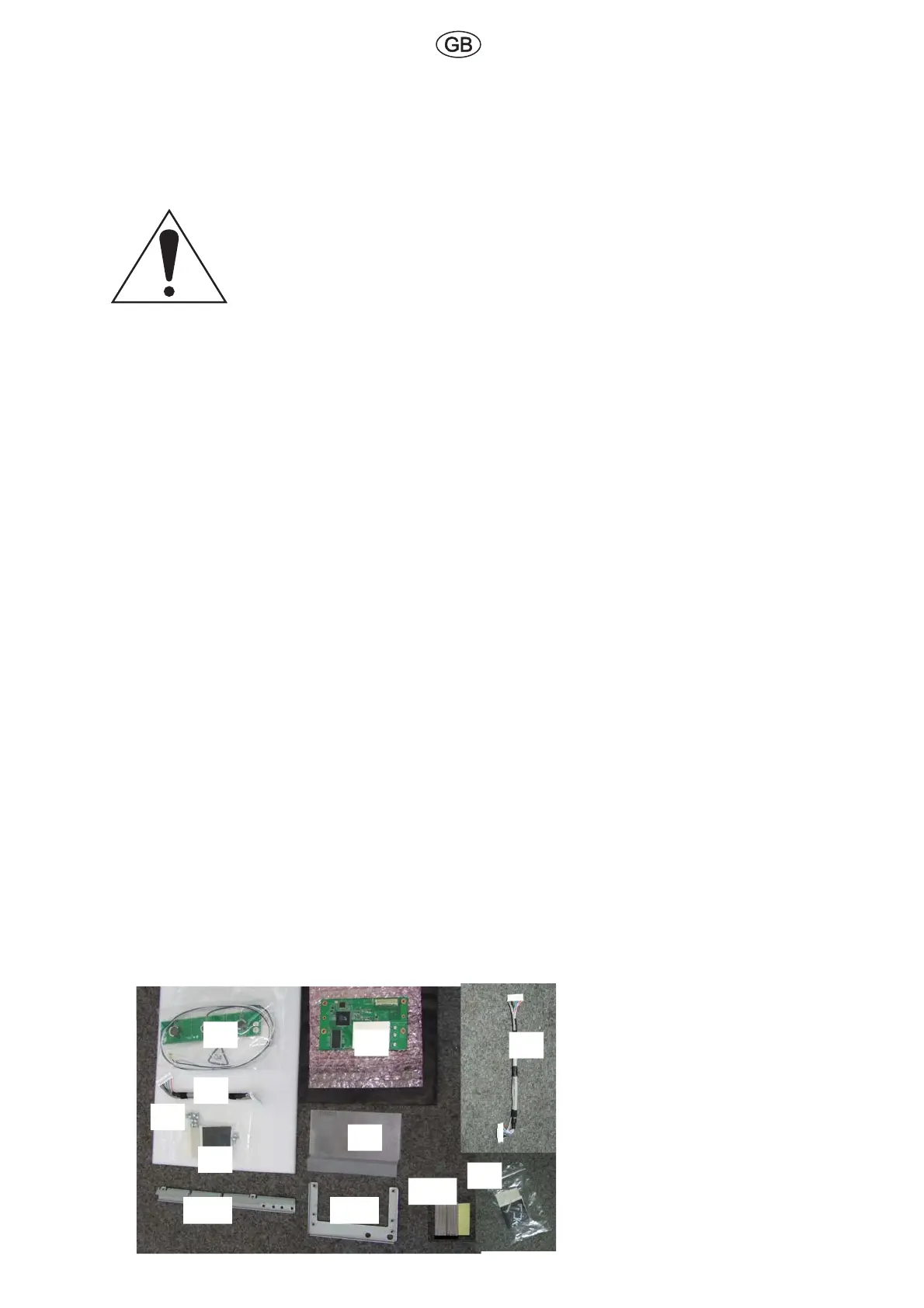
2. Contents - Upgrade Kit 70830 081 Module WLAN
Item no. Quantity Designation Order number
(1) 1 EBA -ARS WLAN 34647 000
(2) 1 WLAN-ANT 3X MIMO 71023 001
(3) 1 WLAN module 70830 001
(4) 1 Cable harness 11 POL 190mm 70833 003
(5) 1 Cable harness 11-POL 165mm 70833 002
(6) 10 Screws SF M3 x 6-K T10 33715
(7) 5 Felt strip 25204
(8) 1 WLAN cover 71029 001
(9) 2 Cable holder 9.1 x 10.7 34061
(10) 1 WLAN antenna holder 71020 001
(11) 1 WLAN holder 70933 001
(12) 2 Contact foam 33104 001
Abb. 6
(3)
(2)
(6)
(5)
(7)
(10)
(11)
(9)
(4)
(8)
(12)
Note
The felt strip (7) has been cut to shape
beforehand. This allows you to fasten the
antenna lines in the TV set.
Use it as and when required.
The cable harness (4) is used for TV sets with
screen size 40“.
The cable harness (5) is used for TV sets with
screen size 32“.
The cable holders (9) are not required anymore
for the TV set ART40 and Connect 40.


 To Next Page
 Loading...